
Stuck in a creative rut? It's time to break free from standard shots and explore a world of artistic possibility. This guide offers nine practical and creative photo ideas, complete with step-by-step tutorials, designed to elevate your photography skills. Whether you're a seasoned professional or just starting out, these techniques will challenge you to see the world differently through your lens. We'll dive into everything from crafting optical illusions with forced perspective to capturing ethereal light paintings, showing you precisely how to turn ordinary scenes into extraordinary art.
Each section provides actionable instructions to help you master a new skill, from silhouette photography at sunset to dynamic motion blur. To truly unleash your inner photographer and generate unique visuals, it's essential to understand various proven techniques to boost creativity. This mindset is key as we explore these concepts.
For those looking to push boundaries even further, we'll also touch on how you can use these foundational ideas as powerful prompts. By feeding these classic techniques into AI-powered platforms, you can refine, enhance, or generate entirely new visual concepts, blending traditional skill with innovative technology. Get ready to transform your portfolio with fresh, compelling imagery.
1. Create a "Chronoscape": Historical Figures in Modern Settings
A "Chronoscape" is a powerful creative photo idea that involves transplanting historical figures into contemporary environments. This anachronistic approach creates a jarring, thought-provoking, and often humorous visual narrative. By leveraging AI, you can seamlessly blend eras, sparking curiosity and generating highly shareable content. Imagine Julius Caesar navigating a bustling Times Square or Marie Antoinette enjoying a craft latte in a hipster café. These images do more than just entertain; they invite viewers to reconsider history through a modern lens.
This technique is especially effective for digital artists and social media influencers looking to create a unique and memorable series. The juxtaposition forces a story, making it one of the most compelling creative photo ideas for engaging an audience.
How to Create Your Chronoscape: A Step-by-Step Tutorial
Achieving this effect is straightforward with a structured AI prompt. The key is to be specific about both the historical figure and the modern context.
- Step 1: Select Your Historical Figure. Choose a recognizable historical figure. Think about their personality, era, and distinct visual characteristics. Examples include Albert Einstein, Cleopatra, or Leonardo da Vinci.
- Step 2: Define the Modern Scene. Pick a distinctly modern setting that contrasts with the figure. Consider locations like a co-working space, a music festival, or a self-service checkout line.
- Step 3: Construct the AI Prompt. Combine these elements in your AI Photo HQ prompt. Start broad, then add details about lighting, camera angle, and mood to refine the result.
Example Prompt Tutorial:
- Basic Idea: "Abraham Lincoln in a Tesla."
- Adding Detail: "Abraham Lincoln sitting in the passenger seat of a red Tesla Model S."
- Adding Setting & Mood: "Ultra-realistic photograph of Abraham Lincoln, wearing his classic suit and top hat, sitting in the passenger seat of a gleaming red Tesla Model S as it drives down a neon-lit Tokyo street at night."
- Final Polish (Technical Specs): "Ultra-realistic photograph of Abraham Lincoln...Cinematic lighting, 8k resolution, sharp focus on Lincoln's thoughtful expression."
This layered approach guides the AI to produce a high-quality, believable image that brings your creative photo idea to life.
2. Double Exposure Photography
Double exposure is a classic creative photo idea that merges two distinct images into a single, ethereal composition. Traditionally achieved in-camera or in post-production, this technique layers subjects and textures to create dreamlike and symbolic visuals. With AI, generating stunning double exposures is more accessible than ever, allowing you to blend portraits with landscapes, animals with their habitats, or abstract patterns with human forms. The result is a deeply artistic and emotionally resonant image that tells a complex story in a single frame.
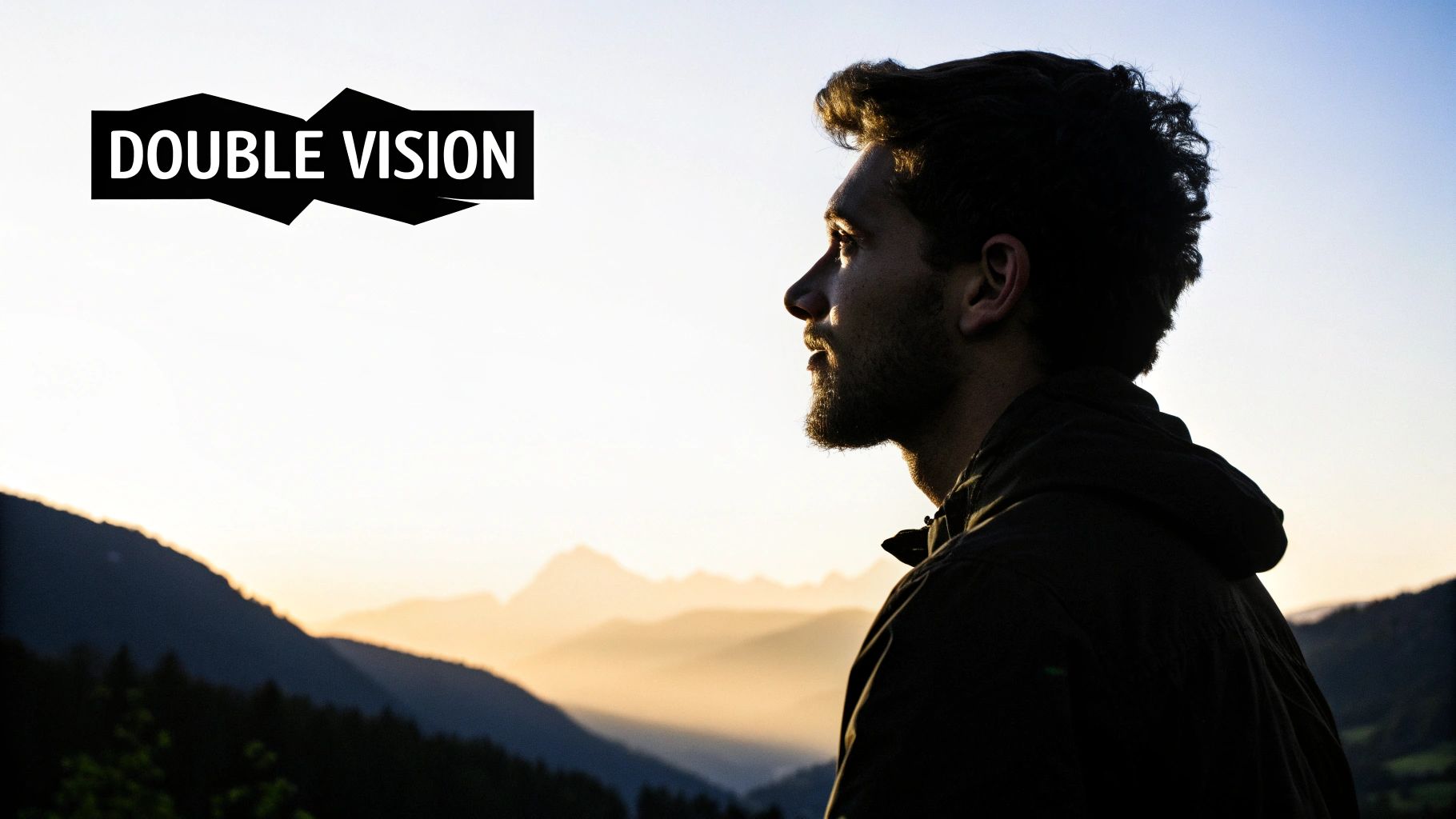
This method is perfect for creating surreal, conceptual art that stands out on social media or in a digital portfolio. A well-executed double exposure can convey profound themes like the connection between humanity and nature, making it one of the most powerful creative photo ideas for visual storytelling. This technique also shares conceptual similarities with other advanced methods; for more on blending artistic styles, you can explore AI image style transfer on aiphotohq.com.
How to Create Your Double Exposure: A Step-by-Step Tutorial
Crafting an effective double exposure with AI requires a prompt that clearly defines both the base image and the overlay. The key is to think about how the two images will interact.
- Step 1: Choose Your Base Image. Select a primary subject, often a silhouette or a high-contrast portrait. A clear outline helps contain the second image effectively. Examples include a person's profile, a lone tree, or an animal silhouette.
- Step 2: Select Your Fill Image. Pick a secondary image with rich texture or a compelling scene. This will "fill" the base image. Think of a dense forest, a starry night sky, or a sprawling cityscape.
- Step 3: Construct the AI Prompt. Combine the elements in your AI Photo HQ prompt, specifying the "double exposure" style and how the images should blend. Clearly separate the base and fill elements.
Example Prompt Tutorial:
- Basic Idea: "Double exposure of a woman and a forest."
- Adding Detail & Style: "Double exposure style. A silhouette of a woman's profile is filled with a vibrant, dense pine forest at sunset."
- Final Polish (Composition & Quality): "Double exposure style. A silhouette of a woman's profile is filled with a vibrant, dense pine forest at sunset. High contrast, clean white background, photographic style, detailed, artistic composition."
By clearly separating the base (silhouette) and fill (forest), you direct the AI to create a balanced and visually striking double exposure, turning a simple concept into a sophisticated piece of art.
3. Light Painting and Steel Wool Photography
Light painting and its more dramatic cousin, steel wool photography, are creative photo ideas that transform dark scenes into dynamic works of art. This technique uses a long camera exposure to capture the movement of a light source, essentially "painting" luminous trails, patterns, or words onto an image. Steel wool photography takes this concept to an explosive level, using burning steel wool to create a shower of fiery sparks that illuminate the environment in a spectacular way.
This method is perfect for photographers looking to create breathtaking, high-impact visuals that feel almost otherworldly. The contrast between a dark, static landscape and the vibrant, fluid motion of light makes for incredibly compelling and shareable content. It’s a hands-on approach that blends physical action with photographic skill.
How to Create Your Light Painting Masterpiece: A Step-by-Step Tutorial
Creating these images requires careful setup and a specific camera configuration. Safety is paramount, especially when working with steel wool.
- Step 1: Prioritize Safety & Location. Scout your location in daylight to identify potential hazards like dry grass or puddles. For steel wool, ensure you are far from flammable materials and wear protective gear like safety glasses, gloves, and non-synthetic clothing. Have a fire extinguisher or bucket of water ready.
- Step 2: Set Up Your Gear. Place your camera on a sturdy tripod to keep it perfectly still during the long exposure. Frame your shot. Use a remote shutter release or the camera's 2-second self-timer to avoid camera shake when you start the shot.
- Step 3: Dial in Camera Settings. Switch your camera to Manual mode (M).
- Aperture: Start with f/8 to get a decent depth of field.
- ISO: Set to a low value like 100 or 200 to minimize image noise.
- Shutter Speed: Set to 15-30 seconds. This is your "canvas time" to paint with light.
- Focus: Use manual focus. Shine a flashlight on your subject, focus on them, and then lock the focus so the camera doesn’t try to refocus in the dark.
- Step 4: Execute the Shot. Press the shutter button. While the shutter is open, move your light source (flashlight, LED stick, or spinning steel wool) through the frame to create your patterns. Once the exposure finishes, review the image and adjust settings as needed.
The following infographic outlines the basic workflow for a safe and successful steel wool photography session.
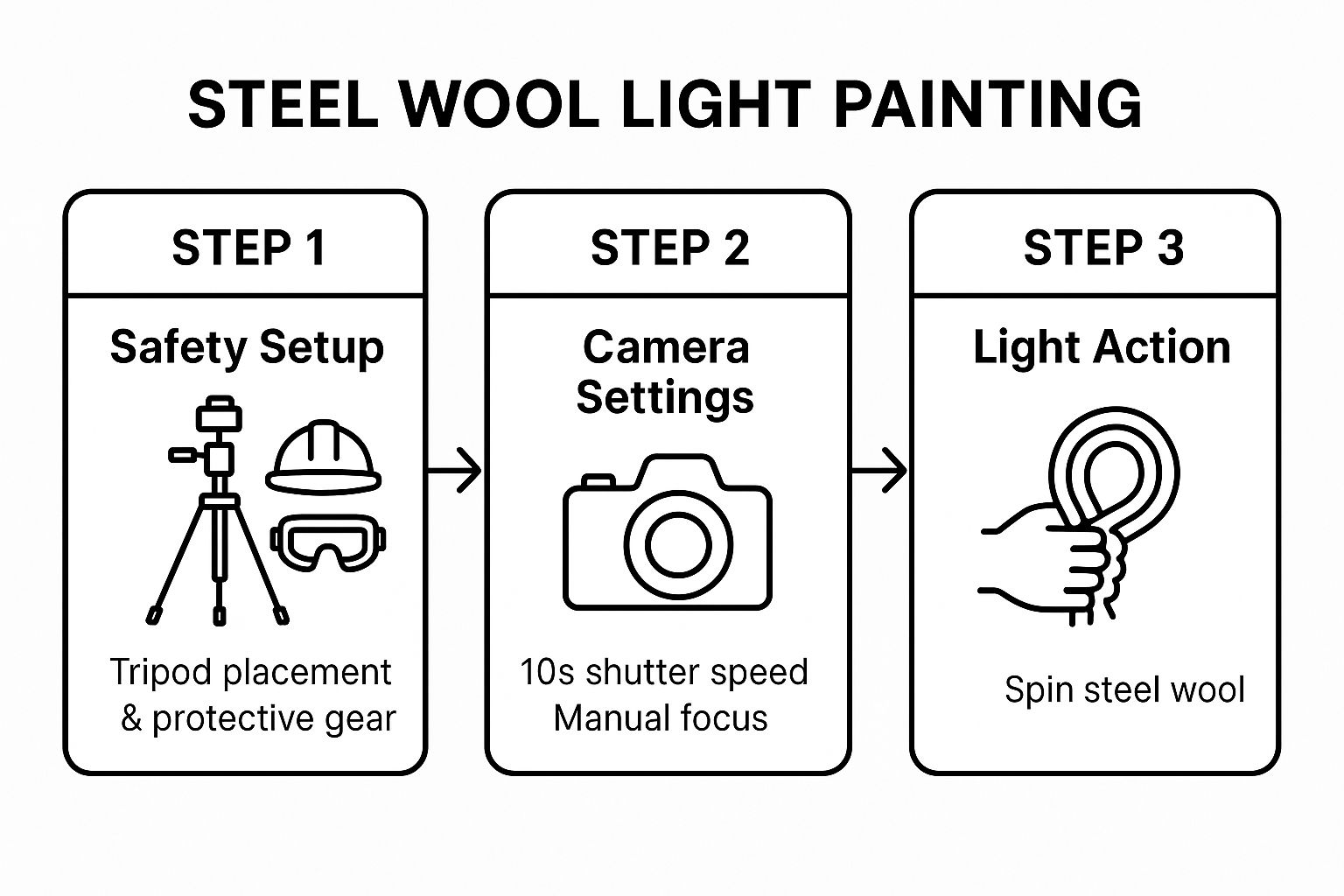
This process highlights how preparation and precise settings are crucial before you even begin the creative light-spinning action.
4. Reflection and Mirror Photography
Reflection and mirror photography is a classic yet powerful creative photo idea that uses reflective surfaces to build complex, layered images. By capturing reflections in mirrors, water, glass, or polished metal, you can create stunning symmetry, duplicate subjects, or reveal hidden perspectives. This technique adds profound depth and intrigue, transforming an ordinary scene into a multi-dimensional work of art. Imagine a city skyline perfectly mirrored in a puddle after a rainstorm or a portrait where a mirror shows a different side of the subject's personality.
This method is ideal for artists and photographers looking to add a layer of narrative complexity to their work. The reflection can tell a story on its own, making this one of the most engaging creative photo ideas for creating visually and emotionally resonant images. AI can amplify this technique, allowing you to create perfect, idealized reflections that are difficult to capture in reality.
How to Create Your Reflection Masterpiece: A Step-by-Step Tutorial
Creating a compelling reflection shot with AI is about defining the relationship between the subject and the reflective surface. Your prompt must clearly articulate both elements and how they interact.
- Step 1: Choose a Reflective Surface. Decide on the type of reflection. Will it be a crystal-clear mirror, the distorted surface of a puddle, a sleek glass window, or a calm lake? The surface choice dramatically affects the mood.
- Step 2: Define the Subject and Setting. Specify what is being reflected and the environment it's in. Is it a person, a building, or an abstract shape? The context is just as important as the subject.
- Step 3: Construct the AI Prompt. Combine these details in your AI Photo HQ prompt, focusing on the quality of the reflection, the lighting, and the overall mood.
Example Prompt Tutorial:
- Basic Idea: "A person reflected in a puddle."
- Adding Detail & Mood: "A solitary figure in a long coat stands on a wet cobblestone street at dusk, their form reflected in a large puddle. Neo-noir aesthetic."
- Final Polish (Technical Specs): "Ultra-realistic photograph, a solitary figure in a long coat stands on a wet cobblestone street at dusk, their entire form perfectly reflected in a large, clear puddle. Neo-noir aesthetic, cinematic lighting from street lamps, sharp focus on both the figure and the detailed water reflection. 8k resolution."
By being specific about the reflective surface, lighting, and desired aesthetic, you instruct the AI to generate a flawless and evocative image that captures the soul of your creative photo idea.
5. Macro and Close-up Abstract Photography
Macro photography is a creative photo idea that unveils a hidden world, transforming mundane objects into extraordinary abstract art. By using AI to generate extreme close-ups, you can reveal intricate details, patterns, and textures that are completely invisible to the naked eye. Imagine the crystalline structure of a snowflake, the iridescent swirls on a soap bubble, or the complex, alien-like compound eye of a housefly. These images captivate audiences by showing them the familiar in a completely new and artistic way.
This technique is perfect for artists and content creators aiming to produce visually stunning and unique work. It’s one of the most effective creative photo ideas for demonstrating technical artistry and creating images that make people stop and look closer. The abstract nature of these shots sparks curiosity and engagement.
How to Create Your Macro Abstract: A Step-by-Step Tutorial
Generating a convincing macro photograph with AI requires precise instructions about the subject, lighting, and level of magnification. The goal is to guide the AI to focus on the microscopic details that make the image compelling.
- Step 1: Choose Your Subject. Select an object known for its interesting micro-textures. Think about things like insect wings, frost on a window pane, a peacock feather, the inside of a geode, or oil on water.
- Step 2: Define the Style and Lighting. Specify the desired aesthetic. Do you want soft, diffused lighting to show gentle detail, or dramatic, high-contrast light to create bold shapes? Is the mood scientific or purely artistic?
- Step 3: Construct the AI Prompt. Combine these elements in your AI Photo HQ prompt, emphasizing keywords like "macro," "extreme close-up," "depth of field," and "focus."
Example Prompt Tutorial:
- Basic Idea: "Macro photo of a dragonfly wing."
- Adding Detail & Lighting: "Extreme macro photograph of the intricate patterns on a dragonfly's wing. The lighting is soft and diffused, highlighting the delicate, transparent cellular structure."
- Final Polish (Technical Specs): "Extreme macro photograph...Shallow depth of field, with razor-sharp focus on the central veins of the wing. 8k, hyper-detailed, abstract beauty."
By being specific about the focus and lighting, you can direct the AI to create a breathtaking image that turns the ordinary into a masterpiece of abstract art. You can also further refine the clarity and detail of your generations by using specialized tools. For more information, you can explore the topic of AI image enhancement to push your macro results even further.
6. Levitation and Jumping Photography
Levitation and jumping photography is a dynamic and visually arresting technique that captures subjects in mid-air, creating a magical illusion of floating, flying, or defying gravity. This method transforms a static image into a moment of energetic suspension. With AI, you can push this concept beyond the limits of physical timing and safety, generating perfectly composed shots of subjects suspended in impossible ways or in fantastical environments. Imagine a dancer captured in a perfect mid-air leap over a celestial landscape or an entire office team floating weightlessly in their boardroom.
This approach is one of the most engaging creative photo ideas for fashion, sports, and conceptual art. It injects a sense of wonder and kinetic energy into the frame, making the final image highly memorable and shareable. The surreal quality of a levitating subject instantly grabs attention, making it a powerful tool for visual storytelling.
How to Create Your Levitation Photo: A Step-by-Step Tutorial
Crafting a convincing levitation shot with AI requires focusing on motion, realism, and context. The key is to describe the action and the environment with precision.
- Step 1: Choose Your Subject and Action. Decide who is levitating and what the action implies. Is it a graceful float, an explosive jump, or a serene hover? Examples include a monk meditating mid-air or a superhero taking flight. The action defines the mood.
- Step 2: Define the Setting. The background is crucial for context. A surreal setting can enhance the magic, while a mundane one can create a startling juxtaposition. Consider a library, a dense forest, or a busy city street.
- Step 3: Construct the AI Prompt. Combine these elements in your AI Photo HQ prompt. Specify details about clothing, expression, and lighting to enhance the effect of weightlessness. Use photographic terms to guide the AI.
Example Prompt Tutorial:
- Basic Idea: "A ballet dancer jumping in a cathedral."
- Adding Detail & Mood: "A female ballet dancer in a flowing white dress, captured mid-leap in a graceful levitation pose inside a grand, abandoned cathedral with light streaming through stained glass windows."
- Final Polish (Technical Specs): "Ultra-realistic, dynamic action photograph...High shutter speed effect, tack-sharp focus, dramatic cinematic lighting, 8k. Dust motes float in the air."
By detailing the "high shutter speed effect" and the subject's pose, you instruct the AI to generate a crisp, believable image that masters this creative photo idea, freezing a moment of impossible grace.
7. Bokeh and Depth of Field Manipulation
One of the most artistic and creative photo ideas involves mastering bokeh and depth of field. Bokeh, a Japanese term, refers to the aesthetic quality of the blur in the out-of-focus parts of an image. By using a shallow depth of field, you can isolate your subject, making it pop against a beautifully soft, dreamy background. This technique transforms distracting backgrounds into a canvas of creamy textures and mesmerizing light orbs.
This approach is perfect for portrait, macro, and street photography, where drawing the viewer's eye to a specific point is crucial. AI tools like AI Photo HQ give you unprecedented control over this effect, allowing you to achieve a look that was once only possible with expensive, wide-aperture lenses. It's a fantastic way to add a professional, polished feel to your images.
How to Create Your Bokeh Masterpiece: A Step-by-Step Tutorial
Crafting an image with stunning bokeh is about precise control in your AI prompt. The key is to describe the desired focus and the quality of the background blur using photographic language.
- Step 1: Choose Your Subject. Select a clear focal point. This could be a person's face, a flower in a macro shot, or a single object on a busy street. The subject should be the hero of the image.
- Step 2: Describe the Background & Light Source. Think about what will create the bokeh. Points of light like city lights at night, holiday lights, or sunlight filtering through tree leaves work best for creating distinct bokeh orbs.
- Step 3: Construct the AI Prompt. Combine these elements in your AI Photo HQ prompt, emphasizing photographic terms like "aperture," "depth of field," and "bokeh."
Example Prompt Tutorial:
- Basic Idea: "Close-up of a dewdrop with a blurry background."
- Adding Detail & Bokeh Source: "Extreme close-up macro photograph of a single dewdrop on a vibrant green leaf. The background is an out-of-focus garden with sparkling sunlight creating large, circular bokeh orbs."
- Final Polish (Technical Specs): "Extreme close-up macro photograph...Shot with an f/1.4 aperture lens, sharp focus on the dewdrop, ultra-realistic, vibrant colors."
This detailed prompt ensures the AI understands the precise creative photo idea, separating the sharp subject from a soft, artistic background to produce a visually captivating result.
8. Silhouette Photography
Silhouette photography is a dramatic technique that transforms subjects into powerful, graphic shapes. This creative photo idea involves positioning your subject against a bright background and exposing for the light, which renders the subject as a stark, black outline. The result is a high-contrast image that emphasizes form, mystery, and emotion over fine details, turning ordinary scenes into captivating visual statements.
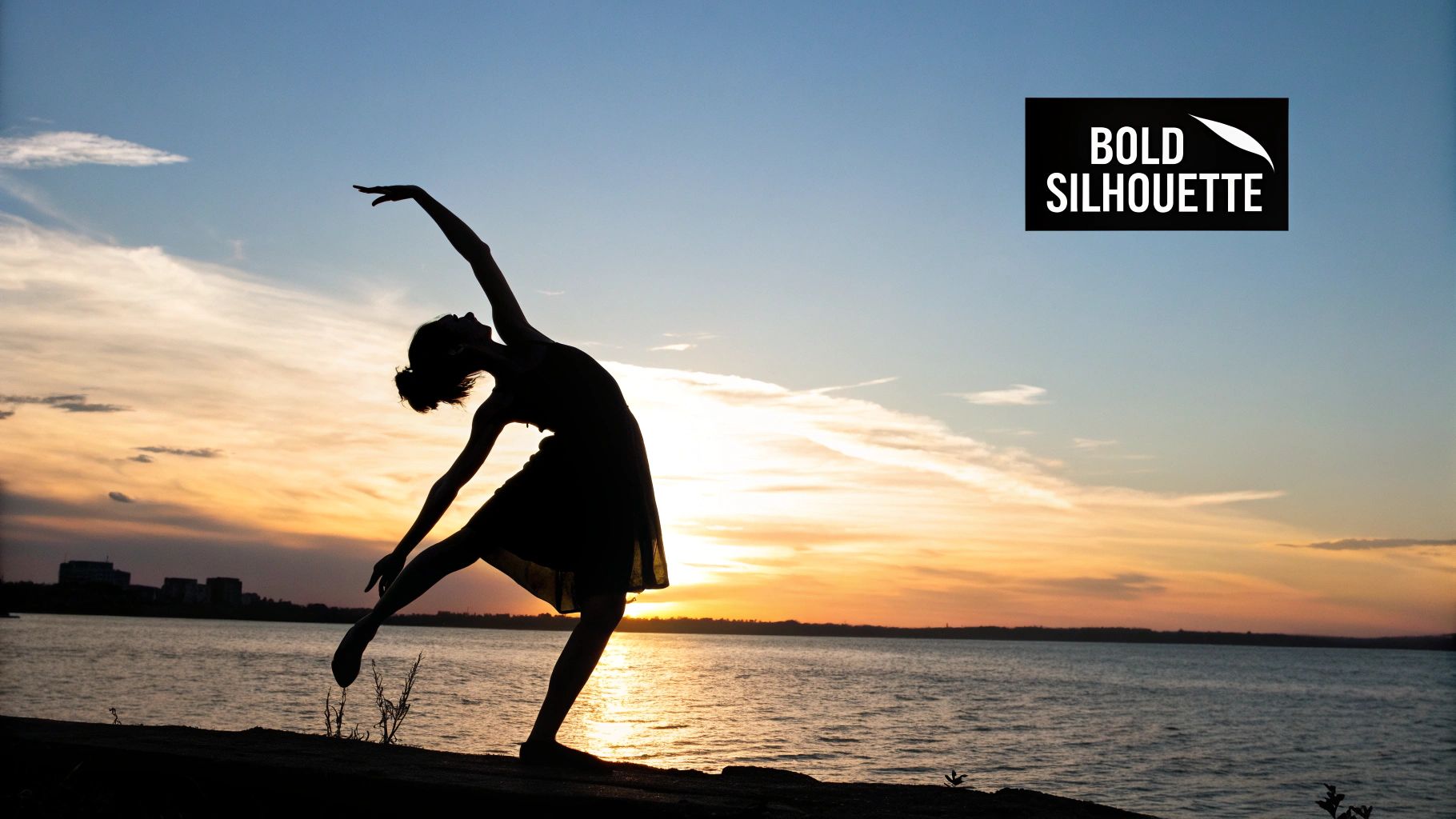
This method is perfect for adding a layer of artistic drama to your portfolio. It strips away distractions, forcing the viewer to focus on the pure outline and the story it tells. From a lone tree against a vibrant sunset to a dancer captured in a dynamic pose, silhouettes offer a timeless and universally appealing aesthetic.
How to Create Your Silhouette: A Step-by-Step Tutorial
Generating a stunning silhouette with AI is about creating extreme contrast between your subject and its background. Precision in your prompt is crucial to guide the AI to correctly interpret the lighting and composition.
- Step 1: Choose a Distinct Subject. Select a subject with a strong, recognizable shape. Simple, clean outlines work best. Athletes, dancers, unique architectural structures, or animals are excellent choices.
- Step 2: Define the Bright Background. The background is your light source. The brighter and more colorful it is, the more dramatic the silhouette. Sunsets, sunrises, a bright doorway, or a full moon are classic choices.
- Step 3: Construct the AI Prompt. Combine your elements, explicitly stating the "silhouette" effect and describing the background's vibrant light and colors.
Example Prompt Tutorial:
- Basic Idea: "Silhouette of a ballerina at sunset."
- Adding Detail & Mood: "Dramatic silhouette photograph of a lone ballerina in a graceful arabesque pose, perfectly outlined against a fiery, vibrant sunset over the ocean."
- Final Polish (Composition & Quality): "Dramatic silhouette photograph...The sky is filled with brilliant orange, pink, and purple hues. The ballerina is a solid black shape, high contrast, minimalist composition, powerful and emotive."
By specifying "dramatic silhouette" and "solid black shape" while detailing the bright, colorful background, you instruct the AI to prioritize the background exposure, ensuring your subject becomes the compelling focal point of this creative photo idea.
9. Capture Dynamic Energy with Motion Blur and Panning
Motion blur and panning are powerful creative photo ideas that inject a sense of speed, energy, and dynamism into a static image. This technique uses a simulated slow shutter speed to either blur a moving subject against a sharp background or, through panning, keep the subject sharp while blurring the background. AI image generation makes achieving this complex effect remarkably simple, allowing you to create stunning action shots without a physical camera.
This approach is perfect for conveying movement in scenes like sports, urban life, or nature. Imagine the striking visual of a cyclist frozen in perfect clarity against a streaking cityscape or the silky, ethereal flow of a waterfall. These images grab attention by manipulating time and motion, making them highly effective for dynamic marketing campaigns or compelling social media content.
How to Create Your Motion Blur Image: A Step-by-Step Tutorial
Replicating motion blur or a panning shot with AI requires a prompt that clearly defines the moving subject, the desired blur effect, and the overall environment. Precision is key to guiding the AI toward the intended result.
- Step 1: Identify the Moving Subject. Choose a subject that implies motion. This could be a vehicle (car, train), an athlete (runner, cyclist), or a natural element (waterfall, clouds).
- Step 2: Define the Effect (Long Exposure vs. Panning).
- Long Exposure: Blurs the moving subject (e.g., "long exposure of waterfall").
- Panning: Keeps the subject sharp and blurs the background (e.g., "panning shot of a race car"). Be explicit about which effect you want.
- Step 3: Construct the AI Prompt. Combine these elements in your AI Photo HQ prompt, emphasizing action and photographic settings.
Example Prompt Tutorial (Panning):
- Basic Idea: "Panning shot of a cyclist."
- Adding Detail & Setting: "Action photograph, panning shot of a professional cyclist racing down a winding mountain road. The background of green trees and asphalt is blurred with horizontal motion streaks."
- Final Polish (Technical Specs): "Action photograph, panning shot...The cyclist is in sharp focus...Golden hour lighting, vibrant colors, sense of incredible speed, 8k resolution."
By specifying the type of shot ("panning shot"), the state of the subject ("sharp focus"), and the background ("blurred with horizontal motion streaks"), you provide the AI with the exact instructions needed to generate a professional and energetic image that embodies this creative photo idea.
Creative Photo Ideas Comparison Matrix
| Technique | Implementation Complexity 🔄 | Resource Requirements ⚡ | Expected Outcomes 📊 | Ideal Use Cases 💡 | Key Advantages ⭐ |
|---|---|---|---|---|---|
| Forced Perspective Photography | Beginner to Intermediate 🔄 | Minimal equipment; manual focus camera, tripod recommended ⚡ | Engaging optical illusions, surreal visuals 📊 | Travel, portraits, creative scenes 💡 | Highly shareable, encourages creativity ⭐ |
| Double Exposure Photography | Intermediate to Advanced 🔄 | Film/digital camera, post-processing software ⚡ | Artistic, dreamlike layered images 📊 | Conceptual, fine art, portraits 💡 | Unique storytelling, artistic results ⭐ |
| Light Painting & Steel Wool | Intermediate 🔄 | DSLR/mirrorless, tripod, various light sources, safety gear ⚡ | Spectacular light trails, dynamic abstract visuals 📊 | Night scenes, abstract, experimental 💡 | High visual impact, creative freedom ⭐ |
| Reflection and Mirror Photography | Beginner to Intermediate 🔄 | Any camera, polarizing filter helpful ⚡ | Symmetrical/compositional depth, intriguing perspectives 📊 | Indoor/outdoor, architecture, portraits 💡 | Instantly adds complexity, versatile ⭐ |
| Macro and Close-up Abstract | Intermediate to Advanced 🔄 | Macro lens, tripod, ring flash or LED panel ⚡ | Detailed, abstract close-up art 📊 | Nature, textures, abstract studies 💡 | Reveals hidden beauty, unique visuals ⭐ |
| Levitation and Jumping Photography | Intermediate 🔄 | Fast autofocus camera, 70-200mm lens, high-speed sync flash ⚡ | Dynamic floating/frozen motion shots 📊 | Portraits, fashion, dynamic action 💡 | Energetic imagery, minimal gear ⭐ |
| Bokeh and Depth of Field | Beginner to Intermediate 🔄 | Fast prime lenses, full-frame preferred ⚡ | Creamy background blur, artistic light shapes 📊 | Portraits, macro, artistic backgrounds 💡 | Professional polished look, subject isolation ⭐ |
| Silhouette Photography | Beginner to Intermediate 🔄 | Simple camera equipment, strong backlighting ⚡ | Dramatic, high-contrast subject outlines 📊 | Storytelling, landscapes, portraits 💡 | Powerful mood, minimal gear ⭐ |
| Motion Blur and Panning | Intermediate to Advanced 🔄 | Camera with shutter priority, steady hand, neutral density filters ⚡ | Dynamic motion effects, sense of speed 📊 | Sports, street, action photography 💡 | Adds energy, artistic motion interpretation ⭐ |
Beyond the Shot: AI-Powered Creativity
The journey through these nine creative photo ideas, from the mind-bending fun of forced perspective to the kinetic energy of motion blur, is more than just a list of techniques. It's an invitation to fundamentally change how you perceive and interact with the world through your lens. Mastering these concepts equips you with a versatile artistic toolkit, enabling you to transform everyday scenes into compelling, narrative-driven images. You now have the practical, step-by-step knowledge to manipulate light, perspective, and motion, turning abstract concepts into tangible, stunning photographs.
The true power of these ideas lies in their ability to serve as a creative foundation. Each technique-whether it's the ethereal beauty of a double exposure or the dramatic contrast of a silhouette-is a starting point, not an endpoint. They challenge you to think like a problem-solver and an artist, finding unique angles and fresh perspectives in even the most familiar environments.
Unlocking Your Next Creative Level with AI
Your creative exploration doesn't stop when you put the camera down. In fact, that's where a new world of possibilities begins, especially with the power of artificial intelligence. Platforms like AI Photo HQ are not just for fixing mistakes; they are creative collaborators. You can take a successful shot and use it as a springboard for endless artistic variations.
Consider these actionable next steps to bridge your in-camera skills with AI enhancement:
- Refine Your Panning Shots: Did you capture a great panning photo with fantastic motion blur, but the subject is slightly soft? Instead of discarding it, use an AI photo restoration tool to sharpen the subject with precision, preserving the beautiful background blur you worked so hard to create.
- Generate Conceptual Variations: Take the idea of a light painting or a silhouette. Use a detailed text prompt in an AI generator to create entirely new scenes based on that concept. For example, prompt an image of a "knight in shining armor outlined by a dramatic sunset silhouette, wielding a glowing sword, fantasy art style." You are no longer limited by physical reality.
- "Remix" Your Double Exposures: Feed your favorite double exposure image into an AI model and prompt it to generate variations in different artistic styles, such as "in the style of a watercolor painting" or "with a cyberpunk neon aesthetic."
By blending the hands-on techniques from this guide with the limitless potential of AI, you can elevate your portfolio, develop a unique style, and push your creative boundaries further than ever before. This synergy between traditional skill and modern technology is defining the next generation of visual art. As you delve into AI-powered creativity for photography, it's insightful to see how AI is also transforming other visual content, such as through the use of AI video editing tools, which apply similar principles of enhancement and generation to moving images.
Embrace these creative photo ideas not just as instructions, but as a new language for visual storytelling. Practice them, master them, and then see how far you can take them.
Ready to push your creative photo ideas beyond the limits of your camera? Explore AI Photo HQ to generate stunning, unique images from simple text prompts or transform your existing photos with powerful AI-driven tools. Unleash your imagination and start creating visuals that stand out today with AI Photo HQ.


