

Coming up with fresh, engaging social media post ideas day after day can feel like a marathon with no finish line. You know consistency is key, but the creative well runs dry, leaving you staring at a blinking cursor. The pressure to stand out is immense, and generic content simply doesn't cut it anymore.
This guide is your practical toolkit for breaking free from content fatigue. We're moving beyond vague advice to deliver actionable social media post ideas, complete with step-by-step tutorials. You will learn not just 'what' to post, but exactly 'how' to create high-impact visuals and compelling narratives using powerful tools like AI Photo HQ. Whether you’re a blogger, digital artist, or part of a marketing agency, these strategies are designed for immediate implementation.
Our focus is on transforming your social media strategy from a daily chore into a creative powerhouse. If you're still looking for additional inspiration to overcome content blocks, you can also explore these 9 fresh content ideas for social media for more perspectives. Now, let's dive into the specific post types that will captivate your audience and drive real engagement.
1. Behind-the-Scenes Content
Pulling back the curtain to reveal the inner workings of your brand is one of the most powerful social media post ideas for building trust and authenticity. Behind-the-scenes (BTS) content showcases the unpolished, human side of your business, moving beyond finished products to highlight the process, people, and passion involved. This approach fosters a genuine connection, making your audience feel like insiders.

From a design studio sharing time-lapses of their creative process to a coffee shop showing how they roast their beans, BTS content makes your brand relatable. It transforms abstract business operations into compelling stories that resonate with followers on a personal level.
How to Create Compelling BTS Content
To make your behind-the-scenes posts stand out, focus on a clear, step-by-step process that tells a story. Here's a tutorial for creating a "day in the life" carousel post.
- Step 1: Plan Your Shots: Identify 3-5 key moments in your workday. This could be your morning coffee ritual, a brainstorming session, a client call, and creating a final design.
- Step 2: Capture Authentic Photos/Videos: Take candid shots or short clips of each moment. Don't over-polish them; authenticity is key.
- Step 3: Create a Storyboard in AI Photo HQ: Upload your images. Use a simple carousel template to arrange them in chronological order. Add text overlays explaining each step of your day. For example, "9 AM: Fueling up for a creative session!" on the first slide.
- Step 4: Write a Reflective Caption: In your post caption, share one key takeaway or challenge from your day. Ask your audience a related question like, "What's the most productive part of your day?" For more ideas on how to approach your visuals, check out this guide on digital art for beginners.
Pro Tip: Balance is key. Mix your polished, professional content with raw, authentic BTS posts. This strategy ensures your feed remains visually appealing while building a deeper, more genuine relationship with your audience. This is a must-try social media post idea for any brand looking to connect.
2. User-Generated Content (UGC)
Leveraging content created by your audience is one of the most effective social media post ideas for building social proof and community. User-generated content (UGC) is any material, such as photos, videos, or reviews, shared by customers or fans that features your brand. Resharing this content celebrates your audience, turning them into authentic brand ambassadors and fostering a powerful sense of belonging.
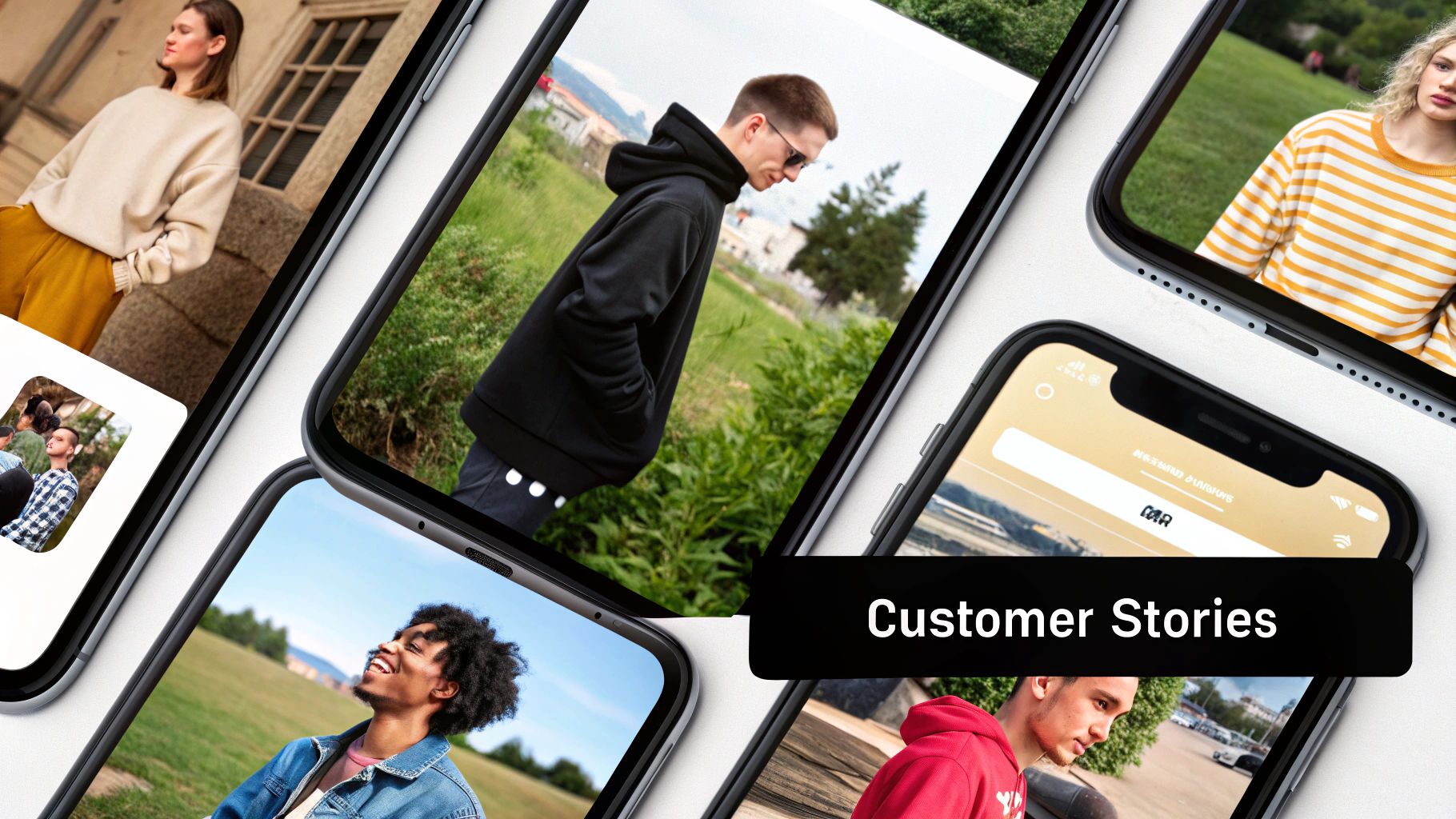
Iconic campaigns like Coca-Cola's #ShareACoke and GoPro's customer-shot adventure videos demonstrate the impact of UGC. This strategy transforms your followers from passive viewers into active participants, creating a vibrant feed filled with genuine, relatable stories that new customers trust more than traditional advertising.
How to Encourage and Share UGC
To make UGC a cornerstone of your content strategy, create a clear framework that encourages participation. Here is a step-by-step tutorial for launching a UGC campaign.
- Step 1: Define Your Goal and Hashtag: Decide what you want users to share (e.g., photos with your product). Create a simple, unique hashtag like #MyBrandAdventure.
- Step 2: Announce the Campaign: Create a post explaining the rules. Clearly state what users should post, the hashtag to use, and the deadline. Offer an incentive, like a chance to be featured or win a prize.
- Step 3: Monitor the Hashtag: Regularly check the hashtag feed on Instagram, TikTok, and other platforms.
- Step 4: Ask for Permission and Reshare: When you find a great post, send a direct message to the creator: "Hi! We love your photo. May we have permission to share it on our feed with full credit to you?" Once you have permission, repost it, tagging the user in both the image and the caption.
Pro Tip: Set clear submission guidelines for any UGC campaign. Specify image quality, content themes, and any rules to ensure the content you receive aligns with your brand’s values and aesthetic. This is a crucial social media post idea for authentically scaling your content efforts.
3. Educational/How-To Content
Positioning your brand as a helpful expert is a cornerstone social media post idea for building authority and loyalty. Educational or how-to content provides genuine value by teaching your audience a new skill, solving a common problem, or offering industry-specific insights. This approach shifts the focus from selling to serving, which naturally builds trust and encourages followers to turn to you for reliable information.

From detailed tutorials and quick tips to in-depth guides, this type of content establishes your credibility. Brands like HubSpot and Adobe excel at this by consistently sharing actionable advice that empowers their audience, making them indispensable resources in their respective fields.
How to Create Compelling Educational Content
The key to successful educational content is to break down complex topics into simple, digestible steps. Here’s a tutorial for creating a "quick tip" carousel post.
- Step 1: Identify a Common Problem: Think of a question you get asked often. For example, "How do I choose the right font for my logo?"
- Step 2: Outline 3-5 Actionable Tips: For the font question, your tips could be: 1. Understand brand personality, 2. Ensure readability, 3. Test different weights.
- Step 3: Design Your Carousel in AI Photo HQ: Use a numbered list or step-by-step template. Dedicate one slide to each tip, using a clear heading and a short sentence. Use icons or simple AI-generated graphics to illustrate each point.
- Step 4: Create a Call-to-Action: On the final slide, ask a question to encourage comments, like "What's your favorite go-to font? Share below!"
Pro Tip: Keep your instructional content beginner-friendly to attract the widest possible audience. When planning your posts, it's also helpful to learn how to create impactful tutorial videos that hold viewer attention and clearly demonstrate your expertise.
4. Trending Topic Commentary
Jumping into relevant, trending conversations is a surefire way to boost your visibility and showcase your brand's personality. Trending topic commentary involves creating content that adds your unique perspective to current events or viral moments happening in your industry or in broader pop culture. This strategy helps your brand stay timely and connect with a wider audience engaged in these larger discussions.

From witty brand responses like those from Wendy's to culturally aware posts from Netflix, participating in trends shows that your brand is current and listening. This approach can humanize your brand, making it more approachable and memorable, much like Duolingo’s viral TikTok presence. It's an excellent social media post idea for demonstrating relevance.
How to Create Compelling Trending Content
To successfully engage with trends, you must act fast. Here’s a quick tutorial for creating a trend-based visual using AI.
- Step 1: Identify a Viral Meme or Format: Check the "trending" tabs on TikTok, Instagram, or X. Let's say the "distracted boyfriend" meme is popular again.
- Step 2: Brainstorm a Relevant Angle: How can this meme relate to your brand? For a project management tool, the "boyfriend" could be "Me," the "girlfriend" could be "My To-Do List," and the "other woman" could be "One more 'quick' task."
- Step 3: Generate the Visual in AI Photo HQ: Instead of using the generic stock photo, use AI to create a unique, branded version. Use a prompt like: "Create a photorealistic image in the style of the distracted boyfriend meme, where a cartoon lightbulb character is looking at a new idea while its current project looks on disapprovingly."
- Step 4: Post with Relevant Hashtags: Share your creation immediately with the trending hashtag and your own brand hashtags. To get better AI results, review these tips on how to write AI prompts.
Pro Tip: Not every trend is right for your brand. Be selective and avoid jumping on controversial topics unless it aligns with a pre-planned brand strategy. The best trending content adds a unique spin or provides value, it doesn't just repeat what everyone else is saying.
5. Interactive Polls and Questions
Turning your social media feed into a two-way conversation is a brilliant strategy for boosting engagement, and interactive polls and questions are your best tool for the job. This social media post idea directly invites your followers to participate, share their opinions, and feel heard. By asking questions, you not only gather valuable feedback but also signal that you care about what your audience thinks, strengthening community bonds.
This approach transforms passive scrollers into active participants. Whether it’s a simple Instagram Story poll asking followers to choose their favorite product design or a thought-provoking question on LinkedIn, these posts spark immediate interaction and provide a wealth of insights into your audience’s preferences.
How to Create Compelling Interactive Content
To make your polls effective, they must be visually engaging and simple. Here’s a step-by-step guide to creating a "This or That" poll in Instagram Stories.
- Step 1: Generate Your Visuals: Let's say you're a coffee shop. Use AI Photo HQ to create two beautiful, distinct images: one of a "creamy caramel latte" and another of a "bold black americano." Make sure both are visually appealing.
- Step 2: Design the Story Layout: In the Instagram Story editor, use a layout to place the two images side-by-side.
- Step 3: Add the Poll Sticker: Tap the sticker icon and select the "Poll" option. Type in a question like, "What's your morning go-to?" and label the options "Caramel Latte" and "Black Americano."
- Step 4: Share and Follow Up: Post the story. After 24 hours, share the results in a new story, perhaps with a message like, "The lattes win! Looks like you all have a sweet tooth."
Pro Tip: Always follow up on the results. Share the winning poll choice in a new post or use the answers from a Q&A session to create a detailed blog post or video. Closing the loop shows your audience that their participation matters and had a real impact.
6. Before and After Transformations
Showcasing a dramatic transformation is one of the most compelling social media post ideas because it provides tangible proof of value. "Before and after" content visually demonstrates progress, making it an incredibly persuasive tool for capturing audience attention and building credibility. This format works powerfully across countless industries, from a fitness coach highlighting a client's journey to a designer revealing a stunning brand makeover.
Whether you're showing the results of a skincare routine, a home renovation, or business growth, the side-by-side comparison tells a clear and impactful story. It hooks viewers by tapping into their desire for improvement and offers a satisfying reveal that generates high engagement.
How to Create Compelling Transformation Content
Success with this format hinges on clear visual storytelling. Here’s a tutorial on creating a before-and-after post for photo restoration.
- Step 1: Select Your "Before" Image: Find a high-quality scan of a damaged or faded old photograph. This will be your starting point.
- Step 2: Restore the Image with AI: Upload the "before" image to AI Photo HQ's photo restoration tool. Let the AI process the image to fix cracks, remove scratches, and enhance colors. Download the "after" result.
- Step 3: Create the Comparison Visual: Use a side-by-side collage template in a design tool. Place the "before" image on the left and the "after" image on the right. Add a clear text label like "Before" and "After" to each side.
- Step 4: Tell the Story in the Caption: In your caption, describe the history of the original photo and explain the transformation. For example: "Brought this precious 1950s family portrait back to life! Swipe to see the magic." For more details, explore our guide on restoring old photos.
Pro Tip: Always include context, such as the timeframe of the transformation. Stating that a fitness result was achieved in "12 weeks" or a room renovation took "3 days" adds a layer of believability and helps manage audience expectations. This detail makes your social media post ideas more effective and trustworthy.
7. Motivational and Inspirational Quotes
Sharing motivational and inspirational quotes is a timeless social media post idea that builds an emotional connection with your audience. This type of content offers a moment of encouragement, reflection, or empowerment, positioning your brand as a source of positivity. It’s highly shareable, helps you tap into your audience’s values, and can significantly boost engagement and reach.
From brands like Nike that inspire action to influencers like Mel Robbins who offer daily encouragement, quote-based posts consistently perform well. They are simple to create yet powerful enough to stop users from scrolling, making your message memorable and resonant.
How to Create Compelling Quote Posts
The key to effective quote posts is to combine a powerful message with a unique, branded visual. Here's a quick tutorial.
- Step 1: Choose a Relevant Quote: Find a quote that aligns with your brand's values or a current theme (e.g., "Monday Motivation"). Always credit the author.
- Step 2: Generate a Unique Background with AI: In AI Photo HQ, generate a background image. Use a prompt like, "Minimalist abstract background with pastel blue and gold, soft lighting." This ensures your visual is 100% unique.
- Step 3: Design the Post: In your favorite design tool, place the AI-generated background. Add the quote text using your brand's font and colors. Ensure the text is clear and readable. Add your logo subtly.
- Step 4: Write a Thoughtful Caption: In the caption, explain why the quote resonates with your brand and ask your audience how it applies to their life. This encourages comments beyond just a simple "like." You can also learn how to batch edit photos to create a whole week's worth of quote graphics in one sitting.
Pro Tip: Align your quotes with specific events, holidays, or even the day of the week. "Monday Motivation" posts are a classic example. This strategy makes your content timely and relevant, increasing its chances of being shared.
8. Product/Service Showcases
Transforming a direct sales pitch into engaging content is a masterstroke, and product/service showcases are the perfect vehicle. Instead of just listing features, this approach demonstrates your offerings in action, highlighting their value and benefits in a visually compelling, non-salesy way. It's about showing, not telling, and letting the quality and utility of your product speak for itself.
From Apple’s sleek feature demonstrations to Sephora’s practical makeup tutorials, effective showcases educate and entertain. This strategy builds desire by integrating your product into a lifestyle or a solution to a problem, making it an indispensable social media post idea for driving conversions without being overly promotional.
How to Create Compelling Product Showcases
The key is to show your product solving a real problem. Here's a step-by-step tutorial for creating a product-in-action carousel.
- Step 1: Identify a Key Benefit: Don't list features. Focus on one major benefit. For a skincare product, the benefit is "achieving a healthy, natural glow."
- Step 2: Storyboard the Solution: Plan a 3-slide carousel. Slide 1: A photo showing the problem (e.g., dull skin). Slide 2: A shot of someone happily using your product. Slide 3: The "after" shot showcasing the result (glowing skin).
- Step 3: Create Lifestyle Mockups with AI: Use AI Photo HQ to generate aspirational settings. For the skincare product, you could use a prompt like: "Create a photo of a woman with radiant skin in a bright, minimalist bathroom setting, morning light." Place your product naturally in the scene.
- Step 4: Write Benefit-Oriented Captions: Each slide's caption should reinforce the benefit. Slide 1: "Tired of dull skin?" Slide 2: "Our Vitamin C serum delivers powerful antioxidants." Slide 3: "Unlock your natural glow." The main post caption should tie it all together.
Pro Tip: Always frame your showcase around the benefit. Instead of saying "Our camera has a 50MP sensor," say "Capture breathtaking, poster-worthy travel photos with our 50MP sensor." This benefit-driven language connects emotionally and makes your content far more persuasive.
9. Personal Stories and Experiences
Sharing authentic personal stories is a powerful social media post idea for creating a deep, human connection with your audience. This approach involves sharing genuine experiences, challenges, victories, or lessons learned. By showing vulnerability and relatability, you move beyond being just a brand or a profile and become a person your followers can trust and connect with on an emotional level.
This type of content, popularized by figures like Brené Brown and Gary Vaynerchuk, builds a loyal community that feels invested in your journey. It's especially effective for personal brands, coaches, and small business owners who want to establish a strong, personal foundation with their audience. The goal is to share a piece of yourself to build a bridge of understanding and trust.
How to Share Authentic Personal Stories
To make your personal stories impactful, structure them like a mini-narrative. Here is a step-by-step tutorial for sharing a story of overcoming a challenge.
- Step 1: Define the Core Lesson: Before writing, decide on the key takeaway for your audience. For example: "Failure is a stepping stone, not a roadblock."
- Step 2: Outline the Story Arc:
- The Hook (Beginning): Start with the moment of conflict. "Three years ago, my first business failed."
- The Struggle (Middle): Briefly describe the challenge and what you did to overcome it.
- The Resolution (End): Explain what you learned and how it led to your current success. This is where you share your core lesson.
- Step 3: Find or Create a Symbolic Image: The image doesn't have to be literal. Use AI Photo HQ to generate a visual that represents the theme, like "A single green sprout growing through cracked concrete, symbolizing resilience."
- Step 4: Write an Engaging Caption: Write your story in the caption. Break up long paragraphs. End with a question to your audience, such as, "What's a challenge that taught you an important lesson?"
Pro Tip: End your personal story with a reflective question or a call-to-action that encourages your audience to share their own related experiences. This turns a one-way broadcast into a meaningful conversation, strengthening community bonds and making it one of the most effective social media post ideas for engagement.
9 Social Media Post Ideas Comparison
| Content Type | Implementation Complexity 🔄 | Resource Requirements ⚡ | Expected Outcomes 📊 | Ideal Use Cases 💡 | Key Advantages ⭐ |
|---|---|---|---|---|---|
| Behind-the-Scenes Content | Moderate - ongoing consistency | Low - minimal production costs | Builds trust, humanizes brand | Brands wanting authenticity and engagement | Builds emotional connections, cost-effective |
| User-Generated Content (UGC) | Low - relies on audience | Low - encourages free content | High authenticity, social proof | Brands with active customers/fans | Boosts credibility, community building |
| Educational/How-To Content | High - time and expertise needed | Medium to high | Positions as expert, drives traffic | Thought leadership, skill-building | Long-term value, highly shareable |
| Trending Topic Commentary | High - rapid reaction required | Low to medium | Increases visibility and relevance | Brands wanting to stay current | Viral potential, showcases brand voice |
| Interactive Polls and Questions | Low - easy to create | Low | Boosts engagement, gathers insights | Audience engagement, market research | High engagement, algorithm friendly |
| Before and After Transformations | Medium - planning and time | Medium - visuals and permissions | Demonstrates results, social proof | Industries with visual progress (fitness, beauty) | Visually compelling, emotional impact |
| Motivational and Inspirational Quotes | Low - simple design | Low | High shares, emotional connection | Broad audiences, brand value expression | Easy and consistent content |
| Product/Service Showcases | Medium - requires product knowledge | Medium | Drives sales, educates customers | Showcasing product benefits | Direct sales potential, visual appeal |
| Personal Stories and Experiences | Medium - vulnerability needed | Low to Medium | Builds trust and loyal followers | Personal brands, small businesses | Strong emotional connections, authenticity |
Go Forth and Create Amazing Content
The blank canvas of your social media calendar no longer needs to feel intimidating. We've explored a diverse range of social media post ideas, from sharing authentic behind-the-scenes glimpses to leveraging the power of user-generated content and creating compelling before-and-after transformations. Each idea serves as a blueprint, not just for a single post, but for a sustainable content strategy that captivates and grows your audience. The true power lies in understanding the "why" behind each concept.
The key takeaway is that successful social media is a blend of art and science. It involves mixing different content types to keep your feed dynamic, prevent audience fatigue, and appeal to various follower segments. For instance, you can use an interactive poll to gauge interest in a topic and then follow up with an in-depth educational post or a step-by-step tutorial that directly addresses the feedback you received. This creates a powerful feedback loop where your audience feels heard and valued.
Your Actionable Path to a Better Content Strategy
Instead of feeling overwhelmed by all the possibilities, commit to a simple, actionable plan. Here’s a practical next step you can take today:
- Choose One Idea: Select just one of the nine ideas from this article that resonates most with your brand or personal style. Perhaps it's creating a stunning "Before and After" post using AI Photo HQ's photo restoration or crafting an inspirational quote graphic.
- Execute the Steps: Follow the specific, step-by-step instructions provided for that idea. Don’t just post; immerse yourself in the process. Pay attention to crafting your caption, selecting the right hashtags, and engaging with the comments you receive.
- Analyze and Repeat: After you post, observe the results. Did it get more likes, comments, or shares than your usual content? Use these insights to refine your next post.
This methodical approach transforms content creation from a chore into a strategic practice. Remember, the goal of these ideas is not just to post, but to genuinely connect with your audience and master how to boost social media engagement. By consistently providing value, whether through education, inspiration, or entertainment, you build a community that trusts your expertise and eagerly awaits your next post. The variety of social media post ideas covered here ensures you always have a fresh angle to explore. Your audience is waiting for you to show up authentically and creatively.
Ready to bring these ideas to life with stunning, high-quality visuals? AI Photo HQ gives you the power to generate custom images, restore old photos, and create professional headshots in minutes. Stop searching for the perfect stock photo and start creating unique visuals that make your social media content unforgettable. Explore AI Photo HQ's features today and elevate your creative process.


