
In a world saturated with content, a striking image is no longer enough. The real power lies in weaving a compelling story through visuals, a skill that separates fleeting content from memorable experiences. Visual storytelling is the art and science of using images, colors, and composition to communicate ideas, evoke emotions, and guide an audience on a journey. It’s about making your audience feel something, not just see something.
This guide moves beyond theory, providing you with eight practical visual storytelling techniques you can implement today. Each section offers a clear, actionable framework, not just abstract concepts. We'll break down each method with step-by-step instructions and show you how to leverage tools like AI Photo HQ to bring these powerful narratives to life. You will learn to apply core narrative structures, from the Hero's Journey to cinematic composition, directly to your static images and creative projects.
Prepare to transform your creative process. By mastering these techniques, you'll learn to craft visuals that resonate deeply, hold attention, and captivate your audience like never before. Let's get started.
1. The Hero's Journey: A Step-by-Step Visual Guide
The Hero's Journey is a timeless narrative pattern that maps a protagonist's transformative adventure. Instead of merely telling this story, you can use a sequence of images to show it, creating a powerful, wordless narrative. This is one of the most effective visual storytelling techniques because it taps into a structure audiences instinctively understand, making complex character arcs feel universal and deeply resonant.
This approach is perfect for building a brand narrative, creating a compelling social media carousel, or designing a storyboard for a larger project. By visually guiding your audience through the stages of departure, initiation, and return, you create an emotional investment that text alone cannot replicate.
How to Create The Hero's Journey with AI Photo HQ
You can construct this entire narrative arc using a series of targeted AI prompts. The key is to create visual contrast between the stages to emphasize the character's transformation.
Establish the 'Ordinary World' (Act 1: Departure): Begin by showing the character’s life before the adventure. Use muted colors and a mundane setting to establish a baseline.
- Prompt Example:
A young woman looking out a rainy window in a simple, plain apartment, thoughtful expression, muted colors, realistic photo.
- Prompt Example:
Visualize the 'Call to Adventure': Introduce a disruptive, high-contrast element. Use lighting to draw focus to this catalyst for change.
- Prompt Example:
Same woman from before, now holding a glowing, ancient map that illuminates her face, rest of the room is dark, sense of wonder, cinematic lighting.
- Prompt Example:
Illustrate the 'Ordeal' (Act 2: Initiation): Depict the central conflict with dynamic, high-energy visuals. Use diagonal lines and clashing colors to build tension.
- Prompt Example:
Fantasy art style, the hero battling a shadowy beast in a crumbling ruin, dramatic shadows, glowing sword, dynamic action pose, high-contrast lighting.
- Prompt Example:
Depict the 'Return' (Act 3: Return): Recreate the initial scene but show a clear transformation. The character should appear more confident, and the environment should reflect their new, elevated status.
- Prompt Example:
Same woman in her apartment, but now the sun is shining through the window, she stands tall and confident, wearing adventure gear, the ancient map is framed on her wall, bright and airy.
- Prompt Example:
Pro Tip: Create a visual anchor, like a specific object or color, that appears in each stage of the journey. This creates a powerful sense of continuity and reinforces the narrative arc for the viewer.
This process flow infographic outlines the three core stages of the Hero's Journey, providing a clear visual map for your narrative.
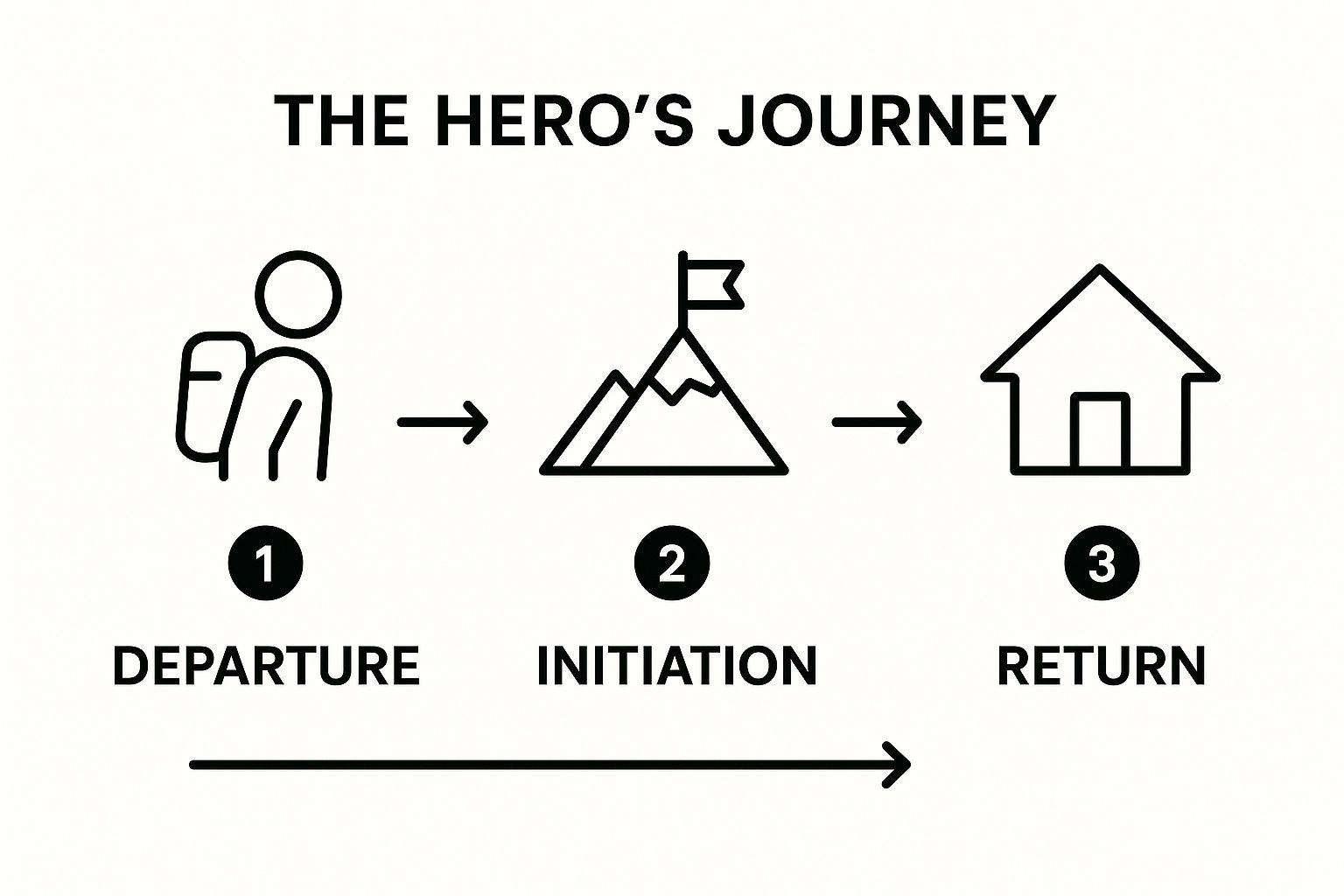 Following this simple Departure → Initiation → Return sequence ensures your visual story has a clear beginning, a compelling middle, and a satisfying conclusion.
2. Visual Metaphors and Symbolism
Visual metaphors use one image to represent another concept, creating a connection that goes beyond literal interpretation. Instead of stating an idea, you show it through symbolism, layering deep meaning into your visuals. This is a powerful visual storytelling technique because it leverages shared cultural understanding, allowing you to communicate complex emotions or abstract ideas instantly and efficiently.
This approach is invaluable for logo design, ad campaigns, and editorial imagery where a single image must convey a rich narrative. By using symbols, you can evoke feelings of trust, innovation, or danger without a single word, making your message more memorable and impactful.
How to Create Visual Metaphors with AI Photo HQ
You can generate powerful symbolic images by combining concrete objects with abstract concepts in your AI prompts. The goal is to create a visual that makes the viewer think and connect the dots themselves.
Represent an Abstract Idea: Start by pairing a tangible object with an intangible concept like "growth" or "innovation."
- Prompt Example:
A sterile white lightbulb with a vibrant, green sapling growing out of the filament, clean studio background, minimalist, symbolic of a new idea, realistic photo.
- Prompt Example:
Combine Two Opposing Concepts: Create visual tension by merging two conflicting ideas into a single image to make a powerful statement.
- Prompt Example:
A photorealistic human heart made entirely of cold, interlocking gears and cogs, on a dark background, dramatic top lighting, symbolizing the loss of humanity.
- Prompt Example:
Personify an Emotion: Give a human feeling or state a physical form. This makes the emotion more relatable and visceral.
- Prompt Example:
A glass silhouette of a person shattering into a thousand pieces, frozen in mid-explosion, shards catching the light, representing emotional breakdown, dark background, ultra-realistic.
- Prompt Example:
Use Cultural Symbolism: Tap into well-known cultural symbols to convey a specific meaning quickly. A dove, for example, is almost universally recognized as a symbol of peace.
- Prompt Example:
Close-up shot of a white dove landing gently on a rusty military helmet, soft morning light, hyper-detailed feathers, symbolic of peace after conflict.
- Prompt Example:
Pro Tip: Keep your metaphor focused. Trying to layer too many symbols into one image can confuse the viewer and dilute your message. A single, strong visual metaphor is more effective than three weak ones.
You can further enhance your symbolic imagery by experimenting with different artistic treatments. If you're looking for new ways to apply these concepts, you can explore AI-driven techniques to blend styles and create unique visual textures. By learning more about the possibilities of AI image style transfer, you can give your symbolic visuals a distinct and memorable aesthetic that strengthens their narrative impact.
3. Color Psychology and Mood Setting
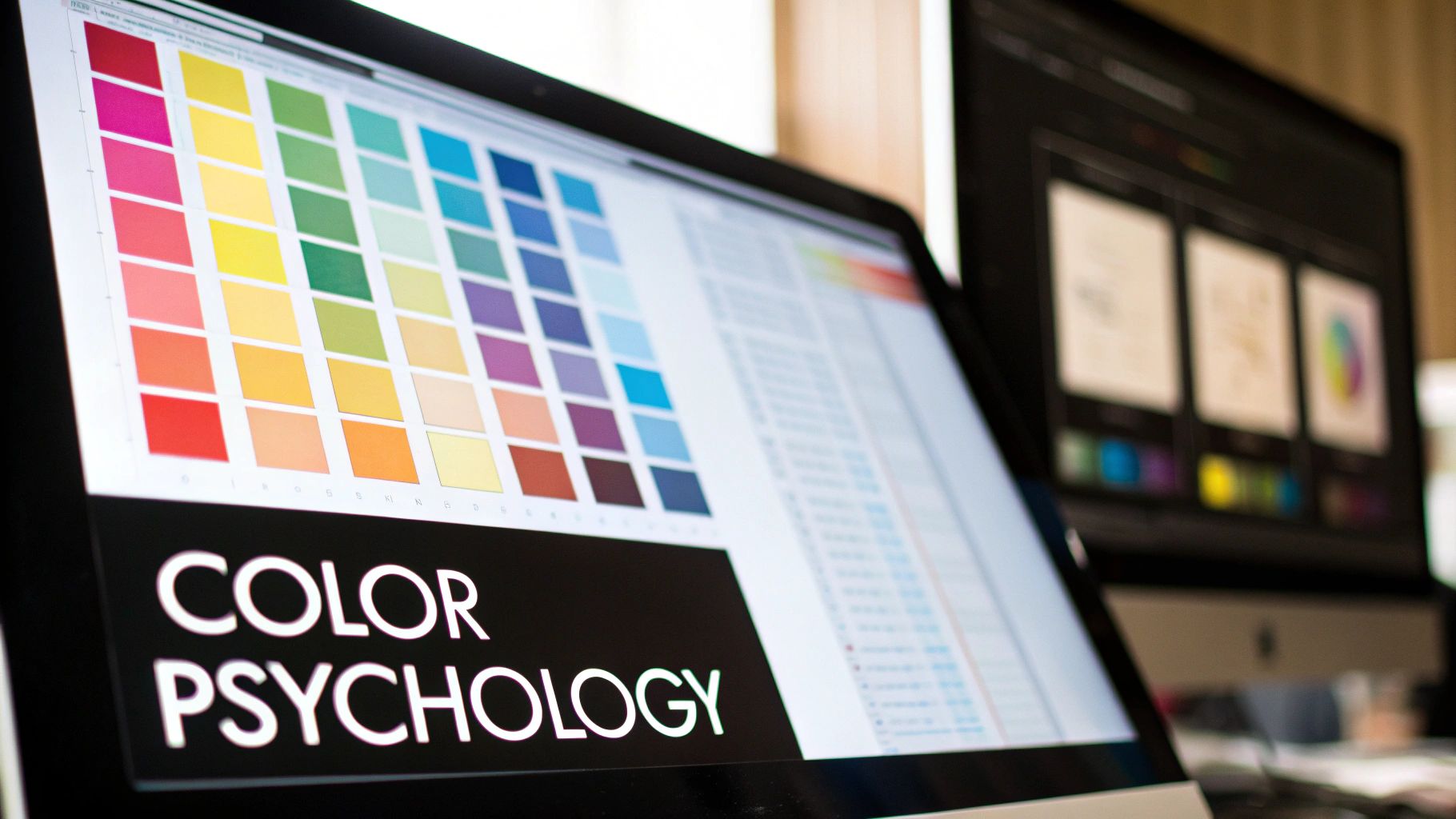
Color is one of the most powerful and immediate visual storytelling techniques, capable of evoking emotion, setting the tone, and conveying meaning without a single word. By strategically selecting a color palette, you can instantly guide your audience's perception and create a specific atmosphere. This approach leverages the deep-seated psychological associations we have with different hues to enrich your narrative and make it more immersive.
This technique is essential for creating a consistent brand identity, like Coca-Cola's energetic red or Tiffany & Co.'s luxurious blue, but it is also vital for cinematic storytelling and dynamic ad campaigns. Using color deliberately ensures your visuals not only look good but also support your story's core message, whether you're creating a single image or a multi-part series. For an even deeper dive into how specific hues can evoke emotions and influence perception, consider exploring the impact of color psychology in branding.
How to Use Color Psychology with AI Photo HQ
You can command specific emotional responses by defining a clear color palette in your AI prompts. The key is to be explicit about the dominant colors and the mood you want to achieve.
Create a Feeling of Calm and Trust: Use a palette dominated by blues and greens. These colors are often associated with nature, stability, and tranquility, making them perfect for corporate or wellness-focused visuals.
- Prompt Example:
Wide-angle shot of a modern, minimalist office with large windows overlooking a city, dominant colors are cool blue and light gray, serene and professional atmosphere, soft natural light, photorealistic.
- Prompt Example:
Generate Energy and Excitement: Employ a palette rich with reds, oranges, and yellows. These warm colors are attention-grabbing and can create a sense of urgency, passion, or happiness.
- Prompt Example:
Dynamic action shot of a musician on stage at a festival, bathed in vibrant red and orange lights, crowd is a silhouette, high energy, lens flare, motion blur, cinematic photo.
- Prompt Example:
Evoke Mystery and Luxury: Use a combination of deep purples, blacks, and golds. This palette is often associated with royalty, sophistication, and intrigue, ideal for premium product or fantasy visuals.
- Prompt Example:
Product photography of a luxury perfume bottle on a black silk cloth, dramatic lighting highlights gold details, hints of deep purple in the background, elegant and mysterious mood, macro shot.
- Prompt Example:
Pro Tip: Think in terms of color harmony. Use complementary colors (like the orange and teal in many movie posters) for high-contrast, dynamic visuals, or use analogous colors (like blue and green) for a more serene and cohesive feel.
Using color is not just an aesthetic choice; it's a strategic narrative tool. By mastering color palettes, you can add layers of meaning and emotion to your visual stories, making them more memorable and impactful for your audience.
4. Visual Hierarchy and Composition
Visual hierarchy is the art of arranging elements to guide the viewer’s eye through a scene in a specific, intentional order. Instead of letting the audience guess what's important, you use principles like scale, contrast, and leading lines to create a clear path of attention. This is one of the most fundamental visual storytelling techniques because it controls the flow of information, ensuring your key message is not just seen, but understood in the sequence you intended.
This approach is essential for creating everything from compelling advertisements and clean website layouts to impactful social media posts and data visualizations. By establishing a clear focal point and supporting elements, you create a sense of order and purpose that makes your visual story easy to follow and instantly more effective.
How to Create Visual Hierarchy with AI Photo HQ
You can masterfully control the viewer's focus using targeted AI prompts. The key is to be explicit about the compositional rules you want the AI to follow, turning abstract principles into concrete visual instructions.
Establish a Focal Point with Scale: Make your main subject the largest element in the frame. This immediately tells the viewer where to look first.
- Prompt Example:
Product photo of a single, sleek black smartwatch on a minimalist white marble surface, smartwatch is the largest object in the frame, casting a soft shadow, shot from above.
- Prompt Example:
Guide the Eye with Leading Lines: Use natural or architectural lines to point directly toward your subject. This creates a powerful, subconscious path for the eye to follow.
- Prompt Example:
A lone hiker standing at the end of a winding wooden pier, the lines of the pier lead directly to the hiker, dramatic sunset in the background, wide-angle shot, realistic photo.
- Prompt Example:
Use Contrast to Create Emphasis: Isolate your subject using light and color. A brightly colored object in a monochrome scene, or a single illuminated element in a dark environment, instantly draws attention.
- Prompt Example:
Black and white cityscape photo, a single yellow taxi cab is in full color driving down the street, cinematic style, eye-level view.
- Prompt Example:
Apply the Rule of Thirds: Position your key elements along the intersections of a 3x3 grid. This creates a more dynamic and visually pleasing composition than a simple centered shot.
- Prompt Example:
A portrait of a thoughtful elderly artist in his studio, he is positioned on the right third of the frame, looking towards the left, soft window light, oil paintings blurred in the background, rule of thirds composition.
- Prompt Example:
Pro Tip: Before generating, quickly sketch a 3x3 grid on a piece of paper and decide where you want your primary and secondary focal points to be. Use this map to write more specific and compositionally aware prompts.
You can dive deeper into these foundational concepts to elevate your images. For a complete guide, explore these photography composition tips to master how elements work together.
5. Sequential Art and Storyboarding
Sequential art is the technique of arranging images in a deliberate order to narrate a story or convey a progression over time. Rooted in comics and film pre-production, this method excels at planning visual narratives, establishing pacing, and ensuring continuity. As a visual storytelling technique, storyboarding allows you to blueprint your entire narrative before committing to final production.
This approach is invaluable for planning a video ad, structuring a tutorial, or designing a multi-part social media post. By breaking the story into individual frames, you can perfect the flow, identify potential issues, and ensure every visual element serves the overall narrative. It transforms a complex idea into a clear, actionable plan.
How to Create a Storyboard with AI Photo HQ
You can use AI Photo HQ to generate a complete storyboard, visualizing key scenes frame by frame. The goal is to maintain character and environmental consistency while showing a clear progression of action or emotion.
Establish the Opening Shot: Create a scene that sets the context. Define your character, location, and the initial mood.
- Prompt Example:
Wide shot of a modern, minimalist kitchen, a young man with glasses is trying to follow a complicated recipe on a tablet, looking frustrated, morning light, realistic photo.
- Prompt Example:
Visualize the Inciting Action: Generate an image that shows the core conflict or the main action taking place. Use dynamic framing to add energy.
- Prompt Example:
Medium shot of the same man, now flour is accidentally exploding all over his face and the kitchen counter, motion blur, comical expression of shock, realistic photo.
- Prompt Example:
Depict the Climax or Resolution: Show the result of the action. This frame should provide a sense of conclusion or highlight the outcome of the event.
- Prompt Example:
Close-up shot of the man laughing, covered in flour, holding up a single, perfectly baked cookie amidst the mess, warm lighting, feeling of accomplishment, realistic photo.
- Prompt Example:
Create the Final Shot: Conclude the sequence with a shot that summarizes the story or provides a final thought.
- Prompt Example:
Same messy kitchen, the man is happily eating his cookie, tablet in the background now showing a food delivery app, a subtle smile, photo.
- Prompt Example:
Pro Tip: Use the same character description and setting details in each prompt, only changing the action and camera angle. This ensures the AI maintains continuity, making your sequence feel like a cohesive, professional storyboard.
This video from Pixar offers a masterclass in how storyboarding drives the emotional and narrative core of a film, a principle you can apply to any visual project.
Varying your "camera shots" (e.g., wide, medium, close-up) in your prompts is key to creating a dynamic rhythm that keeps the viewer engaged from the first frame to the last.6. Data Visualization and Infographics
Data visualization is the art of turning complex statistics and information into compelling visuals that tell a clear story. Instead of presenting a spreadsheet, you can use charts, graphs, and illustrations to make data accessible and engaging. This is one of the most powerful visual storytelling techniques for building authority and making a persuasive argument, as it translates abstract numbers into tangible, understandable insights.
This approach is ideal for reports, social media content that needs to convey credibility, or educational materials. By transforming raw data into a clear visual narrative, as seen in The New York Times' graphics or Spotify's Wrapped campaigns, you can highlight trends, expose patterns, and make your audience feel informed and empowered.
How to Create Data Visualizations with AI Photo HQ
You can generate the core illustrative elements for an infographic or data story using targeted AI prompts. The key is to create visuals that are both thematically relevant to the data and stylistically consistent.
Define a Core Metaphor: Start by choosing a central visual metaphor that represents your data’s story. For a story about business growth, a common metaphor is a plant growing.
- Prompt Example:
Clean vector art illustration of a small green sprout pushing through dark soil, minimalist, white background, symbolic of new growth.
- Prompt Example:
Illustrate Key Data Points: Create a sequence of images that visually represents the progression of your data. Maintain the core metaphor throughout the sequence to build a coherent narrative.
- Prompt Example:
Clean vector art of a small, healthy sapling with several leaves, minimalist, white background, symbolic of steady progress.
- Prompt Example:
Visualize the Climax or Conclusion: Depict the final, most impactful data point with a strong, conclusive image. This visual should represent the culmination of the story you are telling.
- Prompt Example:
Clean vector art of a large, thriving tree full of fruit, strong trunk, vibrant green leaves, minimalist, white background, symbolic of major success.
- Prompt Example:
Add Data and Context: Export these generated illustrations and use a design tool (like Canva or Adobe Illustrator) to overlay your specific data points, labels, and source citations. The AI-generated images provide the narrative backbone, while the precise data gives it credibility.
Pro Tip: Keep your visual language simple and consistent. Use a limited color palette and a single illustration style across all graphics to ensure clarity and prevent visual clutter, which can undermine the story your data is trying to tell.
7. Cinematic Techniques in Static Media
You don't need a video camera to create movie-like drama. Cinematic techniques adapt principles from film, such as framing, lighting, and camera angles, to static images. This approach transforms a simple photo or graphic into a single, powerful frame of a larger story, evoking motion and emotion without any actual movement. This is one of the most impactful visual storytelling techniques because it borrows a visual language audiences already understand from movies.
This method is ideal for creating high-impact brand advertisements, compelling social media posts, or dramatic website hero images. By using cinematic principles, you can make a product feel epic, a portrait feel profound, and a simple scene feel like a pivotal moment in a grand narrative. For instance, to truly add drama and elevate your visual narrative, exploring options for mastering drone video editing software can transform raw footage into compelling cinematic experiences.
How to Create Cinematic Stills with AI Photo HQ
You can direct AI Photo HQ like a virtual cinematographer by using prompts that specify camera angles, lighting, and composition. The goal is to build a scene that feels intentional and emotionally charged.
Establish a 'Low-Angle Shot' for Power: This classic film technique makes the subject appear dominant and heroic. It’s perfect for creating powerful portraits or showcasing a product's importance.
- Prompt Example:
Low-angle shot of a determined female CEO in a modern high-rise office, looking out at the city skyline, powerful stance, dramatic morning light, cinematic, photorealistic.
- Prompt Example:
Use 'Depth of Field' for Focus: A shallow depth of field blurs the background, forcing the viewer's attention onto the subject. This creates intimacy and highlights what is most important in the story.
- Prompt Example:
Extreme close-up portrait of an old craftsman's hands carving wood, shallow depth of field, every wrinkle and wood grain is in sharp focus, background is completely blurred, warm workshop lighting.
- Prompt Example:
Create a 'Dutch Angle' for Tension: Tilting the camera creates a sense of unease, disorientation, or dynamic action. This is a great way to inject energy or conflict into a static image.
- Prompt Example:
Dutch angle shot of a cyberpunk street scene, a figure in a hoodie running through a neon-lit alley, rain-slicked pavement, sense of urgency, high-contrast, blade runner aesthetic.
- Prompt Example:
Employ 'Leading Lines' for Narrative Flow: Use strong compositional lines, like a road, a fence, or a shadow, to guide the viewer’s eye through the image and towards the focal point of your story.
- Prompt Example:
Wide shot of a lone traveler walking down a long, empty desert highway that stretches to the horizon, leading lines, golden hour lighting, cinematic, vast and epic feel.
- Prompt Example:
Pro Tip: Specify a lens type in your prompt, such as
telephoto lensorwide-angle lens. A telephoto lens compresses the background, creating a dramatic, isolated look, while a wide-angle lens can distort the foreground for an immersive feel.
8. Interactive and Immersive Storytelling
Interactive and immersive storytelling transforms audiences from passive viewers into active participants. This approach uses technology like AR, VR, or interactive web elements to let users influence the narrative, creating a deeply personal and memorable experience. Instead of just watching a story unfold, the audience makes choices that shape its direction, making it one of the most engaging visual storytelling techniques available.
This method is ideal for creating high-impact digital campaigns, educational experiences, or brand activations that leave a lasting impression. By giving users agency, you build a powerful connection and ensure your narrative is not just seen, but felt. Projects like Netflix's Black Mirror: Bandersnatch and Spotify's personalized year-end Wrapped campaigns showcase its mainstream appeal.
How to Create an Interactive Story with AI Photo HQ
You can prototype an interactive, choice-based narrative by generating key visual branching points with AI Photo HQ. The goal is to create distinct visual paths that clearly communicate the consequences of a user's decision.
Establish a Critical 'Choice Point': Create a scene where the protagonist faces a clear dilemma. The visual should pose a direct question to the viewer, prompting them to decide what happens next.
- Prompt Example:
A cyberpunk detective stands at a neon-lit crossroads in a rainy city, one path leads to a sleek corporate tower, the other to a dark, gritty alleyway, dramatic high-angle shot, cinematic realism.
- Prompt Example:
Visualize 'Path A' - The Safe Route: Generate an image showing the outcome of the cautious or expected choice. Use bright, clean lighting and stable compositions to reflect a sense of order and safety.
- Prompt Example:
The cyberpunk detective inside a pristine, white corporate lobby, talking to a CEO in a suit, minimalist and sterile environment, bright, even lighting, realistic photo.
- Prompt Example:
Visualize 'Path B' - The Risky Route: Create a contrasting image for the more dangerous or unconventional choice. Use dynamic angles, high-contrast shadows, and a grittier aesthetic to build tension and signal risk.
- Prompt Example:
The cyberpunk detective in a shadowy back alley, negotiating with an imposing underworld figure, steam rising from vents, single light source casting long shadows, gritty film noir style.
- Prompt Example:
Show the Divergent 'Outcomes': Develop final images that show the vastly different conclusions for each path. This reinforces the impact of the user’s choice and provides narrative closure for their specific journey.
- Prompt Example (Path B Outcome):
The cyberpunk detective discovering a hidden data cache in a derelict subway station, illuminated by the glow of a holographic screen, sense of triumph and discovery, dark and moody.
- Prompt Example (Path B Outcome):
Pro Tip: Use a consistent color palette for each narrative branch. For example, the "safe" path could use cool blues and whites, while the "risky" path uses warm, aggressive reds and oranges. This provides an immediate visual cue for the user.
These AI-generated images can serve as keyframes in an interactive presentation, a social media carousel, or even a simple video. For those looking to take it a step further, you can explore turning these static scenes into dynamic clips. Learn more about bringing your still images to life on AI Photo HQ's blog.
Visual Storytelling Techniques Comparison
| Technique | Implementation Complexity 🔄 | Resource Requirements ⚡ | Expected Outcomes 📊 | Ideal Use Cases 💡 | Key Advantages ⭐ |
|---|---|---|---|---|---|
| The Hero's Journey | Medium - requires time and planning | Moderate - visual assets and design | Strong emotional investment and clear story arc | Narrative-driven media, character arcs, brand stories | Universal structure, emotional engagement, empathy |
| Visual Metaphors and Symbolism | Medium - cultural research needed | Low to moderate - design focus | Quick idea communication, layered meanings | Branding, advertising, editorial imagery | Deep meaning, cross-cultural potential, memorability |
| Color Psychology and Mood Setting | Low to medium - palette design | Low - color selection and testing | Immediate emotional impact, brand cohesion | Branding, marketing, film, web design | Emotional influence, enhances narrative, brand recall |
| Visual Hierarchy and Composition | Medium - design expertise required | Moderate - layout and typography | Improved comprehension and focused attention | Print, digital layouts, UI/UX, photography | Controls attention, enhances readability, flow |
| Sequential Art and Storyboarding | High - detailed panels and pacing | Moderate to high - drawing/design | Clear story visualization and pacing | Comics, film pre-production, campaign planning | Effective planning, timing clarity, easy iteration |
| Data Visualization and Infographics | Medium to high - data + design | Moderate to high - data sourcing | Accessible complex data, improved retention | Reports, education, marketing, journalism | Data clarity, shareability, credibility |
| Cinematic Techniques in Static Media | Medium - technical skill needed | Moderate - lighting, equipment | Emotional engagement and production value | Photography, advertising, editorial, product visuals | Adds depth, movie-like quality, storytelling enhancement |
| Interactive and Immersive Storytelling | High - technical and design complex | High - development and tech | High engagement, personalized narrative experience | VR/AR, web interactive, installations, cutting-edge media | Audience agency, uniqueness, innovation |
Start Crafting Your Visual Narrative Today
We've journeyed through a powerful arsenal of visual storytelling techniques, moving from foundational narrative structures to cutting-edge interactive methods. You've seen how the timeless arc of the Hero's Journey can frame a character's transformation, how a simple color choice can evoke profound emotion through color psychology, and how deliberate composition guides a viewer's eye exactly where you want it to go. Each technique, from visual metaphors to cinematic framing, is a distinct tool in your creative toolkit.
The true power, however, doesn't lie in using just one of these methods in isolation. The most compelling visual narratives emerge when you begin to layer and combine these concepts. Imagine creating a storyboard that not only follows the Hero's Journey but also uses a shifting color palette to mirror the protagonist's emotional state. Or designing an infographic where the visual hierarchy is so strong it tells a story even before the viewer reads a single number. This synthesis is where your unique voice as a storyteller will shine.
Your Actionable Path Forward
Mastering these concepts is not an overnight process; it's a continuous practice of observation, experimentation, and refinement. To transition from theory to tangible skill, we recommend a focused, project-based approach. Don't try to implement everything at once. Instead, pick one technique and a single, clear objective for your next project.
Here’s a simple, actionable plan to get started:
- Define Your Core Message: What is the one thing you want your audience to feel or understand? Write it down in a single sentence. For example, "I want to show the challenging but rewarding process of launching a new product."
- Select Your Primary Technique: Based on your message, choose the most fitting technique from this article. For the product launch example, Sequential Art and Storyboarding would be an excellent choice to show a step-by-step progression.
- Execute and Iterate: Create a small series of images or a single, complex visual using your chosen technique. For our example, you could generate three key images: the initial chaotic brainstorming session (using a cluttered composition), the focused "aha" moment of discovery (using dramatic lighting), and the final successful launch (using a bright, triumphant color palette).
- Gather Feedback and Refine: Share your creation and ask for feedback. Did the story land? Was the message clear? Use this input to fine-tune your next attempt.
The gap between a static image and an unforgettable story is bridged by intention and technique. By actively applying principles like visual hierarchy, symbolism, and sequential art, you elevate your content from being merely seen to being truly felt. Whether you are a marketer building a brand identity, an artist sharing a personal vision, or a blogger captivating an audience, these visual storytelling techniques are your most valuable asset for making a lasting impact in a crowded digital world. Your next creation is the first step on that journey.
Ready to bring your stories to life with unprecedented speed and creative control? AI Photo HQ provides the powerful image generation and editing tools you need to execute every technique discussed in this article, from cinematic lighting to intricate symbolism. Stop imagining your perfect visual and start creating it today by visiting AI Photo HQ.


