
Have you ever seen those incredibly realistic or wildly imaginative profile pictures and wondered how they were made? Chances are, they were created with an AI avatar generator from a photo. This isn't just a filter; it's a tool that takes your own selfies and transforms them into an endless gallery of new portraits, in any style you can dream up. This guide will be your hands-on playbook for creating avatars that genuinely look like you, with step-by-step instructions for getting the best results.
How to Create Your Digital Twin in Minutes
Think of an AI avatar generator as your own personal digital artist. You start by feeding it a collection of your photos. The AI then gets to work, studying your unique facial features—everything from the shape of your eyes to the way you smile. Once it understands what makes you you, it can generate entirely new images of you in different settings, outfits, and artistic styles.
The best part? You don't need any artistic skills or technical knowledge. All you need is a handful of decent photos of yourself. The AI does all the heavy lifting, turning your everyday selfies into professional headshots, epic gaming characters, or stunning, imaginative portraits.
From Photo to Realistic Avatar
The magic behind this process is a personalized AI model that's trained specifically on your face. When you upload your images to a platform like AI Photo HQ, you're not just adding a simple effect. You're actually teaching an algorithm the specific details of your appearance.
This trained model becomes the foundation for every avatar you create from that point on. Because the AI has such a deep understanding of your facial structure, it can generate new portraits that maintain a striking resemblance to you, even when the style or setting is completely different.
The real advantage here is consistency. After your model is trained, you can churn out hundreds of images that all look recognizably like you. This is fantastic for building a consistent personal or professional brand online.
In this guide, we'll walk you through the practical steps to get avatars that aren't just cool to look at, but are an authentic digital version of yourself. We'll cover everything from picking the right photos to mastering the creative styles available.
Choosing Photos for Flawless AI Avatars
The secret to a stunning AI avatar isn't just in the algorithm—it starts with the photos you feed it. Think of yourself as an art director supplying reference photos to a portrait artist. The better and more varied your references, the more the final piece will actually look like you. Here’s a quick tutorial on how to build the perfect photo set.
Step 1: Gather a Wide Variety of Photos
Your main goal is to give the AI avatar generator from photo a complete, 360-degree understanding of your face. Don't just pull the last five selfies from your camera roll. Dig a little deeper and mix it up. Find casual shots, professional pictures, and photos showing different expressions like smiling, serious, or neutral.
The real magic lies in variety. We've found that uploading 10-20 photos with a mix of angles, outfits, and lighting gives the AI enough data to create a truly versatile and accurate model of your face.
Curating Your Photo Collection: A Step-by-Step Guide
Let’s get into the nitty-gritty of building your photo set. The more information the AI has to work with, the better it can separate your permanent facial features from temporary things like shadows or a specific shirt. This is how you get avatars that look like you, no matter the style.
A quick reference can make this process a breeze. This checklist breaks down exactly what you should be looking for.
Photo Selection Checklist for Optimal Results
This simple guide will help you pick the perfect set of photos to train your AI model for the best possible avatars.
| Guideline | Why It Matters | Example |
|---|---|---|
| Diverse Facial Expressions | Shows the AI your face's full range of motion. | Include shots of you smiling, laughing, and with a neutral face. |
| Varied Angles | Builds a 3D model of your facial structure. | Add front-on photos, three-quarter views, and side profiles. |
| Different Lighting & Backgrounds | Helps the AI generalize your features in any setting. | Use photos taken indoors, outdoors, and with different light sources. |
| Clear View of Your Face | Ensures your features are the primary focus. | Your face should be unobstructed and clearly visible in each shot. |
Following these guidelines gives the AI a rich dataset to learn from, which is the foundation of a great result.
Common Pitfalls to Avoid
Just as important as what to include is what not to include. Certain things can easily confuse the AI and throw your results off track. For the cleanest output, make sure to avoid photos with these common problems:
- Sunglasses or heavy makeup: Anything that hides your eyes or skin texture makes it tough for the AI to learn your core features.
- Other people or pets in the shot: Only upload solo pictures. Otherwise, the AI might get confused and try to blend someone else's features into your avatar.
- Heavy filters and editing: These alter your natural appearance and will lead to an inaccurate model of your face.
By taking a few minutes to curate your photos, you're setting yourself up for incredible results. Once your model is trained, the fun really begins.
Your First Avatar Generation Walkthrough
Alright, you’ve picked out your best photos, and now it’s time for the fun part: actually creating your digital doppelgänger. Here’s a simple, step-by-step tutorial on using an ai avatar generator from photo like AI Photo HQ.
Step 1: Create Your Account & Upload Photos
The first thing you’ll do is create an account and kick off a new session. This is where you'll upload those 10-20 photos you spent time curating. The interface is usually a simple drag-and-drop box or a standard file selection window. Once they’re uploaded, the system will do a quick check to make sure they'll work before the AI training begins.
The whole process is designed to be visually simple, as you can see here.
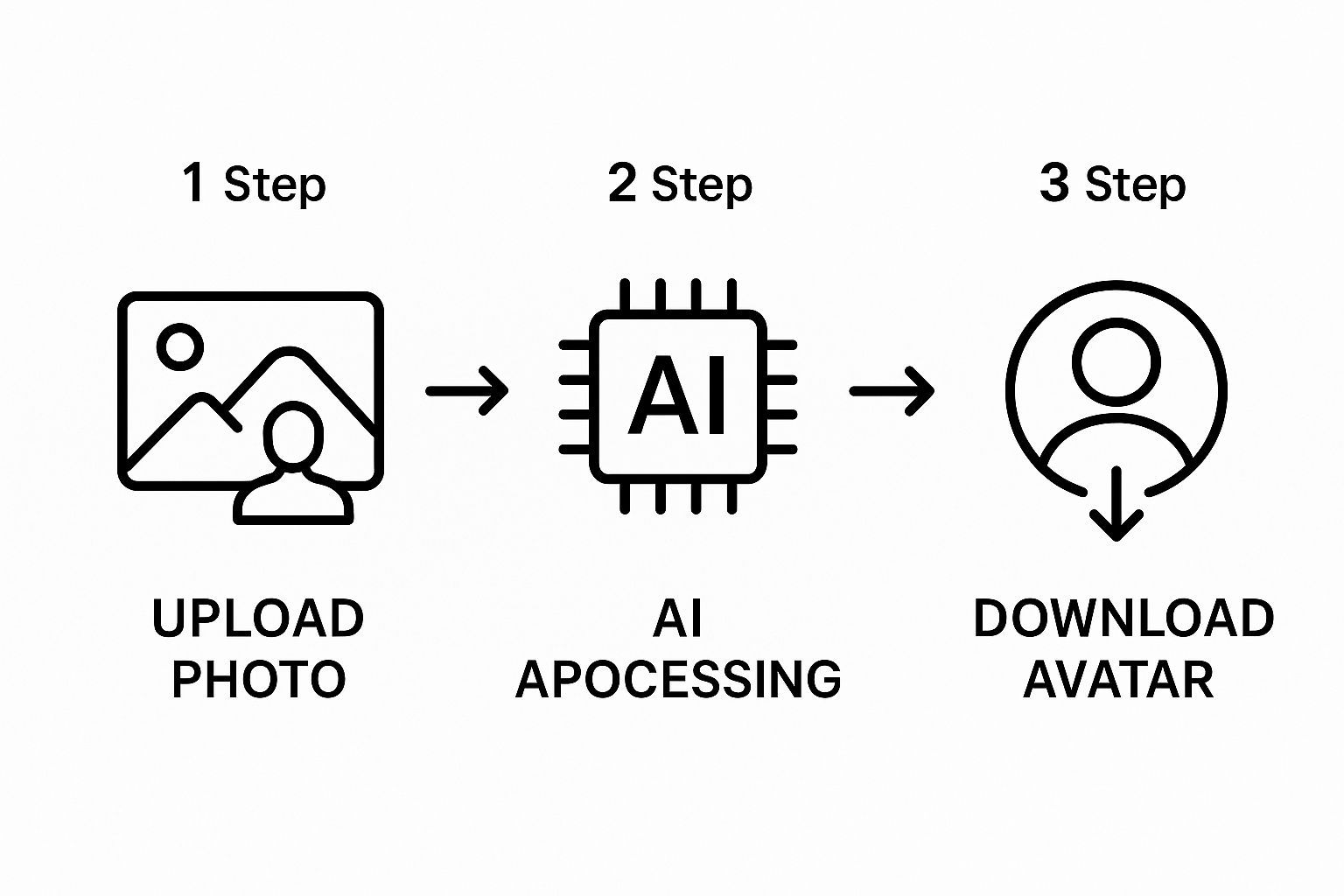
As the diagram shows, what you see and do is pretty straightforward: upload, wait for the AI to work its magic, and download your new avatars. All the heavy lifting—the complex model training—happens completely behind the scenes.
Training Your Personal AI Model
Step 2: Start the AI Training
Once your photos are in the system, you'll be prompted to start the training. This is where the AI gets to know you, analyzing every image to build a custom model of your face. Your job here is simple: just wait. This training phase can take anywhere from 30 minutes to a few hours, depending on the service you're using.
Don’t underestimate this waiting period. This is where the AI learns your unique facial structure, your go-to expressions, and even how you look in different lighting. A well-trained model is the secret to getting avatars that consistently look just like you.
Step 3: Generate Your First Avatars
You'll usually get an email when the training is complete. Now you get to start generating your first batch of avatars! Most tools offer a huge library of pre-made styles, from professional headshots to wild fantasy art. You just pick the styles you like, and the AI will generate the final images. The good news is that this part is much faster than the initial training.
Here’s a glimpse of a typical workflow on a platform like AI Photo HQ.
This screenshot really shows how intuitive the interface is, guiding you from upload to a full gallery of avatars without any complicated steps. The moment you see hundreds of options pop up, you can start downloading your favorites and putting them to use immediately.
Mastering Different Styles and Customizations
Once the AI has learned your face, the real fun begins. You've unlocked a massive creative playground. This is where you move past just making a digital copy of yourself and start creating something truly unique and artistic with an ai avatar generator from photo.
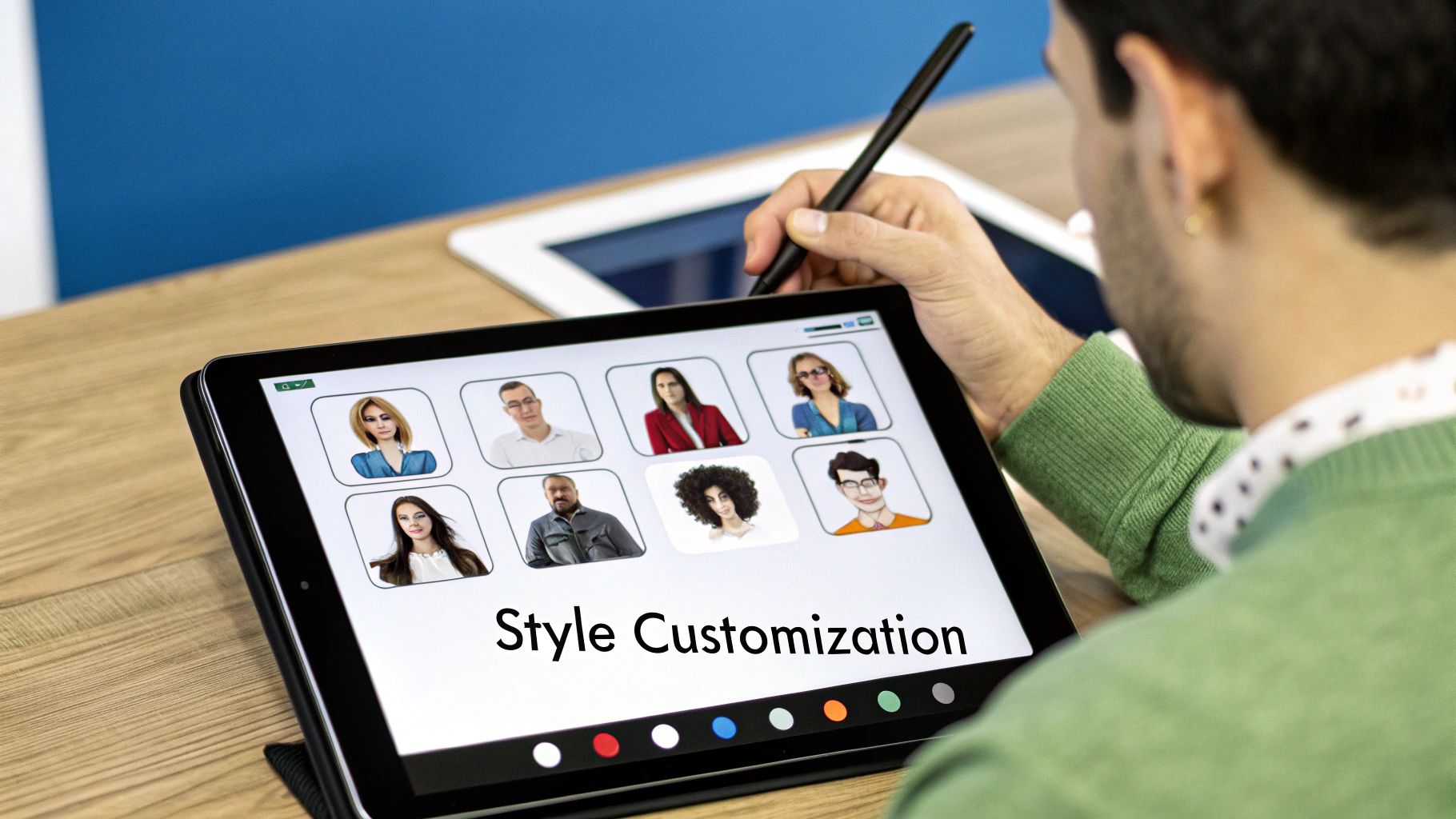
Think about the possibilities. Need a sharp, polished headshot for your LinkedIn profile? Just select a ‘Business’ or ‘Corporate’ style, and you'll have professional-grade portraits in seconds. The next day, you might want something more dramatic for your gaming profiles. No problem—switch to a ‘Cinematic’ or ‘Fantasy’ style and cast yourself as the hero.
This kind of flexibility is exactly why the AI avatar market is blowing up, with projections expecting it to hit over USD 208.61 billion by 2032. This isn't just a gimmick; it's driven by a real demand for lifelike virtual humans in everything from marketing to content creation.
A Mini-Tutorial for Creative Results
To get truly amazing results, you need to start thinking like a creative director. Don't just click on a style and hope for the best. Think about your goal.
Example 1: The Perfect LinkedIn Headshot
- Select Style: Choose the 'Business' or 'Corporate' style pack.
- Add a Prompt (Optional): For more control, add a text prompt like, "wearing a dark blue blazer, in a modern office with a blurred background."
- Generate & Refine: Create a batch of avatars. Look for the one with the best lighting and a professional expression. Download your favorite.
Example 2: A Unique Gaming Profile Picture
- Select Style: Choose a 'Fantasy' or 'Cyberpunk' style.
- Add a Prompt: Get specific. Try, "a powerful mage casting a fire spell, glowing eyes, cinematic lighting."
- Generate & Choose: Look for the most dynamic and exciting result that still captures your likeness.
Pro Tip: When you generate a batch of avatars, pay attention to the small stuff. One 'Cinematic' avatar might have incredible, dramatic lighting, but another might capture your expression perfectly. I always recommend generating a few batches to find that one perfect shot. It’s worth the extra minute.
Getting a feel for these little details is what separates good results from great ones. If you really want to get into the weeds of creating compelling digital characters, understanding the basics is a huge advantage. You can check out our guide on character design fundamentals for some deeper insights.
How To Use Your New AI Avatars
Alright, you've used the ai avatar generator from photo, and now you have a folder packed with stunning digital versions of yourself. So, what's next? The real fun begins when you start putting these images to work. Here's a practical guide to making the most of them.
Step 1: Sort and Select Your Favorites
The first thing I always do is a quick sort. You're going to have a lot of options, maybe even hundreds. I find it easiest to make a "Favorites" folder and just drag and drop anything that immediately stands out. I’m looking for the ones with crisp details, where the AI really nailed my facial features, and a style that fits what I need it for.
A Practical Checklist for Using Your Avatars
Once you've got your top choices, it’s time to strategically deploy them across your digital life. The most obvious place to start—and where you'll see the biggest impact—is with your various online profiles.
- For your LinkedIn Headshot:
- Action: Replace your old photo with a sharp, polished AI headshot from a 'Business' style pack.
- Result: Instantly makes your profile look more current and professional.
- For Social Media Branding:
- Action: Use avatars from the same style pack across your Instagram, X (formerly Twitter), and Facebook profiles.
- Result: Creates a really cohesive and recognizable personal brand.
- For Gaming & Community Profiles:
- Action: Grab a wild avatar from a 'Fantasy' or 'Cyberpunk' style to use on Discord or Twitch.
- Result: A great way to express your gaming personality and stand out.
This desire for unique digital identities is a huge deal. The AI avatar generator market was valued at $1.5 billion in 2025 and is expected to grow at a 25% CAGR, hitting over $10 billion by 2033. This growth is all about the demand from social media and marketing.
Getting Creative With Your Avatars
Beyond just profile pictures, your avatars have a ton of other practical uses. I like to drop one into my email signature for a professional touch that stands out. You can also set them as contact photos for your friends and colleagues in your phone.
Pro-Tip: Sometimes an avatar is almost perfect but has a weird little AI glitch or the colors are slightly off. You don't need fancy software. A free tool like Canva or Photopea is perfect for quick fixes like removing an artifact or adjusting the brightness.
Once you have your custom avatars, think about how they can elevate your online presence, especially in visual fields like social media marketing for beauty salons, where a strong, consistent look is key. And if you're working with older source images, you might want to check out our guide on enhancing old photographs to get even better results next time.
Still Have Questions About AI Avatar Generators?
Even with a tool as simple as an AI avatar generator, it's normal to have a few questions pop up. It’s a new technology, after all. Let's walk through some of the most common things people ask, so you can feel completely comfortable before you get started.
Are My Uploaded Photos Safe and Private?
This is probably the most important question, and for good reason. Any reputable platform puts your privacy first. What this usually means in practice is that your photos are only used to train your personal AI model and are then deleted from their servers within a short window, often 24 to 48 hours.
I always tell people to take a quick look at the platform's privacy policy before uploading anything. A trustworthy service will be upfront about how they handle your data, their security measures, and exactly how long they store your images. It’s a small step that gives you peace of mind.
Why Don't Some of My Avatars Look Like Me?
AI generation is more of a creative process than a simple copy-and-paste. Think of it like a real-life photoshoot—you might take a hundred photos to get ten amazing shots. Not every single one is going to be perfect.
Sometimes, variations happen because of the quality of your input photos. Other times, it might be a busy background throwing the AI off, or just the natural randomness of the creative process. The best way around this is to generate a large batch of avatars. It dramatically increases your odds of getting a whole collection of high-quality options that really capture your look in different styles and from various angles.
Can I Use My AI Avatars for Commercial Purposes?
For the most part, yes. The vast majority of AI avatar generators give you full ownership and commercial rights for the images you create. This means you’re free to use them for your LinkedIn profile, company website, marketing materials, social media ads—you name it.
That said, it’s always a smart move to double-check the platform's terms of service. A quick scan will confirm your usage rights and ensure you’re in the clear for any business projects you have planned.
Ready to create stunning, professional-grade avatars in just a few clicks? With AI Photo HQ, you get access to an endless library of styles and the power to generate hundreds of unique portraits that look just like you. Start your first photo shoot today at AI Photo HQ!


