

In a creative environment saturated with visual content, managing your digital library often feels like an endless battle against chaos. From AI-generated images created with platforms like AI Photo HQ to marketing videos, brand logos, and source files, every asset is a valuable resource. But without a robust system, these resources quickly become liabilities-lost in confusing folder structures, misused due to unclear guidelines, or wastefully recreated when they can't be found. The result is a drain on time, budget, and creative momentum.
This guide moves beyond generic advice to provide a practical, step-by-step roundup of 10 essential digital asset management best practices. Each point is designed with actionable tutorials and real-world examples specifically for creators, marketers, and agencies who rely on a high volume of visual content. We'll show you how to build an efficient, scalable, and secure system for your most important creative files.
Forget abstract theories; this article is about implementation. You will learn how to standardize metadata for effortless searching, establish clear version control to prevent costly errors, and automate organization to save countless hours. Our goal is to provide a clear roadmap for transforming your asset library from a cluttered archive into a strategic powerhouse that accelerates your workflow. Instead of searching for files, your team will be creating, innovating, and driving results. We will cover everything from setting up a centralized system and managing user permissions to integrating with your favorite creative tools and monitoring asset performance. Let’s get started.
1. Comprehensive Metadata Tagging and Standardization
Effective digital asset management begins not with folders, but with data. Comprehensive metadata tagging is the practice of embedding descriptive information directly into your digital files. This data acts as a digital fingerprint, making each asset uniquely identifiable and instantly searchable. By establishing a standardized metadata schema, you create a consistent, logical system that eliminates guesswork and ensures everyone in your organization can find and use assets correctly. This is a foundational step in any robust digital asset management best practices framework.
Think of industry leaders like Getty Images, which relies on the detailed International Press Telecommunications Council (IPTC) standard. This allows users to search for images using highly specific criteria like location, event, and photographer. Similarly, the BBC uses the Dublin Core standard to manage its vast archive of digital content, ensuring every piece is cataloged with consistent data points like creator, date, and format. These systems work because they are built on a controlled vocabulary-a predefined set of terms that prevents variations and keeps searches precise.
How to Implement a Metadata Standard: A Step-by-Step Tutorial
- Step 1: Define Your Core Schema. Gather key stakeholders (e.g., a designer, a marketer, a legal reviewer) and list the questions they ask when looking for an asset. Use these questions to create your metadata fields. For a marketing photo, this might include:
Asset_Name: Unique, descriptive name (e.g.,Woman_Working_on_Laptop_in_Cafe_01)Project_ID: The project or campaign it belongs to (e.g.,Q4_Winter_Campaign_2025)Creator: Photographer or designer's name.Creation_Date: The date the asset was created.Usage_Rights: Clear license terms (e.g.,Internal_Use_Only,Unlimited_Web,Social_Media_Expires_12-31-2025).Keywords: Descriptive tags (e.g.,laptop, coffee, remote work, professional, woman).
- Step 2: Establish a Controlled Vocabulary. For each field, create a predefined list of acceptable terms. For
Usage_Rights, create a dropdown in your DAM with the exact terms from Step 1. ForKeywords, create a master keyword list to prevent synonyms like "remote work" and "telecommuting" from splitting search results. - Step 3: Create a "How-To" Tagging Guide. Make a simple, one-page document with a screenshot for each metadata field, explaining what it means and providing a correct example. This becomes the go-to reference for your team.
- Step 4: Use Templates and Automation. Configure your DAM to apply a "New Marketing Photo" metadata template automatically upon upload. This pre-fills fields like
Asset_Typeand ensures required fields (Usage_Rights,Project_ID) are never left blank. Schedule a monthly audit to find and fix assets with incomplete metadata.
By investing time in a comprehensive metadata strategy, you transform your asset library from a disorganized collection into a powerful, searchable resource. For a deeper look at organizing your creative files, explore our detailed guide on how to organize digital photos.
2. Centralized Digital Asset Management (DAM) System Implementation
A centralized Digital Asset Management (DAM) system acts as the single source of truth for all your company's creative files. Instead of assets being scattered across local drives, cloud storage folders, and email threads, a DAM provides a unified, searchable repository. This organized approach streamlines workflows, enforces brand consistency, and secures your valuable digital property. It's a critical component of modern digital asset management best practices, transforming a chaotic collection of files into a strategic, accessible library.
Global brands rely on these systems to maintain control. For instance, Coca-Cola uses a DAM to manage its iconic brand assets across worldwide marketing campaigns, ensuring every partner uses the correct logo and imagery. Similarly, major retailers and media organizations implement dedicated DAMs like Canto or Adobe Experience Manager to handle the immense volume of product photos, videos, and promotional materials they produce daily. At its core, a DAM is a specialized database, and understanding the fundamental advantages of databases over spreadsheets for data organization clarifies why this structure is essential for managing assets at scale.
How to Implement a DAM System: A Step-by-Step Tutorial
- Step 1: Conduct a Needs Assessment. Create a simple survey for your team with questions like: "What are the top 3 types of files you search for daily?" and "How much time do you waste per week looking for assets?" Use the answers to define must-have features, such as "integration with Adobe Illustrator" or "guest access for freelancers."
- Step 2: Plan Your Data Migration. Don't move everything at once. Start with a high-value, high-use collection, like your company's official logos and brand guidelines.
- Action: Create a folder on a shared drive called "DAM Migration - Logos."
- Action: Move only the final, approved logo files into this folder. Delete all drafts and duplicates.
- Action: Use a spreadsheet to list each file and its required metadata (as defined in the previous section) before importing it into the DAM.
- Step 3: Establish a Governance Structure. Define user roles based on job functions. For example:
- Administrator: Can do everything.
- Contributor (e.g., Designer): Can upload new assets and edit metadata.
- Viewer (e.g., Sales Team): Can only view and download approved assets.
- Guest (e.g., Freelancer): Can only access a specific, shared collection for a limited time.
- Step 4: Train for Adoption. Host a 30-minute training session. Don't just show features; show the solution. Start by saying, "Remember how you could never find the right logo? Here’s how you can now find it in 10 seconds." Record the session and make it available for new hires.
3. Version Control and Asset Lifecycle Management
Effective digital asset management extends beyond storage; it involves managing an asset's entire journey. Version control is the systematic process of tracking changes to a file or set of files over time, ensuring that only the most current and approved version is in use while preserving a historical record. This practice, combined with lifecycle management, provides a structured framework for an asset's progression from creation and active use to eventual archival or deletion, preventing costly errors and maintaining brand consistency.
The concept of version control was popularized in software development by systems like Git, created by Linus Torvalds, but its principles are crucial for creative assets. Platforms like Google Drive and Dropbox offer basic version history, allowing users to revert to previous states of a document. Similarly, Adobe Creative Cloud applications provide collaborative versioning features that help design teams manage complex projects without overwriting each other's work. These systems ensure that a mistake or an unapproved change doesn't derail a campaign by making it simple to restore a "last known good" version.
How to Implement Version Control: A Step-by-Step Tutorial
A structured versioning system prevents the chaos of files named Final_Logo_v2_final_FINAL.psd. Here’s how to build one:
- Step 1: Use Semantic Versioning. Instead of random naming, adopt a
[AssetName]-v[Major].[Minor]convention.v1.0: The first approved, final version.v1.1: A minor tweak (e.g., a color correction).v2.0: A major redesign or change that makes it incompatible with the old version.- Example: When a designer uploads a new version of the company logo in the DAM, they are prompted to save it as a "minor version" (e.g.,
BrandLogo-v2.1) or a "major version" (BrandLogo-v3.0).
- Step 2: Map the Asset Lifecycle with Status Tags. Use your DAM's metadata capabilities to create a
Statusfield with a controlled vocabulary:Work_in_Progress: Visible only to the creative team.In_Review: Visible to stakeholders for feedback.Approved: The final version, visible to the whole organization.Archived: Expired or outdated, hidden from general search but kept for historical records.
- Step 3: Establish an Archival Policy. Create an automated rule in your DAM. For example: "If an asset's
Campaign_End_Dateis more than 90 days in the past, automatically change itsStatustoArchived." This keeps the main library clean and relevant. - Step 4: Document Major Changes. When uploading a major new version (e.g., v2.0), use the "Description" or "Comments" field to briefly explain what changed. Example: "Updated logo to new brand colors approved on Oct 25, 2025." This provides crucial context for anyone using the asset later.
By implementing these digital asset management best practices, you create a reliable single source of truth. This ensures your teams use the right assets at the right time and maintains a complete, auditable history of your valuable creative content.
4. Robust Access Control and Permissions Management
Effective digital asset management is as much about security as it is about organization. Robust access control ensures that sensitive or proprietary assets are protected, while still enabling teams to access the files they need. This practice involves implementing granular, role-based permissions that dictate who can view, edit, download, share, or delete specific assets. By tailoring access to individual job functions, organizations can balance security, compliance, and operational efficiency, a critical component of modern digital asset management best practices.

This principle is fundamental in high-stakes environments. Financial institutions use it to restrict access to proprietary market research, ensuring only authorized analysts can view sensitive data. Similarly, creative agencies protect client-confidential materials, like unreleased campaign visuals, by limiting access to the specific project team. These systems, often guided by standards like ISO 27001, prevent accidental leaks and malicious data breaches by enforcing a "need-to-know" basis for all digital assets.
How to Implement Granular Access Controls: A Step-by-Step Tutorial
- Step 1: Define User Groups. Don't assign permissions to individuals; assign them to groups. Create groups in your DAM that mirror your company structure:
Marketing_TeamDesign_TeamSales_TeamExternal_FreelancersLegal_Review
- Step 2: Apply the Principle of Least Privilege. For each group, grant the absolute minimum access needed.
Sales_Team: Needs to view and download from the "Approved Marketing Materials" folder. They should not be able to upload or edit anything.External_Freelancers: Needs to upload and edit assets only within their specific project folder (e.g., "Winter Campaign 2025"). They should not see any other projects.
- Step 3: Configure Folder-Level Permissions. Structure your DAM with folders that reflect access needs.
01_Brand_Logos_Final: Set permissions to "View Only" for everyone except the Brand Manager. This prevents accidental deletion or modification of core assets.02_Work_In_Progress: Set permissions so only theDesign_TeamandMarketing_Teamcan view and comment.03_Archived_Assets: Set permissions so only Administrators can view this folder.
- Step 4: Conduct a Quarterly Access Audit. Put a recurring event in your calendar every three months. During this audit, review the user list. Remove anyone who has left the company. Review the permissions for each group to ensure they are still appropriate. Use the DAM's audit log to check for any unusual download activity.
5. Quality Assurance and Asset Validation Workflows
A high-quality asset library is built on more than just efficient organization; it requires a gatekeeping process. Quality assurance and asset validation workflows are formalized procedures to verify that every digital file meets predefined standards before it is ingested into the DAM system or published. This ensures that your repository remains a source of truth, free from technically flawed, off-brand, or inaccurate content. Implementing these checks is a critical component of digital asset management best practices, safeguarding brand integrity and asset usability.
Consider the meticulous standards of stock photo giants like Shutterstock or Getty Images. They employ rigorous validation processes, combining automated checks for technical specifications (e.g., resolution, noise levels) with manual reviews for content compliance and aesthetic quality. Similarly, e-commerce leader Amazon enforces strict product image requirements to ensure a consistent and high-quality customer experience. These systems work by preventing subpar assets from ever entering the live environment, maintaining the overall value of the digital library.
How to Implement a Quality Assurance Workflow: A Step-by-Step Tutorial
- Step 1: Create a Digital Asset Acceptance Checklist. Document the non-negotiable standards for your most common asset type. For a blog post image, the checklist might be:
- File Format: Is it a
.jpgor.png? - Resolution: Is it at least 1920px wide?
- File Size: Is it under 200KB?
- Branding: Does it use the correct company font and color palette?
- Metadata: Are the
CreatorandUsage_Rightsfields filled out?
- File Format: Is it a
- Step 2: Build a Two-Step Approval Workflow in Your DAM. Configure your system so that when a new asset is uploaded, it enters an "Awaiting Approval" state, hidden from general users.
- Step 2a (Peer Review): The asset is first assigned to another designer for a quick check against the technical items on the checklist.
- Step 2b (Final Approval): Once the peer review is passed, it is automatically assigned to a senior stakeholder (e.g., Marketing Manager) for a final brand and strategy check. Only after their approval does the asset become "Approved" and visible to everyone.
- Step 3: Use Presets and Automation for Technical Checks. In tools like Adobe Photoshop or Lightroom, create export presets named "Export for Blog" or "Export for Social Media." These presets automatically enforce the correct file format, resolution, and color profile, reducing the chance of human error.
- Step 4: Create a Rejection Feedback Template. When an asset is rejected, the approver must provide clear reasons. Create a simple template:
- Asset Rejected:
[Asset Name] - Reason for Rejection: (e.g., "Low resolution," "Incorrect font used")
- Action Required: (e.g., "Please re-export at 300 DPI," "Please change font to Open Sans")
This makes the feedback objective and helps creators learn the standards.
- Asset Rejected:
By integrating a formal quality assurance workflow, you transition from a reactive approach of fixing errors to a proactive one of maintaining excellence. This ensures every asset is a reliable, high-quality representation of your brand.
6. Automated Asset Organization and Intelligent Categorization
Manual sorting and tagging are no longer scalable in an era of massive content creation. Automated asset organization leverages artificial intelligence (AI) and machine learning to analyze, categorize, and tag digital assets with minimal human intervention. This technology uses computer vision and natural language processing to identify objects, people, text, and even sentiment within your files, turning a time-consuming chore into an efficient, automated process. Implementing this is a key component of modern digital asset management best practices.
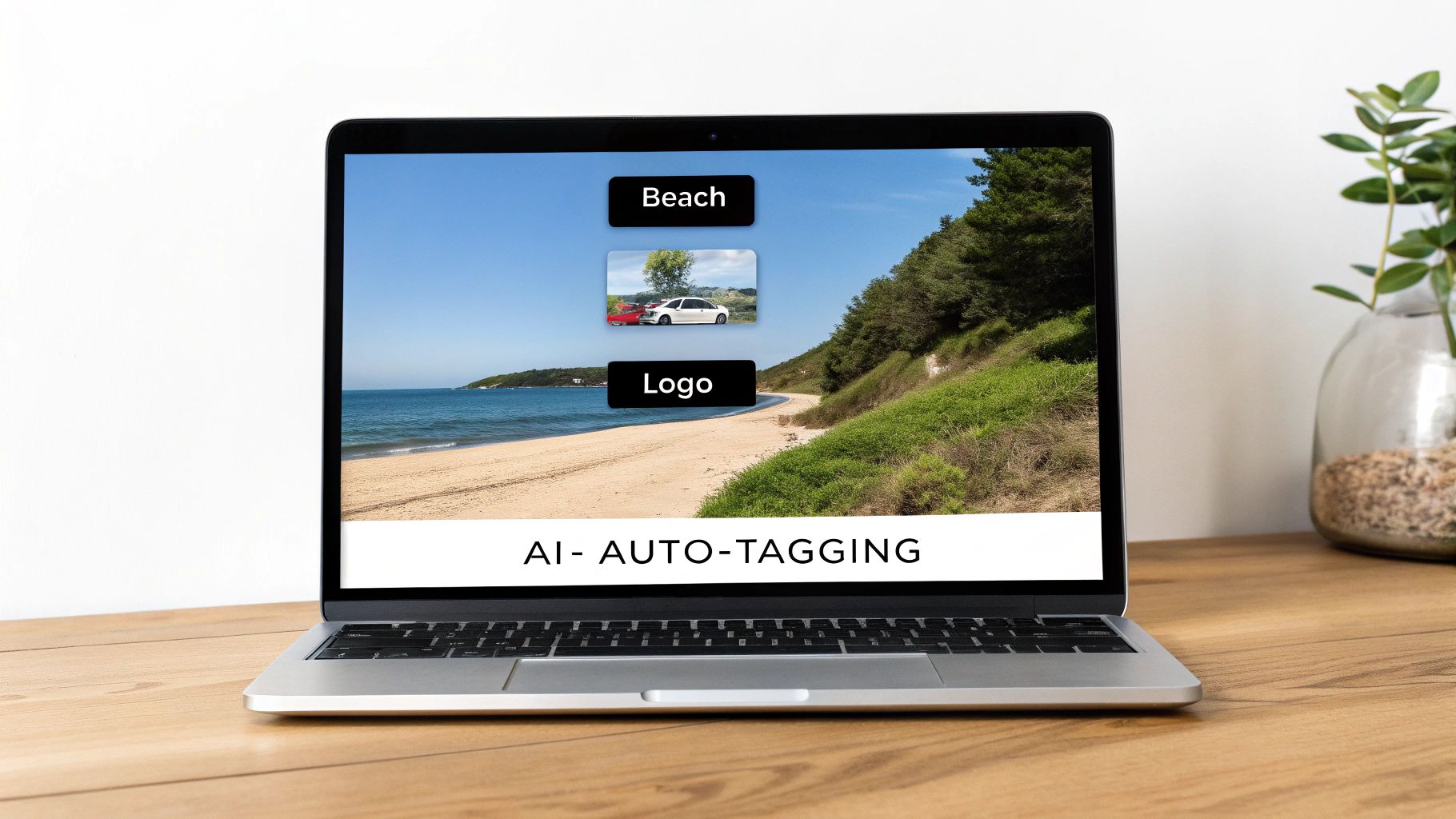
Tech giants have pioneered this approach. Google Photos automatically recognizes faces and objects, allowing users to search for "beach" or "dog" without ever adding a manual tag. Similarly, Adobe Sensei, integrated into Adobe Experience Cloud, intelligently suggests keywords and crops images for different social media platforms. These systems work by processing vast datasets, enabling them to recognize patterns and apply relevant metadata automatically, dramatically improving asset discoverability and reducing manual labor.
How to Implement AI-Powered Organization: A Step-by-Step Tutorial
- Step 1: Enable Auto-Tagging in Your DAM. Navigate to your DAM's settings and activate the AI-powered tagging feature (often labeled "Smart Tags" or "AI Tagging"). Configure it to apply tags with a minimum confidence level of 85% to avoid inaccurate suggestions.
- Step 2: Create a Human-in-the-Loop Workflow. Set up a process where AI tags are reviewed and refined by a human.
- Action: When a batch of photos from a new event is uploaded, the AI automatically suggests tags like
conference,people,presentation,microphone. - Action: A marketing coordinator then spends 10 minutes reviewing these tags. They remove irrelevant ones (e.g.,
microphoneon a crowd shot) and add brand-specific context the AI missed (e.g.,InnovateCon 2025,Keynote Speaker Jane Doe).
- Action: When a batch of photos from a new event is uploaded, the AI automatically suggests tags like
- Step 3: Set Up Automated Smart Folders. Use your DAM's rules to create folders that automatically populate based on metadata.
- Rule 1: Create a folder called "All Headshots." Set a rule: "If an asset is tagged with
headshotby the AI, automatically add a copy to this folder." - Rule 2: Create a folder called "Assets Expiring This Month." Set a rule: "If
Usage_Rights_Expiry_Dateis within the next 30 days, move the asset to this folder." This automates compliance checks.
- Rule 1: Create a folder called "All Headshots." Set a rule: "If an asset is tagged with
- Step 4: Monitor for and Correct Bias. Once a month, perform a search for a sensitive or specific term and review the AI-tagged results. If you notice the AI is mischaracterizing certain groups of people or concepts, use your DAM's feedback tool to correct the tags. This helps retrain the model and improves future accuracy.
By embracing intelligent automation, you can transform your asset library into a self-organizing ecosystem that saves time and surfaces content with unprecedented speed. To see how this technology is reshaping a related field, explore our guide on machine learning in image processing.
7. Mobile and Remote Access Optimization
In an increasingly distributed workforce, digital asset management is no longer confined to the office desktop. Mobile and remote access optimization ensures that your team can securely and efficiently find, review, and use digital assets from any device, anywhere. This involves more than just a mobile-friendly website; it requires a thoughtful strategy encompassing responsive design, dedicated applications, offline capabilities, and adaptive streaming. This approach is a cornerstone of modern digital asset management best practices, empowering teams to maintain productivity regardless of location.
Companies like Frame.io have revolutionized video collaboration with powerful mobile review and approval workflows, allowing stakeholders to leave time-stamped comments directly from their phones. Similarly, platforms like Dropbox and Adobe Creative Cloud offer robust mobile apps that sync assets seamlessly, ensuring a marketer on the go or a designer working remotely has the latest file versions. These systems thrive by prioritizing speed, security, and user experience for a mobile-first world, making assets accessible without compromising on functionality.
How to Implement Mobile and Remote Access: A Step-by-Step Tutorial
- Step 1: Test the Mobile User Experience. Before full deployment, ask a remote team member to complete a specific task using only their smartphone.
- Task: "Find the company's main logo in PNG format, and share a link to it via Slack."
- Observe: Watch them navigate the interface. Is the search bar easy to find? Can they easily access the share options? Use their feedback to identify and fix usability issues.
- Step 2: Create Mobile-Optimized Previews and Renditions. Configure your DAM to automatically generate low-resolution versions of large files. When a user on a mobile network previews a 50MB TIFF file, the DAM should show them a fast-loading 150KB JPEG preview instead of forcing them to download the full file.
- Step 3: Educate Users on the Mobile App. During onboarding, specifically show new hires how to install and use the DAM's mobile app. Highlight key mobile-first features, such as:
- How to upload photos directly from their phone's camera roll after a company event.
- How to use the "share" function to send assets to clients without leaving the app.
- Step 4: Enforce Mobile Security with Multi-Factor Authentication (MFA). In your DAM's security settings, make MFA mandatory for all users. This ensures that even if a team member's phone is lost or stolen, your assets remain secure, as access requires a second form of verification (like a code from an authenticator app).
8. Integration with Creative Tools and Workflows
An effective digital asset management system should not exist in a vacuum; it must be woven into the fabric of your creative process. Integrating your DAM with essential creative tools like Adobe Creative Suite, Figma, or Microsoft Office eliminates friction and boosts productivity. This practice allows creators to search, access, and place assets directly within their native applications, preventing the constant need to switch contexts, download files, and re-upload revised versions. This seamless connection is a cornerstone of modern digital asset management best practices, transforming the DAM from a simple repository into a dynamic, active part of your workflow.
Industry leaders exemplify this integration. Adobe Experience Manager's deep connection with Creative Cloud allows designers to check assets out, edit them in Photoshop or Illustrator, and save them back to the DAM without leaving the application. Similarly, platforms like Widen and MediaValet offer robust plugins that bring asset libraries directly into PowerPoint and Word, ensuring brand consistency across all corporate documents. These integrations work by treating the DAM as a central, authoritative source, accessible from anywhere.
How to Implement DAM Integrations: A Step-by-Step Tutorial
- Step 1: Identify Your Team's Most-Used Software. Survey your creative and marketing teams to find the top 2-3 applications where they use digital assets. The most common are usually Adobe Photoshop/Illustrator, Figma, and Microsoft PowerPoint.
- Step 2: Install and Configure the Official Plugin. Go to your DAM provider's website and find their integrations page. Download and install the plugin for your top-priority software (e.g., the Adobe Creative Cloud plugin). Follow the provider's step-by-step instructions to connect it to your DAM account.
- Step 3: Create a "How-To" Video for a Core Workflow. Record a short (under 2 minutes) screen-capture video demonstrating a single, high-value task. For example:
- Title: "How to Add an Approved Logo to Your PowerPoint Deck in 60 Seconds"
- Steps: Show how to open the DAM plugin within PowerPoint, search for "logo," and drag-and-drop the correct file directly onto a slide.
- Share this video in your team's communication channel to drive adoption.
- Step 4: Automate Versioning with Check-In/Check-Out. Train designers on how to use the "check-out" feature in the Adobe plugin. When a designer checks out an image, the DAM locks it, preventing others from editing it simultaneously. When they save their changes and "check-in" the file, the DAM automatically saves it as a new version, preserving the previous version in the asset's history. This eliminates version conflicts.
By integrating your DAM with the tools your team already uses, you reduce manual tasks and empower creators to focus on what they do best. To further optimize how these tools fit together, explore our guide to building a streamlined photo editing workflow.
9. Usage Analytics and Performance Monitoring
Effective digital asset management doesn't end once assets are uploaded; it extends to understanding their impact and value. Implementing usage analytics involves tracking how, where, and by whom your digital assets are accessed, downloaded, and shared. This data-driven approach provides critical insights into asset performance, helping you calculate ROI, identify popular content, and optimize your overall content strategy. It transforms your DAM from a simple storage system into an active business intelligence tool.
Major platforms like Adobe Analytics integrated with Adobe Experience Manager Assets provide granular detail on how creative assets perform across different marketing campaigns. This allows brands to see which images drive the most engagement on their websites. Similarly, business intelligence tools like Tableau can be connected to a DAM's database to create custom dashboards, visualizing which assets are most frequently used by internal teams and external partners, highlighting both high-value content and underperforming files.
How to Implement Usage Analytics: A Step-by-Step Tutorial
- Step 1: Define Your Top 3 Key Performance Indicators (KPIs). Start simple. Choose three metrics that directly relate to your goals. For a marketing team, these could be:
- Most Downloaded Assets: Which assets are most popular with the team?
- Top Search Terms: What are people looking for?
- Asset Usage by Campaign: Which assets are being used in public links?
- Step 2: Create a Monthly Analytics Dashboard. Use your DAM's built-in reporting tools to create a simple, one-page dashboard that displays your three KPIs. Most DAMs have a drag-and-drop interface for this. Save this dashboard so you can access it quickly.
- Step 3: Schedule a Monthly "Analytics to Action" Meeting. Put a 30-minute meeting on the calendar for the first week of every month. In this meeting, review the dashboard and ask action-oriented questions:
- "The top downloaded assets this month were all photos of our team. Should we schedule another photoshoot?"
- "The top search term was 'customer testimonial,' but we have few results. Do we need to create more testimonial assets?"
- Step 4: Act on the Insights. Use the answers from your meeting to create actionable tasks. If you identified a need for more testimonial assets, create a task in your project management tool: "Produce 5 new customer testimonial quote graphics for Q4." This closes the loop between data and content creation, ensuring your efforts are always aligned with demand.
By consistently monitoring asset performance, you can refine your creative strategy, prove the value of your digital assets, and ensure your library is aligned with organizational needs. This practice is a cornerstone of modern digital asset management best practices.
10. Governance Framework and Compliance Management
Effective digital asset management extends beyond technology and into policy. A governance framework establishes the rules, roles, and responsibilities for how digital assets are created, managed, and used across your organization. This framework is essential for ensuring compliance with legal standards like copyright law, industry regulations, and internal brand guidelines. By defining clear procedures and accountability, you create a system that minimizes risk, maintains brand integrity, and ensures that one of the core digital asset management best practices is upheld.
This principle is critical in regulated industries. For example, a healthcare organization must adhere to HIPAA, ensuring patient data in images is handled with strict confidentiality. Similarly, financial institutions follow rigid regulatory policies to prevent the misuse of sensitive information in their marketing assets. These frameworks work because they create a documented, enforceable system that aligns asset handling with overarching business and legal requirements, preventing costly compliance failures.
How to Implement a Governance Framework: A Step-by-Step Tutorial
- Step 1: Appoint a DAM Administrator. Designate one person as the ultimate owner of the DAM. Their responsibilities are to manage users, enforce policies, and be the main point of contact for any DAM-related questions. This creates clear accountability.
- Step 2: Create a One-Page "DAM Rules of the Road" Document. Don't write a 50-page manual no one will read. Create a simple, visual guide that covers the essentials:
- Uploading: "All new assets must have the
Project_IDandUsage_Rightsfields completed." - Downloading: "Only download assets from the 'Approved_Final' folder for external use."
- Sharing: "Never share assets externally without using a password-protected, expiring link."
- Pin this document in your team's main communication channel.
- Uploading: "All new assets must have the
- Step 3: Build Compliance into Your Metadata. Work with your legal team to identify critical compliance information. Add these as mandatory metadata fields. For photos of people, this must include:
Model_Release_On_File: A checkbox field (Yes/No).Usage_Restrictions: A text field detailing any limitations (e.g., "Cannot be used in print advertising").- Make these fields required upon upload to prevent compliance breaches before they happen.
- Step 4: Conduct a Yearly Governance Review. Schedule an annual meeting with the DAM administrator and key stakeholders (legal, marketing, creative leads). Review your "Rules of the Road" document, user roles, and compliance fields. Update the policies to reflect any changes in your business or regulations over the past year.
By establishing a robust governance framework, you protect your organization from legal risks and ensure every digital asset is used in a way that consistently supports your brand and strategic goals.
10-Point DAM Best Practices Comparison
| Item | Implementation Complexity 🔄 | Resource Requirements ⚡ | Expected Outcomes 📊 | Ideal Use Cases 💡 | Key Advantages ⭐ |
|---|---|---|---|---|---|
| Comprehensive Metadata Tagging and Standardization | High — large setup & governance 🔄 | Moderate–High — metadata tools, training ⚡ | Strong — improved discovery, reuse, compliance 📊 | Large enterprises, archives, cross‑team repositories 💡 | Consistent search & rights management ⭐ |
| Centralized Digital Asset Management (DAM) System Implementation | High — complex deployment & integrations 🔄 | High — licensing, migration, IT & infra ⚡ | High — single source of truth, reduced duplication 📊 | Global brands, multi‑team collaboration, enterprise ops 💡 | Versioning, access controls, automated workflows ⭐ |
| Version Control and Asset Lifecycle Management | Moderate — policy + tooling setup 🔄 | Moderate — storage, retention policies, admins ⚡ | Moderate–High — provenance, rollback, compliance support 📊 | Regulated content, collaborative creative workflows 💡 | Prevents outdated assets; clear history ⭐ |
| Robust Access Control and Permissions Management | Moderate–High — granular RBAC/ABAC design 🔄 | Moderate — security tooling and ongoing admin ⚡ | High — reduced unauthorized use; auditability 📊 | Finance, healthcare, government, confidential assets 💡 | Protects sensitive assets; compliance readiness ⭐ |
| Quality Assurance and Asset Validation Workflows | Moderate — rules and automation design 🔄 | Moderate — validation tools, QA roles ⚡ | High — higher asset quality; fewer publishing errors 📊 | Publishing, e‑commerce, stock libraries 💡 | Ensures brand/technical standards; fewer reworks ⭐ |
| Automated Asset Organization and Intelligent Categorization | Moderate–High — ML integration & tuning 🔄 | High — compute, labeled data, ML expertise ⚡ | High — faster tagging, improved semantic search 📊 | Large media libraries, rapidly growing asset pools 💡 | Scales tagging; reduces manual effort ⭐ |
| Mobile and Remote Access Optimization | Moderate — apps, sync, security considerations 🔄 | Moderate — mobile dev, CDN, offline sync ⚡ | Moderate–High — better access and productivity 📊 | Field teams, remote workforces, on‑site creatives 💡 | Enables work anywhere; real‑time asset access ⭐ |
| Integration with Creative Tools and Workflows | Moderate–High — APIs/plugins, compatibility work 🔄 | Moderate — integration dev, testing, maintenance ⚡ | High — reduced context switching; faster production 📊 | Creative agencies, marketing teams, designers 💡 | In‑tool access; higher adoption & faster turnaround ⭐ |
| Usage Analytics and Performance Monitoring | Moderate — tracking design & dashboarding 🔄 | Moderate — analytics stack, BI skills ⚡ | High — insights on ROI, usage patterns, optimization 📊 | Marketing ops, content strategy, executive reporting 💡 | Data‑driven decisions; identifies high‑value assets ⭐ |
| Governance Framework and Compliance Management | High — policy creation & enforcement 🔄 | Moderate–High — legal/compliance, training, audits ⚡ | High — reduced legal risk; standardized practices 📊 | Regulated industries, large distributed orgs 💡 | Ensures compliance; clarifies ownership & accountability ⭐ |
Putting Your Plan into Action: The Future of Asset Management
We've explored ten foundational pillars of digital asset management, from the granular details of metadata tagging to the high-level strategy of a governance framework. Each practice, whether it’s implementing a centralized DAM system, mastering version control, or automating organization, serves a single, crucial purpose: to transform your collection of digital files from a chaotic liability into a strategic, high-value asset. Adopting these principles isn't about rigid, restrictive rules; it's about creating a frictionless environment where creativity and productivity can flourish.
Mastering these digital asset management best practices is an ongoing commitment, not a one-time setup. The digital landscape, particularly with the acceleration of AI-driven content creation from platforms like AI Photo HQ, is constantly evolving. What works today will need refinement tomorrow. The key is to view your DAM strategy as a living, breathing part of your operational ecosystem, one that adapts and grows alongside your creative output.
From Theory to Tangible Results: Your First Steps
The journey from digital clutter to an organized, efficient system can seem daunting. The most effective approach is to start with a focused, high-impact project. Don't try to boil the ocean by reorganizing your entire archive overnight. Instead, choose a single, pressing pain point and apply the principles we've discussed.
Here’s a practical, step-by-step starting point:
- Identify the Biggest Bottleneck: Is your team constantly asking for the "latest version" of a logo? Are you struggling to find approved images for a specific social media campaign? Pinpoint the single most time-consuming search or retrieval task your team faces. Let's say it's finding approved, high-resolution product photos from the last quarter.
- Define a Mini-Project: Your goal is to organize just this one category of assets. Create a dedicated folder or collection within your system named "Q3-2024 Approved Product Shots."
- Establish a Metadata Standard (for this project only): Before you move a single file, decide on a simple, mandatory tagging structure. For our example, it could be:
ProductName:(e.g., "Eco-Mug-Pro")ImageType:(e.g., "Lifestyle," "Studio," "In-Use")Resolution:(e.g., "High-Res," "Web-Res")ApprovalStatus:(e.g., "Approved")UsageRights:(e.g., "Social-Media-Only," "Unlimited-Commercial")
- Process and Tag a Small Batch: Select 10-20 of these product photos. Manually apply your new, standardized tags to each one. Move them into the designated "Q3-2024 Approved Product Shots" folder.
- Test and Gather Feedback: Ask a team member to find "the approved, high-res, lifestyle photo of the Eco-Mug-Pro." Observe how long it takes them. Was it instant? If so, you've just proven the value of your system.
By successfully executing this small-scale pilot, you create a powerful case study. You've not only solved a real problem but also built the momentum and understanding needed to expand your efforts. You can now use this proven template to tackle the next asset category, gradually building a robust, fully-realized DAM structure. This iterative process is the core of implementing digital asset management best practices successfully.
The ultimate value of a sophisticated DAM strategy lies in the time and cognitive energy it returns to your team. When you eliminate the friction of searching for files, verifying permissions, and tracking versions, you free up your creators, marketers, and developers to do what they do best: innovate, create, and drive your brand forward. In an age where the volume of digital content is exploding, your ability to manage it effectively is the critical competitive advantage that separates leaders from laggards. Your future-proof asset library begins with the first tag you apply today.
Ready to supercharge your content creation and fill your new, organized library with stunning visuals? AI Photo HQ provides the powerful AI tools you need to generate, enhance, and restore images at scale, giving you a steady stream of high-quality assets to manage. Start creating with AI Photo HQ and see how seamless content production and expert asset management can transform your workflow.


