
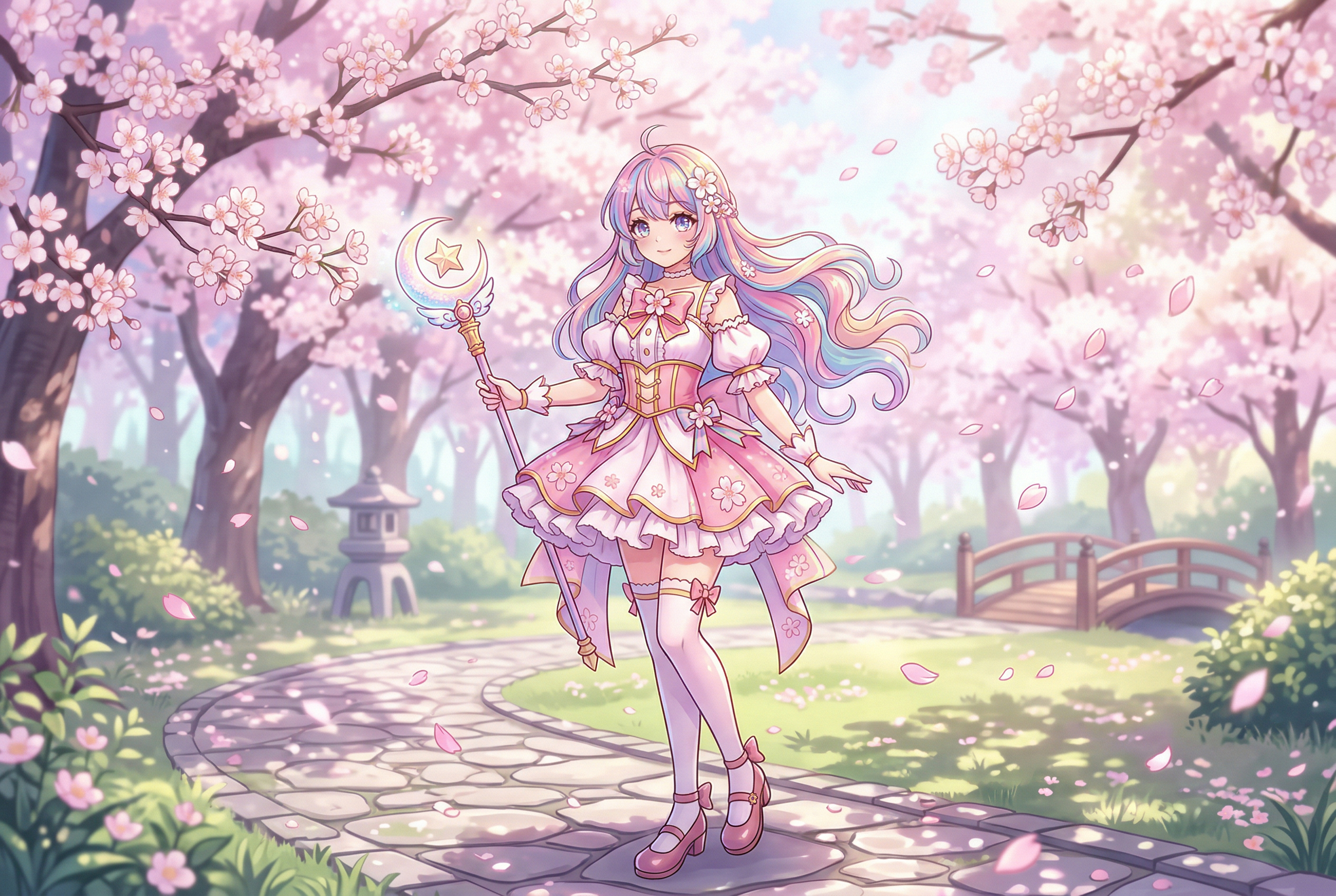
What Makes Anime AI Art Different from Regular AI Art?
If you've ever typed "anime girl" into a general-purpose AI image generator and gotten something that looks vaguely Japanese but not quite right, you already know the problem. Generic AI models treat anime as a filter — a set of visual shortcuts like big eyes and colorful hair. But real anime art has structure, intent, and style conventions that go back decades.
Anime AI art generators are different because they're trained on (or fine-tuned for) actual anime and manga artwork. They understand the visual grammar: how eyes convey emotion, how hair flows with implied motion, how backgrounds shift from hyper-detailed cityscapes to soft, ethereal washes depending on the mood.
The best anime AI generators don't just make images that look like anime. They understand the difference between shonen action poses and shojo softness, between Studio Ghibli watercolors and cyberpunk neon. That distinction matters — and it's what separates a good result from one that makes anime fans cringe.
Understanding Anime Art Styles (So You Can Prompt Better)
Before you even open an AI generator, it helps to know what you're asking for. "Anime" isn't one style — it's dozens. Here are the major categories and what defines them visually:
Shonen Style
Think Dragon Ball Z, Naruto, My Hero Academia. Bold lines, dynamic action poses, exaggerated muscles, intense facial expressions. Colors tend to be saturated and high-contrast. If you're generating fight scenes or action characters, this is your wheelhouse.
Prompt keywords: shonen style, dynamic pose, action scene, bold linework, intense expression, battle stance
Shojo Style
Think Sailor Moon, Cardcaptor Sakura, Fruits Basket. Softer lines, larger and more expressive eyes, floral and sparkle motifs, pastel color palettes. Characters tend to be elegant with flowing hair and elaborate costumes.
Prompt keywords: shojo style, soft lighting, pastel colors, floral background, sparkling eyes, elegant pose
Chibi Style
Super-deformed characters with oversized heads (roughly 1:1 head-to-body ratio), tiny bodies, and exaggerated expressions. Chibi art is playful, cute, and widely used for stickers, emotes, and merchandise.
Prompt keywords: chibi, super deformed, cute, oversized head, small body, kawaii expression
Seinen / Realistic Style
Think Vinland Saga, Berserk, Ghost in the Shell. More realistic proportions, detailed shading, muted color palettes, and mature themes. This style bridges anime and Western illustration.
Prompt keywords: seinen style, realistic proportions, detailed shading, dark palette, mature, atmospheric
Studio Ghibli / Watercolor Style
The soft, painterly look of Miyazaki films. Gentle gradients, hand-painted textures, warm natural lighting, and environments that feel alive. This style is hugely popular for AI generation because it's instantly recognizable and emotionally evocative.
Prompt keywords: studio ghibli style, watercolor, hand-painted, soft lighting, pastoral, warm tones, nature
Mecha / Sci-Fi Anime
Think Neon Genesis Evangelion, Gundam, Code Geass. Complex mechanical designs, metallic surfaces, dramatic lighting, and futuristic environments. This style demands generators that handle intricate details well.
Prompt keywords: mecha, giant robot, futuristic, mechanical detail, metallic surface, cockpit, sci-fi anime
Manga / Black-and-White
Classic manga panel art with screentone shading, black ink lines, and dramatic use of negative space. Great for comic-style projects, webtoons, and printed manga.
Prompt keywords: manga style, black and white, ink linework, screentone, comic panel, high contrast
10 Best AI Anime Art Generators in 2026
We tested dozens of anime AI generators to find the ones that consistently produce quality results. Here's our ranked list, with honest pros and cons for each.
1. NovelAI
Best for: Serious anime artists who want maximum control
NovelAI has quietly become the gold standard for AI anime image generation. Their V3 model (based on custom-trained diffusion architecture) produces some of the most authentic-looking anime art available. The quality is noticeably better than general-purpose generators for anime specifically — characters have consistent proportions, eyes look right, and clothing details are sharp.
What sets NovelAI apart is the depth of control. You get detailed prompt weighting, negative prompts, inpainting, and a huge library of anime-specific tags (based on Danbooru tagging conventions). If you know what "1girl, silver hair, red eyes, serafuku, wind" means, you'll feel right at home.
Pros: Best-in-class anime quality, extensive tag system, inpainting, img2img, character consistency tools
Cons: No free tier (starts at $10/month), learning curve for tag-based prompting
Price: $10/month (Tablet), $15/month (Scroll), $25/month (Opus)
2. PixAI
Best for: Free anime generation with community features
PixAI is a dedicated anime AI art platform with a generous free tier. You get daily credits to generate images, and the platform supports multiple anime-focused models including their own fine-tunes and community-uploaded checkpoints. The results are consistently strong for anime characters, and the community aspect means you can browse others' creations for prompt inspiration.
The platform also supports ControlNet, img2img, and various upscaling options — features you'd normally only find in local Stable Diffusion setups.
Pros: Generous free credits, multiple anime models, ControlNet support, active community
Cons: Queue times during peak hours, some models produce inconsistent quality
Price: Free tier available; Plus from $10/month
3. Canva (Magic Media)
Best for: Beginners and content creators who need anime art fast
Canva isn't an anime-first platform, but their Magic Media feature includes dedicated anime styles that produce surprisingly good results. The major advantage is integration — you generate the anime art and immediately drop it into a design, social post, or presentation without leaving the app.
The anime output leans toward clean, commercial-friendly styles. Don't expect gritty seinen or experimental looks, but for character illustrations, profile pictures, and social media content, it handles the job well.
Pros: Dead-simple interface, direct integration with Canva's design tools, multiple anime style presets
Cons: Limited generations on free plan, less control over fine details, no negative prompts
Price: Free (limited); Canva Pro from $13/month
4. getimg.ai
Best for: Access to multiple anime models in one place
getimg.ai offers a broad selection of AI models including several fine-tuned for anime and manga styles. Their platform supports FLUX, Stable Diffusion variants, and various community models. The real-time generation feature lets you see results as you tweak prompts, which speeds up the iteration process considerably.
The anime results vary by model — some produce outstanding quality while others are hit-or-miss. The platform's strength is variety: you can switch between different anime aesthetics without leaving the tool.
Pros: Multiple model options, real-time generation, img2img, outpainting tools
Cons: Quality depends heavily on model selection, can be overwhelming for beginners
Price: Free tier (100 images/month); paid from $12/month
5. AnimeGenius (Live3D)
Best for: Animated anime content and VTuber assets
AnimeGenius stands out because it doesn't stop at static images. Built by the team behind the Live3D VTuber software, it can generate anime art and then animate it — making it uniquely useful for VTubers, content creators, and anyone who wants their anime characters to move.
The static image quality is solid, with hundreds of anime style options. The animation features are what make it worth considering over pure image generators, especially if you're creating content for YouTube or streaming.
Pros: Animation capabilities, huge style library, VTuber integration, free tier
Cons: Animation quality can be stiff, some styles feel repetitive
Price: Free tier; Premium from $9/month
6. Perchance AI Anime Generator
Best for: Completely free, no-signup anime generation
Perchance's anime generator is the internet's best-kept secret for free anime art. No account required, no daily limits, no watermarks. It runs on Stable Diffusion models fine-tuned for anime and produces quality that rivals paid tools. The catch? The interface is bare-bones, and you don't get features like inpainting or img2img.
If you want to experiment with anime AI art without spending a dime or creating yet another account, start here.
Pros: Completely free, no signup, no limits, good quality, fast generation
Cons: Minimal interface, no advanced features, no history/saving
Price: Free
7. Yodayo
Best for: Anime character creation with social sharing
Yodayo combines an anime-focused AI art generator with a social platform. You generate characters, share them, and browse what others have created. The models are specifically trained for anime aesthetics, and the results lean toward high-quality character portraits and illustrations.
The community aspect adds genuine value — you can study popular prompts, learn what settings produce the best results, and get feedback on your creations.
Pros: Strong anime-focused models, social features, prompt sharing, good character consistency
Cons: Credit-based system, less useful for non-character art
Price: Free tier; premium credits available
8. NightCafe
Best for: Experimenting with multiple AI art styles including anime
NightCafe offers multiple AI engines (Stable Diffusion, DALL-E, FLUX) with several anime-specific models and presets. It's a versatile platform that works well if you want to generate anime art alongside other styles. The credit system gives you free daily generations, and the community gallery is one of the most active in the AI art space.
Pros: Multiple AI engines, active community, daily free credits, anime presets
Cons: Credit system can feel restrictive, quality varies across models
Price: Free tier (5 daily credits); plans from $6/month
9. AI Photo Generator
Best for: Quick anime-style transformations of real photos
AI Photo Generator supports anime-style generation alongside its broader AI image capabilities. It's particularly useful if you want to transform existing photos into anime versions or generate anime-styled characters from text descriptions. The platform handles multiple diffusion models and offers a straightforward interface that doesn't overwhelm you with options.
Pros: Photo-to-anime transformation, multiple models, clean interface
Cons: Anime isn't the primary focus, fewer anime-specific fine-tunes than dedicated platforms
Price: Free tier available; paid plans for more generations
10. Crevio / Tensor.Art
Best for: Power users who want access to community-trained anime models
Platforms like Tensor.Art give you access to thousands of community-uploaded anime models — from specific character LoRAs to full checkpoint models trained on particular anime series or art styles. If you know exactly what aesthetic you want and a mainstream tool can't deliver it, these community platforms probably have a model that can.
The trade-off is complexity. You need to understand model selection, sampling methods, and prompt syntax to get consistently good results.
Pros: Massive model library, very specific styles available, community-driven, often free
Cons: Steep learning curve, inconsistent model quality, interface can be confusing
Price: Mostly free with credit systems
How to Write Better Anime AI Prompts
The biggest factor in anime AI art quality isn't the tool — it's the prompt. Here's a framework that consistently produces better results:
The Anime Prompt Formula
Structure your prompts in this order for best results:
- Subject: Who or what (1girl, 1boy, group, landscape)
- Style: The anime aesthetic (shonen, ghibli, chibi, manga)
- Details: Appearance specifics (hair color, eye color, outfit, expression)
- Action/Pose: What they're doing (standing, fighting, looking at viewer)
- Environment: Where they are (cherry blossom garden, cyberpunk city, school rooftop)
- Lighting/Mood: Atmosphere (golden hour, dramatic shadows, soft glow)
- Quality tags: Technical boosters (masterpiece, best quality, highly detailed)
Example Prompts for Different Styles
Shonen Action Hero:
1boy, shonen style, spiky black hair, red eyes, torn cape, battle stance, energy aura, destroyed cityscape background, dramatic lighting, dynamic angle, masterpiece, best quality
Ghibli-Style Landscape:
studio ghibli style, rolling green hills, small cottage, flower garden, cumulus clouds, warm afternoon light, hand-painted texture, watercolor, peaceful, nostalgic, masterpiece
Shojo Character Portrait:
1girl, shojo style, long flowing pink hair, sparkling blue eyes, white dress with lace details, holding bouquet of roses, soft pastel background, flower petals falling, gentle smile, ethereal glow, masterpiece, best quality
Dark Seinen Scene:
1boy, seinen style, realistic proportions, dark armor, standing in rain, medieval fantasy city, torch light, moody atmosphere, detailed shadows, muted colors, cinematic composition, masterpiece
Chibi Character:
chibi, 1girl, super deformed, cat ears, oversized hoodie, holding giant cookie, sparkling eyes, blush, simple pastel background, cute, kawaii, sticker style
Common Prompt Mistakes to Avoid
- Being too vague: "Anime girl" gives the AI nothing to work with. Specificity is your friend.
- Contradicting styles: Mixing "chibi" with "realistic proportions" confuses the model.
- Overloading the prompt: More words don't always mean better results. Focus on 15-25 key terms.
- Ignoring negative prompts: If your tool supports them, use negative prompts to remove common artifacts. Try:
bad anatomy, extra fingers, blurry, low quality, deformed face, asymmetrical eyes - Forgetting composition: Terms like "close-up portrait," "full body shot," or "wide-angle landscape" dramatically change the output.
Photo-to-Anime: Turning Real Images into Anime Art
One of the most popular uses for anime AI generators is converting real photographs into anime-style artwork. This goes beyond simple filters — modern AI tools actually reinterpret the image, maintaining the composition and likeness while applying genuine anime aesthetics.
What Works Well
- Portrait photos with clear facial features and good lighting
- Landscape photography (the Ghibli treatment is spectacular)
- Pet photos — anime-styled pets are endlessly popular on social media
- Group photos for custom friend-group anime art
Tips for Better Photo-to-Anime Results
- Use high-resolution source images (at least 1024×1024)
- Ensure good, even lighting — harsh shadows don't translate well
- Simple backgrounds convert more cleanly than cluttered ones
- Specify the anime style you want in the prompt alongside the photo upload
- Adjust the "creativity" or "denoising" slider — too low and it's just a filter, too high and you lose the likeness
10 Creative Uses for AI Anime Art
Beyond just making cool pictures, here's how people are actually using anime AI generators in 2026:
- Custom profile pictures and avatars — The most common use case. Create a unique anime version of yourself for social media, gaming, or Discord.
- Webtoon and manga creation — Independent creators are using AI to generate panel art for original webcomics, especially for backgrounds and supporting characters.
- VTuber character design — Designing VTuber avatars and stream assets, from character concepts to emotes and overlays.
- Sticker and emoji packs — Chibi-style AI art is perfect for custom sticker sets on Telegram, WhatsApp, and Discord.
- Game asset prototyping — Indie game developers use anime AI generators for rapid character concept art before commissioning final assets.
- Fan art exploration — Visualizing scenes or characters from favorite series in different styles or scenarios.
- Merchandise design — Custom anime art for prints, phone cases, t-shirts, and other print-on-demand products.
- Social media content — Eye-catching anime-styled posts, stories, and thumbnails that stand out in feeds.
- Book and story illustration — Light novel covers, chapter illustrations, and character reference sheets for fiction projects.
- Educational materials — Anime-styled characters for presentations, tutorials, and e-learning content aimed at younger audiences.
AI Anime Generator Comparison Table
| Tool | Best For | Free Tier | Anime Quality | Key Feature | Starting Price |
|---|---|---|---|---|---|
| NovelAI | Serious artists | No | ★★★★★ | Tag-based prompting | $10/mo |
| PixAI | Free generation | Yes | ★★★★☆ | Community models | Free / $10/mo |
| Canva | Beginners | Yes | ★★★☆☆ | Design integration | Free / $13/mo |
| getimg.ai | Model variety | Yes | ★★★★☆ | Real-time generation | Free / $12/mo |
| AnimeGenius | Animation | Yes | ★★★★☆ | Animate your art | Free / $9/mo |
| Perchance | Zero commitment | Yes (unlimited) | ★★★★☆ | No signup needed | Free |
| Yodayo | Character art | Yes | ★★★★☆ | Social sharing | Free / credits |
| NightCafe | Multi-engine | Yes | ★★★☆☆ | Community gallery | Free / $6/mo |
| AI Photo Generator | Photo-to-anime | Yes | ★★★☆☆ | Photo transformation | Free / paid plans |
| Tensor.Art | Power users | Yes | ★★★★★ | Custom model library | Free / credits |
Frequently Asked Questions
What is the best free AI anime art generator?
For completely free anime generation with no signup, Perchance is hard to beat — unlimited generations, no watermarks, no account required. For a free tier with more features (ControlNet, multiple models), PixAI offers the best balance of quality and functionality.
Can AI generate anime art that looks hand-drawn?
Yes, especially with models fine-tuned on anime artwork. NovelAI and dedicated anime models on platforms like PixAI and Tensor.Art produce results that are often indistinguishable from hand-drawn art at first glance. The key is using the right model and detailed prompts that specify the art style you want.
What's the difference between anime AI generators and regular AI image generators?
Regular AI image generators (like DALL-E or Midjourney) are trained on diverse datasets and can produce anime-style images, but they're not optimized for it. Dedicated anime AI generators use models fine-tuned specifically on anime and manga artwork, which means they better understand anime conventions — proper eye styles, hair physics, clothing folds, and character proportions that feel authentic to the medium.
Are AI-generated anime images copyrightable?
This is still a gray area legally. In the US, the Copyright Office has ruled that purely AI-generated images without significant human creative input aren't eligible for copyright protection. However, if you substantially modify, curate, or arrange AI-generated anime art as part of a larger creative work, those elements of human authorship may be protectable. If you're planning commercial use, consult an intellectual property attorney.
Can I use AI anime generators to create characters for commercial projects?
Most paid platforms (NovelAI, Canva Pro, getimg.ai) grant commercial usage rights in their terms of service. Free tools vary — always check the specific platform's terms before using generated art commercially. Also ensure your prompts don't reference copyrighted characters or series by name, as this could create separate IP issues.
How do I maintain character consistency across multiple AI-generated images?
This is one of the biggest challenges in anime AI art. Some strategies that help: use the same detailed character description in every prompt, use img2img with a reference image, leverage platforms that offer character consistency features (NovelAI's Vibe Transfer, PixAI's character templates), and stick to the same model and settings. For serious projects, creating a detailed character sheet first and using it as a reference produces much more consistent results.
What resolution should I generate anime art at?
For social media and web use, 1024×1024 pixels is usually sufficient. For print or merchandise, generate at the highest resolution your tool allows and use an AI upscaler (like Real-ESRGAN, which handles anime art particularly well) to scale up. Common anime-friendly aspect ratios are 1:1 (square), 2:3 (portrait/poster), and 16:9 (desktop wallpaper).
