
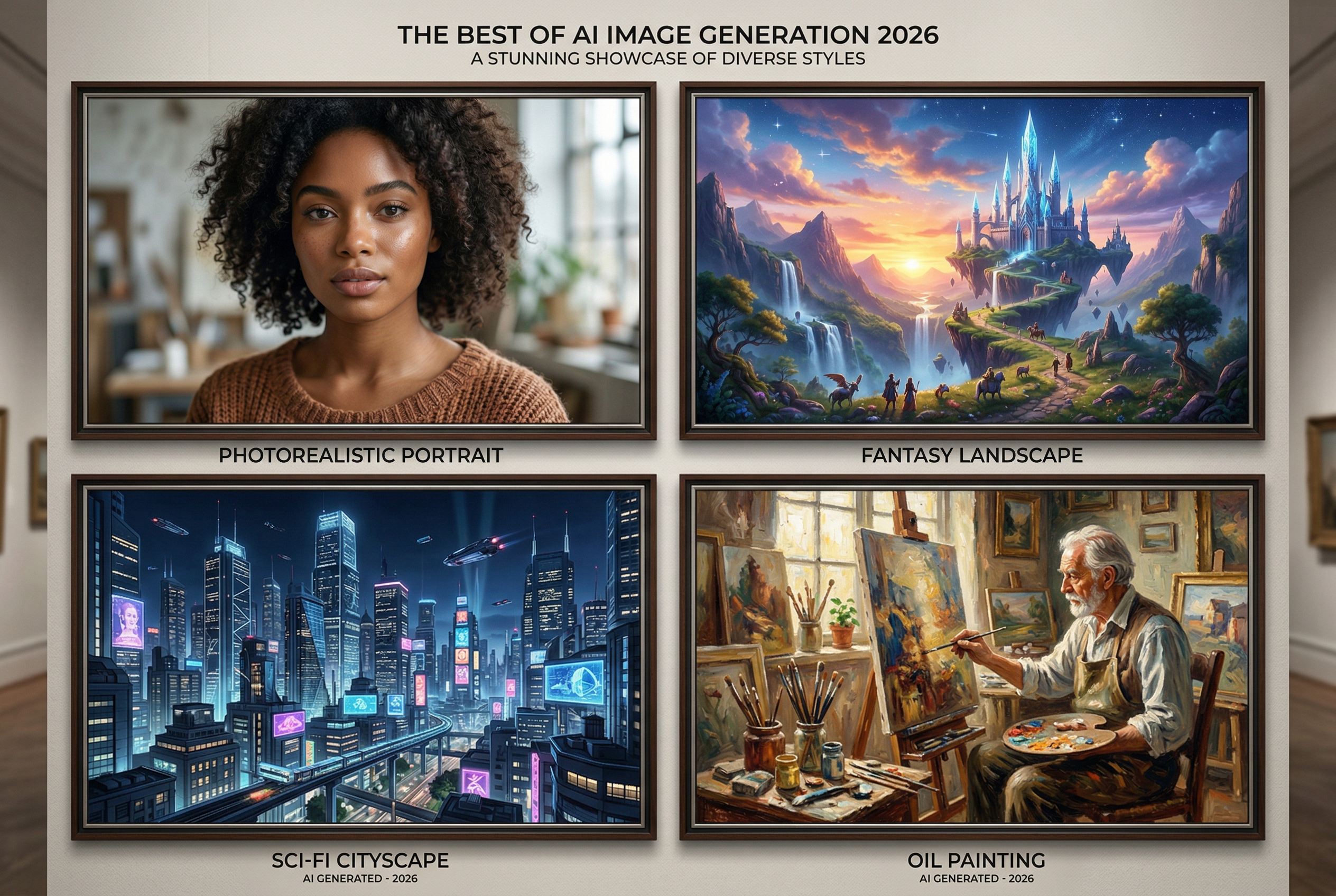
Why the "Best" Stable Diffusion Model Depends on You
There are thousands of Stable Diffusion models on CivitAI alone. Thousands. And that number grows every week.
So when someone asks "what's the best Stable Diffusion model?", the honest answer is: it depends on what you're making. A model that nails photorealistic portraits will completely botch anime art. A model built for fantasy landscapes will give you weird results if you try to generate a product photo.
This guide cuts through the noise. Instead of dumping 40+ models on you and wishing you luck, we've curated the models that actually matter in 2026 — organized by what you're trying to create, with practical advice on prompting, hardware requirements, and when to use each one.
Understanding the Stable Diffusion Ecosystem in 2026
Before we get into specific models, let's quickly map out the landscape. If you're already familiar with the architecture differences, skip ahead to the model picks.
The Four Generations
Stable Diffusion isn't one model — it's an entire family of architectures, each with its own strengths:
- SD 1.5 — The OG. Released in 2022, still widely used because of its massive ecosystem of fine-tunes, LoRAs, ControlNets, and extensions. Runs on basically anything (4 GB VRAM). The community built an entire universe around it.
- SDXL — The upgrade. Native 1024×1024 resolution, dramatically better anatomy, lighting, and detail. Needs 8+ GB VRAM. This is where most of the best community models live right now.
- SD 3.5 — Stability AI's latest official release. Uses a new MMDiT (Multi-Modal Diffusion Transformer) architecture. Better text rendering, improved prompt adherence. Still maturing — the community fine-tune ecosystem is growing but not yet at SDXL's level.
- Flux — Built by Black Forest Labs (founded by ex-Stability AI researchers). Not technically "Stable Diffusion" but uses similar diffusion principles. Exceptional prompt understanding, natural language prompting, and photorealism. Flux 2 pushed the bar even further in late 2025.
Checkpoints vs. LoRAs vs. Embeddings
Quick terminology check:
- Checkpoint models are complete, standalone models — the full package. This is what we're covering in this guide.
- LoRAs (Low-Rank Adaptations) are lightweight add-ons that modify a base model's behavior. Think of them as style filters you stack on top of a checkpoint.
- Embeddings (Textual Inversions) teach a model new concepts using a tiny file. Useful for consistent characters or specific aesthetics.
The models below are all checkpoints — the foundation you build everything else on.
Best Stable Diffusion Models for Photorealism
If you want images that look like actual photographs, these are your picks.
1. Juggernaut XL v10
The gold standard for photorealistic SDXL generation. Juggernaut XL has been the community's go-to realistic model for over a year, and version 10 refines everything that made it great: skin texture, natural lighting, believable environments, and consistently good anatomy.
- Architecture: SDXL
- Best for: Portraits, street photography, cinematic scenes, product shots
- VRAM: 8+ GB (12 GB recommended)
- Prompt style: Descriptive, photography-focused (mention camera models, lens types, lighting setups)
- Where to get it: CivitAI
Pro tip: Pair Juggernaut XL with prompts that reference specific photography styles — "shot on Canon EOS R5, 85mm f/1.4, golden hour lighting" — to get the most photorealistic output.
2. RealVisXL V4.0
If Juggernaut is a DSLR, RealVisXL is a mirrorless — slightly different rendering personality, equally impressive results. This model excels at natural human rendering with particularly strong skin detail and hair texture.
- Architecture: SDXL
- Best for: Lifelike portraits, fashion photography, human subjects
- VRAM: 8+ GB
- Prompt style: Natural language with photography terms
- Standout feature: Exceptionally good at rendering multiple people in a scene without the usual AI weirdness
3. Realistic Vision V6.0
The SD 1.5 legend that refuses to retire. If you're working with limited hardware (4–6 GB VRAM), Realistic Vision remains the best photorealistic option. It won't match the resolution of SDXL models, but the output quality per compute dollar is outstanding.
- Architecture: SD 1.5
- Best for: Photorealism on a budget, quick iterations, older GPUs
- VRAM: 4+ GB
- Prompt style: Tag-based (comma-separated descriptors work better than natural sentences)
- Why it still matters: Massive LoRA compatibility — years of community-created add-ons work with this model
4. CyberRealistic XL v9
The dark horse pick. CyberRealistic doesn't get as much hype as Juggernaut or RealVis, but it has a devoted following for a reason: it handles complex scenes and unusual compositions better than almost any other realistic model. Where other models stumble with action shots or unconventional poses, CyberRealistic keeps things coherent.
- Architecture: SDXL
- Best for: Complex compositions, action scenes, environmental storytelling
- VRAM: 8+ GB
- Standout feature: Best-in-class coherence for multi-element scenes
Best Stable Diffusion Models for Anime and Illustration
The anime and illustration community was one of the first to embrace Stable Diffusion, and it shows — there's an incredible range of specialized models.
5. Pony Diffusion V6 XL
Don't let the name fool you — Pony Diffusion V6 has become one of the most versatile illustrated-style models in the SDXL ecosystem. It uses a unique tagging system (borrowed from Danbooru/e621 tag conventions) that gives you extremely precise control over composition, character features, and art style.
- Architecture: SDXL
- Best for: Anime, illustration, character design, stylized art
- VRAM: 8+ GB
- Prompt style: Tag-based with quality scores (e.g., "score_9, score_8_up" for highest quality output)
- Why it stands out: Enormous LoRA ecosystem — if you need a specific art style or character, there's probably a Pony LoRA for it
6. Illustrious XL
The newer challenger to Pony's throne. Illustrious XL was designed specifically for high-quality illustrated and anime output, and it delivers cleaner line work, better colour consistency, and improved anatomy over earlier anime models.
- Architecture: SDXL
- Best for: Clean anime art, manga-style illustrations, character sheets
- VRAM: 8+ GB
- Standout feature: Better hand and finger rendering than most anime models — a historically weak point for AI art
7. NoobAI XL
A fine-tune built on Illustrious that's rapidly gaining popularity. NoobAI adds more stylistic range and improved composition while keeping the clean output quality. The community has embraced it for its balance between control and artistic flair.
- Architecture: SDXL (Illustrious fine-tune)
- Best for: Versatile anime and illustration work
- VRAM: 8+ GB
- Standout feature: Growing LoRA ecosystem that's compatible with Illustrious LoRAs too
8. Anything V5
The original anime model powerhouse, running on SD 1.5. Still relevant in 2026 for anyone on limited hardware or for quick anime concept generation. The LoRA library for Anything V5 is enormous.
- Architecture: SD 1.5
- Best for: Classic anime style, quick generation, low VRAM setups
- VRAM: 4+ GB
- Note: If you have the hardware for SDXL, Pony or Illustrious will give you better results. Anything V5 is the budget-friendly option.
Best Stable Diffusion Models for Fantasy and Concept Art
These models are built for the imaginative stuff — epic landscapes, creature design, sci-fi environments, and everything that doesn't exist in the real world.
9. DreamShaper XL
The Swiss Army knife of creative generation. DreamShaper has always been about versatility, and the XL version delivers gorgeous fantasy art, concept illustrations, and stylized environments. It handles complex scene descriptions remarkably well.
- Architecture: SDXL
- Best for: Fantasy art, concept design, book covers, game art, creative illustrations
- VRAM: 8+ GB
- Prompt style: Natural language works great — describe the scene like you're writing a novel
- Standout feature: Beautiful lighting and atmosphere in fantasy scenes
10. ZavyChromaXL
A personal favourite among digital artists. ZavyChromaXL sits in the sweet spot between photorealism and artistic stylization — it creates images that feel like high-end concept art or cinematic stills from a movie that doesn't exist. The colour rendering is particularly impressive.
- Architecture: SDXL
- Best for: Cinematic concept art, stylized realism, environmental design
- VRAM: 8+ GB
- Standout feature: Exceptional colour grading and atmospheric lighting out of the box
Best Next-Generation Models (SD 3.5 and Flux)
These models represent where the technology is heading. They're not always the practical choice today (smaller ecosystems, higher hardware requirements), but they push the quality ceiling.
11. Stable Diffusion 3.5 Large
Stability AI's latest architecture is a significant step forward in several areas. The new MMDiT design handles text rendering far better than any previous SD model, prompt adherence is improved, and the output quality is stunning when it works.
- Architecture: SD 3.5 (MMDiT)
- Best for: Text-in-image generation, complex prompts, experimental workflows
- VRAM: 12+ GB (16 GB recommended)
- The catch: The fine-tuned model ecosystem is still small compared to SDXL. Out of the box, it's impressive but can be inconsistent. Give it 6–12 months and the community will build an incredible ecosystem around it — just like they did with SD 1.5 and SDXL.
12. Z-Image
A next-generation model built on the S3-DiT (Scalable Single-Stream Diffusion Transformer) backbone. Z-Image processes text and image inputs through a single unified pathway, making it faster and more efficient than traditional dual-stream architectures.
- Architecture: S3-DiT (6B parameters)
- Best for: Portraits, product shots, commercial-ready content, stylized visuals
- VRAM: 10+ GB
- Variants: Z-Image Turbo (fast, 8-step inference), Z-Image Base (for fine-tuning), Z-Image Edit (instruction-based editing)
- Standout feature: Lightweight yet powerful — competitive quality from just 6 billion parameters
13. Flux 2
Built by Black Forest Labs, Flux isn't technically Stable Diffusion — but it's built on the same diffusion model principles and uses a related architecture. Flux 2 is arguably the best overall image generation model available in early 2026, with exceptional natural language understanding, photorealism, and consistency.
- Architecture: Flux (proprietary DiT variant)
- Best for: High-quality photorealism, natural language prompting, commercial work
- VRAM: 12+ GB (16–24 GB recommended)
- Variants: Flux 2 Pro (highest quality), Flux 2 Dev (open-weight, good for fine-tuning), Flux 2 Schnell (fastest, good for previews)
- Prompt style: Natural language — write prompts like you're describing a photo to someone. No need for comma-separated tags.
- The trade-off: Slower generation than SDXL, smaller LoRA ecosystem, higher hardware requirements
How to Choose the Right Model: A Decision Framework
Still not sure which model to pick? Run through this quick checklist:
Step 1: What's Your Hardware?
- 4–6 GB VRAM: Stick with SD 1.5 models (Realistic Vision, Anything V5). They're optimized to run on modest hardware and still produce great results.
- 8–12 GB VRAM: SDXL models are your sweet spot. This is where the best community models live — Juggernaut, RealVisXL, Pony, DreamShaper.
- 16+ GB VRAM: You can run anything. Try Flux 2 Dev or SD 3.5 Large for the bleeding edge, or stick with SDXL for the best ecosystem support.
Step 2: What Are You Creating?
- Photorealistic portraits/photography → Juggernaut XL v10 or RealVisXL V4.0
- Anime and illustration → Pony Diffusion V6 or Illustrious XL
- Fantasy and concept art → DreamShaper XL or ZavyChromaXL
- Commercial/product imagery → Z-Image or Flux 2
- Text-heavy designs → SD 3.5 Large or Flux 2
Step 3: How Important Is the Ecosystem?
If you rely heavily on LoRAs, ControlNets, and community extensions, SDXL is still king. The sheer volume of community-created resources for SDXL models is unmatched. SD 3.5 and Flux are catching up, but they're not there yet.
Stable Diffusion Model Comparison Table
| Model | Architecture | Best For | Min VRAM | Ecosystem Size | Prompt Style |
|---|---|---|---|---|---|
| Juggernaut XL v10 | SDXL | Photorealism | 8 GB | ★★★★★ | Descriptive/photography |
| RealVisXL V4.0 | SDXL | Portraits | 8 GB | ★★★★☆ | Natural + photography |
| Realistic Vision V6 | SD 1.5 | Budget photorealism | 4 GB | ★★★★★ | Tag-based |
| CyberRealistic XL v9 | SDXL | Complex scenes | 8 GB | ★★★☆☆ | Descriptive |
| Pony Diffusion V6 XL | SDXL | Anime/illustration | 8 GB | ★★★★★ | Tag-based + scores |
| Illustrious XL | SDXL | Clean anime | 8 GB | ★★★★☆ | Tag-based |
| NoobAI XL | SDXL | Versatile anime | 8 GB | ★★★☆☆ | Tag-based |
| Anything V5 | SD 1.5 | Budget anime | 4 GB | ★★★★★ | Tag-based |
| DreamShaper XL | SDXL | Fantasy/concept art | 8 GB | ★★★★☆ | Natural language |
| ZavyChromaXL | SDXL | Cinematic art | 8 GB | ★★★☆☆ | Descriptive |
| SD 3.5 Large | SD 3.5 | Text-in-image | 12 GB | ★★☆☆☆ | Natural language |
| Z-Image | S3-DiT | Commercial/portraits | 10 GB | ★★☆☆☆ | Natural language |
| Flux 2 | Flux DiT | Best overall quality | 12 GB | ★★★☆☆ | Natural language |
Essential Tips for Getting the Best Results
Picking the right model is half the battle. Here's how to get the most out of whichever model you choose.
Match Your Prompt Style to the Architecture
This is the single biggest mistake people make when switching models. Different architectures expect different prompt formats:
- SD 1.5 models respond best to comma-separated tags: "portrait, woman, detailed face, soft lighting, bokeh background, 8k, masterpiece"
- SDXL models handle a mix of tags and short descriptions: "cinematic portrait of a woman in golden hour light, detailed skin texture, bokeh, shot on Canon 5D"
- Flux models want natural language: "A photorealistic portrait of a young woman standing in a wheat field during golden hour. The warm sunlight creates a soft backlight through her hair. Shot with shallow depth of field."
- SD 3.5 models also prefer natural language, similar to Flux
Using tag-style prompts with Flux or natural language with SD 1.5 will give you mediocre results — even with a great model. For a deep dive into crafting effective prompts, check out our guide to negative prompts and CFG scale settings.
Don't Ignore Negative Prompts (for SD 1.5 and SDXL)
Negative prompts are critical for SD 1.5 and SDXL models. A well-crafted negative prompt can be the difference between a stunning image and a mess. Common negative prompts to include:
- "blurry, low quality, deformed, ugly, bad anatomy, extra fingers, mutated hands" — the basics that should always be there
- Style-specific negatives — "cartoon, anime" for realistic models, or "photorealistic, photograph" for anime models
Important note: Flux models don't use traditional negative prompts. Their architecture handles quality differently, so you incorporate quality direction into the positive prompt instead.
CFG Scale Matters
The CFG (Classifier-Free Guidance) scale controls how closely the model follows your prompt. Getting this right varies by model:
- SD 1.5 models: 7–9 is the sweet spot
- SDXL models: 5–8 works best (going above 10 often causes over-saturation)
- Flux models: Use 1–4 (Flux is very different — high CFG values ruin the output)
- SD 3.5: 4–7 is typical
Sampler Selection
Your choice of sampler affects both quality and speed:
- DPM++ 2M Karras — The reliable all-rounder for SD 1.5 and SDXL. Good quality, reasonable speed.
- Euler a — Fast and creative, good for exploration. Can be less consistent.
- DPM++ SDE Karras — Slightly slower but produces more detailed results. Great for final renders.
- UniPC — Emerging favourite in 2026. Fast convergence with good quality.
Where to Run Stable Diffusion Models
You've picked your model — now you need somewhere to run it. Here are your main options:
Local (Your Own GPU)
- ComfyUI — Node-based workflow editor. Steeper learning curve, but incredibly powerful and flexible. The power user's choice.
- AUTOMATIC1111 (A1111) — The classic web UI. Huge feature set, tons of extensions, well-documented. Still the most popular option for beginners.
- Forge — A fork of A1111 optimized for speed and lower VRAM usage. If A1111 struggles on your hardware, try Forge.
- Fooocus — The "just works" option. Minimal setup, great defaults, inspired by Midjourney's simplicity.
Cloud-Based
If you don't have a powerful GPU, online platforms let you use these models without any hardware investment:
- AI Photo Generator — Run Stable Diffusion models directly in your browser with no setup. Great for quick generation without the technical overhead.
- RunPod / Vast.ai — Rent GPU time by the hour. Install any model you want. Best for power users who need flexibility without buying hardware.
- Google Colab — Free tier available but increasingly limited. Works for experimentation but not reliable for production use.
What's Coming Next: The 2026 Outlook
The Stable Diffusion ecosystem moves fast. Here's what to watch for in the rest of 2026:
- SD 3.5 fine-tunes will explode. The same pattern that made SDXL great is starting to happen with SD 3.5. Expect dozens of high-quality community models by mid-2026.
- Flux 2 LoRAs are maturing. The Flux LoRA training ecosystem is improving rapidly. It's becoming practical to train custom styles and characters on Flux, which wasn't feasible a year ago.
- VRAM requirements are dropping. Quantization techniques (GGUF format) are making it possible to run Flux on 8 GB cards with acceptable quality. This will only improve.
- Video models are converging. Models like Wan 2.2 are blurring the line between image and video generation. If you're building image generation skills now, you're preparing for video too.
- SDXL isn't going anywhere. Despite newer architectures, SDXL will remain the practical workhorse for most creators through 2026. The ecosystem is just too valuable to abandon.
Frequently Asked Questions
What is the best Stable Diffusion model for beginners?
Start with Juggernaut XL v10 if you have 8+ GB VRAM — it's versatile, well-documented, and produces consistently good results across a wide range of prompts. If you're on limited hardware, Realistic Vision V6 (SD 1.5) is the safest choice.
Is Flux better than Stable Diffusion?
Flux 2 produces higher quality output than most Stable Diffusion models, especially for photorealism and prompt adherence. However, Stable Diffusion (particularly SDXL) has a much larger ecosystem of community models, LoRAs, and tools. For most hobbyists, SDXL is still the more practical choice.
Can I run Stable Diffusion on a laptop?
Yes — SD 1.5 models run well on laptops with 4+ GB VRAM (even some integrated GPUs with quantization). SDXL needs a dedicated GPU with 8+ GB. Flux and SD 3.5 typically require desktop-class GPUs or cloud services.
What's the difference between SD 1.5 and SDXL?
SDXL generates images at 1024×1024 (vs. 512×512 for SD 1.5), has dramatically better anatomy and detail, and understands complex prompts much better. The trade-off is higher VRAM usage (8 GB vs. 4 GB minimum) and slower generation.
How do I install a custom Stable Diffusion model?
Download the model file (.safetensors format) from CivitAI or Hugging Face, then place it in the models/Stable-diffusion folder of your chosen interface (A1111, ComfyUI, or Forge). Restart the interface, and the model will appear in the model selection dropdown.
Are Stable Diffusion models free?
Most community models on CivitAI are free to download and use. The base Stable Diffusion models (SD 1.5, SDXL, SD 3.5) are open-source. Flux has free variants (Schnell, Dev) and commercial options (Pro). Running them locally requires your own GPU, or you can use cloud platforms for a fee.
What's the best model for generating images with text in them?
SD 3.5 Large and Flux 2 are significantly better at rendering text within images than older architectures. If text accuracy is important (signs, logos, labels), these are your best options. SD 1.5 and SDXL models generally struggle with text rendering.