
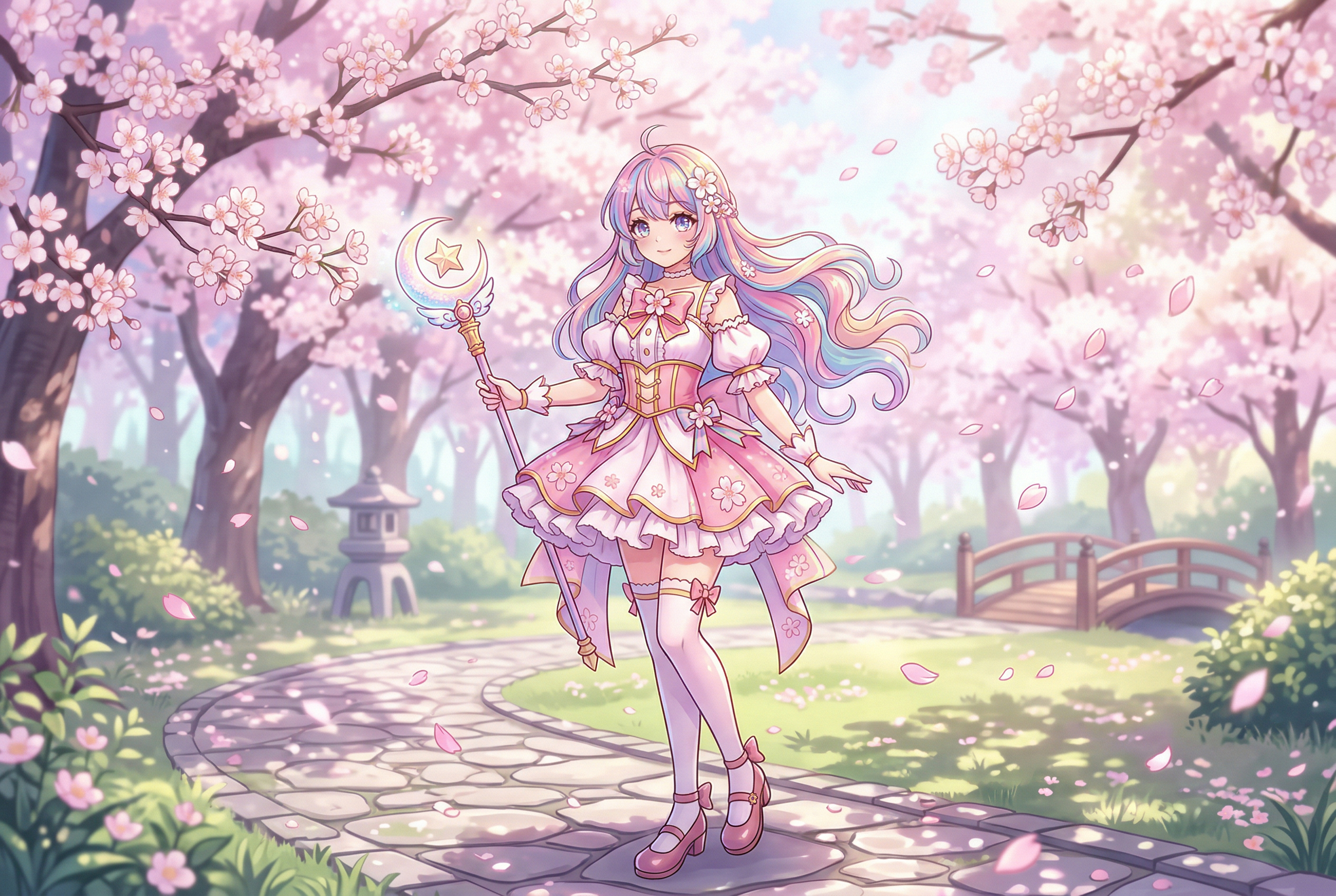
Anime-style art has a look that's instantly recognisable — big expressive eyes, dramatic hair, bold colour palettes, and that unmistakable sense of motion even in a still frame. Creating it traditionally takes years of practice. But with the right anime AI art generator, you can produce stunning anime images from a text description or a photo in seconds.
We tested the best anime AI generators available in 2026 to find which ones actually nail the style — not just "sort of looks like anime" but genuinely captures the aesthetic of different sub-styles, from classic shonen to soft watercolour manga illustration.
Here's what works, what doesn't, and which tool is right for your specific needs.
What Makes a Good Anime AI Generator?
Before diving into tools, it's worth knowing what separates good anime AI art from bad:
- Style accuracy — Does it actually look like anime, or just "cartoon with big eyes"? The best tools understand sub-styles: shonen, shoujo, seinen, chibi, and Studio Ghibli aesthetics are all distinct.
- Consistency — Can you generate multiple images of the same character that actually look like the same person?
- Detail quality — Clean linework, proper anatomy (especially hands and eyes), and well-rendered backgrounds.
- Prompt control — Can you specify camera angles, emotions, lighting, and art sub-styles with precision?
- Photo-to-anime — Some tools can transform real photos into anime style, which is incredibly popular.
1. NovelAI — The Anime Specialist
NovelAI was built from the ground up for anime. While other tools treat anime as one of many styles, NovelAI's image models are specifically trained on anime and manga artwork, and it shows in every output.
Why It Stands Out
- Purpose-built anime models — NovelAI's V4 model produces some of the most authentic anime art of any AI tool
- Character consistency — VibeTransfer technology lets you maintain character appearance across generations
- Incredible detail control — Supports anime-specific tags ("1girl, blue_hair, school_uniform, cherry_blossoms") that other tools don't understand
- Clean linework — Outputs look like actual anime production art, not AI approximations
The Downsides
- Subscription required ($10-25/month) — no free tier for images
- Less versatile for non-anime styles
- Interface has a learning curve
Best for: Serious anime art enthusiasts, manga creators, and anyone who needs the highest-quality anime-specific output.
Pricing: $10/month (Tablet), $15/month (Scroll), $25/month (Opus).
2. Stable Diffusion + Anime Checkpoints — Maximum Control
If you want total control over your anime art style, Stable Diffusion with community-created anime checkpoints is unbeatable. Models like Illustrious XL, Animagine XL 3.1, and Pony Diffusion are specifically fine-tuned for anime aesthetics and produce stunning results.
Why It Stands Out
- Unlimited style options — Hundreds of anime-specific checkpoints on Civitai, each with a unique aesthetic
- LoRA support — Add specific character designs, art styles, or anime series aesthetics on top of any base model
- Completely free — Run it locally with no per-image costs
- Community-driven — Active community constantly creating and sharing new anime models and techniques
The Downsides
- Requires technical setup (ComfyUI or Automatic1111)
- GPU needed — at least 8GB VRAM recommended
- Finding the right checkpoint-LoRA combination takes experimentation
For the best results, pair a strong anime checkpoint with well-crafted negative prompts and dial in your CFG scale settings for the specific model you're using.
Best for: Technical users who want unlimited, free anime generation with maximum style control.
Pricing: Free (open-source). Cloud hosting varies.
3. Midjourney — Best Ghibli and Painterly Anime
Midjourney isn't specifically an anime tool, but its ability to render Studio Ghibli-style scenes, watercolour anime illustrations, and painterly anime aesthetics is genuinely stunning. If you want anime art that looks like it belongs in a movie poster or art book, Midjourney delivers.
Why It Stands Out
- Studio Ghibli aesthetic — No tool does Ghibli-inspired scenes better. Lush landscapes, warm lighting, that magical atmosphere
- Painterly quality — Anime art that feels like actual paintings rather than digital illustrations
- Environmental art — Backgrounds and scenery with an anime feel that most tools struggle with
- High resolution — Outputs are large and detailed enough for prints
The Downsides
- Not great for classic manga-style lineart
- Struggles with specific anime character archetypes (school uniforms, mecha, etc.)
- $10-60/month with no free tier
Best for: Artists wanting Ghibli-inspired scenes, anime-style concept art, and painterly illustrations.
Pricing: $10-$60/month.
4. AnimeGenius (Live3D) — Best Free Option
AnimeGenius by Live3D is one of the most accessible free anime generators available. It offers text-to-anime, photo-to-anime, and even a graffiti-to-anime feature that turns rough sketches into polished anime art.
Why It Stands Out
- Genuinely free — Daily free credits that are actually usable
- Multiple creation modes — Text prompts, photo uploads, sketch conversion
- Style variety — Manga, anime, manhwa, and specific aesthetic presets
- No technical knowledge needed — Clean web interface, works in any browser
The Downsides
- Free tier has daily limits
- Quality doesn't match NovelAI or Stable Diffusion with good checkpoints
- Less control over fine details
Best for: Casual users who want to create anime art without paying or setting anything up.
Pricing: Free tier available. Premium plans for more generations.
5. Canva AI Anime Generator — Easiest for Beginners
Canva added an anime AI generator to their design suite, and it's surprisingly capable. The big advantage? It's integrated into Canva's full design toolkit, so you can generate anime art and immediately use it in designs, social posts, or presentations.
Why It Stands Out
- Design integration — Generate anime art and immediately drop it into Canva designs
- Simple prompts — Works with natural language, no need for anime-specific tags
- Template library — Anime-themed templates for social media, posters, and more
- Team collaboration — Share and iterate on anime designs with team members
The Downsides
- Anime quality is mid — it looks like anime, but rarely captures specific sub-styles well
- Limited customisation compared to dedicated tools
- Requires Canva Pro for full AI features
Best for: Content creators who need anime-style graphics integrated into their existing Canva workflow.
Pricing: Limited free use. Canva Pro from $13/month.
6. Leonardo AI — Best Anime with Photorealistic Backgrounds
Leonardo AI's anime capabilities are underrated. Where it really shines is generating anime characters in realistic or semi-realistic environments — think anime characters in photo-real cityscapes or nature scenes. Their Anime Pastel Dream and DreamShaper Anime models produce excellent results.
Why It Stands Out
- Anime + realism hybrid — Unique ability to blend anime characters with photorealistic backgrounds
- Multiple anime models — Switch between different anime aesthetics without leaving the platform
- Image-to-image — Upload reference art and generate anime variations
- Generous free tier — 150 daily tokens for free
The Downsides
- Pure anime lineart isn't as crisp as NovelAI
- Free tokens run out fast with high-quality settings
- Some anime models are community-created and variable in quality
Best for: Creators who want anime-meets-realism hybrid art or need a versatile tool with a free tier.
Pricing: Free tier available. Paid plans from $10/month.
7. DALL-E 3 (ChatGPT) — Best for Quick Anime Concepts
DALL-E 3 through ChatGPT makes anime generation as easy as describing what you want in plain English. It's not the most authentic anime style, but for quick concept art, character ideas, and anime-inspired illustrations, the convenience is hard to beat.
Why It Stands Out
- Conversational creation — "Draw an anime girl with silver hair in a cyberpunk city" just works
- Iterative refinement — "Make her hair longer" or "add rain" in natural language
- Ghibli-style integration — Recent updates handle Studio Ghibli aesthetics surprisingly well
- Text rendering — Can add readable text to anime-style images
The Downsides
- Anime style feels "Western" — more Disney-meets-anime than authentic Japanese animation
- Limited control over specific anime sub-styles
- Requires ChatGPT Plus ($20/month)
Best for: Quick anime concept art and character ideation without any learning curve.
Pricing: Included with ChatGPT Plus ($20/month).
8. AI Photo Generator — Best for Anime Avatars from Selfies
Want to see yourself as an anime character? AI Photo Generator takes a different approach — upload your selfies, train a custom AI model of your appearance, and then generate anime-style versions of yourself. The results are personalised in a way that generic text-to-anime tools can't match.
Why It Stands Out
- Personal anime avatars — AI learns your face and creates anime versions that actually look like you
- Multiple anime styles — From chibi to serious shonen protagonist aesthetics
- Fast processing — Generates anime versions quickly once your model is trained
- Beyond anime — The same model can generate realistic photos, other art styles, and more
The Downsides
- Requires 15+ selfie uploads to train your model
- Focused on personal avatars rather than general anime scene creation
Best for: Anyone who wants personalised anime avatars and character art based on their real appearance.
Pricing: Affordable pay-as-you-go and subscription plans.
9. Flux + Anime LoRAs — The New Contender
Flux (by Black Forest Labs) is newer to the anime scene, but the community has already created impressive anime LoRAs for it. Flux's strong prompt adherence means it follows detailed anime scene descriptions more accurately than most alternatives.
Why It Stands Out
- Superior prompt following — Complex scene descriptions with multiple characters are handled well
- Growing LoRA ecosystem — Anime-specific fine-tunes appearing rapidly on Civitai and HuggingFace
- Excellent hands and anatomy — Historically a weakness for AI anime art, Flux handles it better
- Open-source option — Flux Schnell and Dev are freely available
The Downsides
- Anime LoRA ecosystem still smaller than Stable Diffusion's
- Requires significant GPU power for local use
- Less anime-specific community support compared to established tools
Best for: Technical users who want cutting-edge image quality with anime styling and don't mind a smaller ecosystem.
Pricing: Free (open-source) or pay-per-generation via API.
10. getimg.ai — Solid Web-Based Option
getimg.ai offers a dedicated anime art generator with multiple anime-specific models accessible through a clean web interface. It's a solid middle ground between the simplicity of Canva and the power of Stable Diffusion.
Why It Stands Out
- Dedicated anime mode — Purpose-built pipeline for anime outputs
- Multiple models — Switch between anime styles without technical setup
- Built-in editing — Inpainting and outpainting for refining anime art
- API available — Integrate anime generation into your own apps
The Downsides
- Credit system feels restrictive on free/basic plans
- Anime quality doesn't match NovelAI or good Stable Diffusion checkpoints
- Less anime-specific customisation than dedicated tools
Best for: Users who want browser-based anime generation with built-in editing tools.
Pricing: Free tier available. Paid plans from $12/month.
How to Choose the Right Anime AI Generator
Here's a quick decision framework based on what you're trying to do:
- "I want the best anime quality possible" → NovelAI or Stable Diffusion with Illustrious XL
- "I want free anime art, no fuss" → AnimeGenius or Perchance AI Anime Generator
- "I want Ghibli/painterly anime" → Midjourney
- "I want to turn myself into an anime character" → AI Photo Generator
- "I need anime art for social media designs" → Canva AI
- "I want maximum control and don't mind technical setup" → Stable Diffusion or Flux with anime LoRAs
- "I just want quick anime concepts" → DALL-E 3 via ChatGPT
Tips for Getting Better Anime AI Art
Regardless of which tool you use, these tips will improve your anime outputs:
- Specify the sub-style — "Anime" is broad. Be specific: "90s anime style," "watercolour manga illustration," "Studio Ghibli landscape," "dark seinen aesthetic," or "chibi" will get dramatically different results.
- Use anime-specific terminology — Terms like "cel-shaded," "flat colour," "dramatic speed lines," "sakura petals," and "dynamic pose" communicate style more effectively than generic descriptions.
- Reference specific shows or studios — "In the style of Makoto Shinkai" or "Demon Slayer colour palette" gives the AI a concrete visual target (results vary by tool and copyright policies).
- Describe the camera angle — "Close-up portrait," "dramatic low angle," "bird's eye view" — anime uses distinctive camera work that AI tools can replicate.
- Don't forget backgrounds — Many anime AI outputs default to plain backgrounds. Specify "detailed cityscape background," "cherry blossom forest," or "classroom interior" for complete scenes.
- Use negative prompts where supported — Exclude "realistic, photographic, 3D render, western cartoon" to push outputs toward authentic anime aesthetics. Check our complete negative prompts guide for more.
Popular Anime Art Styles You Can Generate
Not all anime looks the same. Here are the main styles these tools can produce:
- Classic Shonen — Bold lines, dynamic action poses, intense expressions (think Dragon Ball, Naruto, One Piece)
- Shoujo — Softer lines, flowery backgrounds, sparkly eyes, romantic aesthetics (Sailor Moon, Fruits Basket)
- Studio Ghibli — Warm watercolours, lush nature scenes, gentle character designs (Spirited Away, Totoro)
- Seinen/Dark — Grittier, more detailed, mature themes (Berserk, Attack on Titan, Vinland Saga)
- Chibi — Super-deformed cute characters with oversized heads and tiny bodies
- Makoto Shinkai — Hyper-detailed skies, lens flares, photo-real backgrounds with anime characters (Your Name, Weathering With You)
- Manhwa/Webtoon — Korean comic style with more realistic proportions, often full-colour vertical format
- Pixel Art Anime — Retro game-inspired anime characters in pixel style
Frequently Asked Questions
What is the best free anime AI generator?
For completely free use, AnimeGenius (Live3D) and Perchance.org's AI Anime Generator offer the best balance of quality and accessibility. If you have a GPU, Stable Diffusion with anime checkpoints like Illustrious XL is free and produces the highest quality results.
Can AI generate anime from photos?
Yes. Several tools offer photo-to-anime conversion: AnimeGenius, AI Photo Generator (which creates personalised anime avatars from selfies), and Stable Diffusion's img2img mode can all transform real photos into anime-style art.
Which AI is best for manga-style black and white art?
NovelAI handles manga-style lineart exceptionally well. For Stable Diffusion users, checkpoints specifically trained on manga pages (like MangaLine) produce authentic black-and-white manga art with proper screentones and panel-ready compositions.
Can I use AI anime art commercially?
It depends on the tool. Midjourney, DALL-E 3, Leonardo AI, and most paid platforms grant commercial usage rights to paid subscribers. For Stable Diffusion, the base models have permissive licenses, but individual checkpoints and LoRAs may have restrictions — always check the specific model's licence on Civitai.
Why does my AI anime art have weird hands?
Hands are the most common issue in AI-generated anime art. Tips to fix this: use negative prompts like "bad hands, extra fingers, deformed hands"; generate at higher resolutions; try Flux-based models (better at anatomy); and use inpainting to fix specific hand regions after generation.
Is NovelAI better than Midjourney for anime?
For traditional anime and manga styles — yes, NovelAI wins. For Ghibli-inspired art, painterly anime, and cinematic anime scenes — Midjourney is better. They excel at different sub-styles of anime.
