
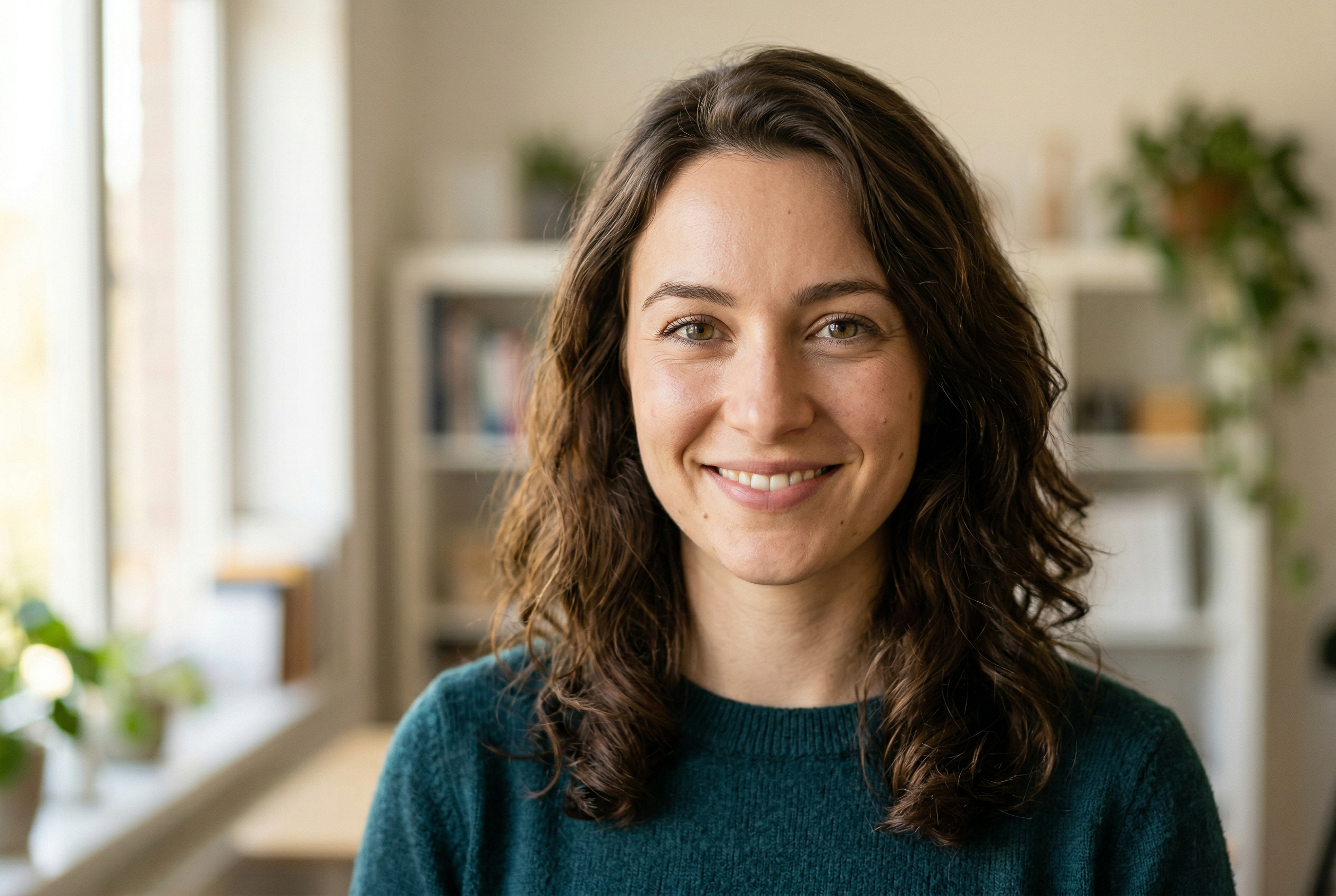
If you've ever tried generating a realistic AI image, you know the gap between "cool AI art" and "wait, is that a real photo?" is still pretty wide. Most tools nail the artistic stuff but fall apart when you need something that could pass as an actual photograph.
We tested the best realistic AI image generators available in 2026 to find which ones actually deliver photorealistic results — not just impressive paintings or stylized renders, but images that genuinely look like they came out of a camera.
Here's what we found, ranked by realism quality, ease of use, and overall value.
1. Midjourney — The Realism King
Midjourney has earned its reputation as the go-to for photorealistic AI images, and version 6.1 only widened the gap. When you need an image that looks like it was shot on a Sony A7IV with natural lighting, Midjourney consistently delivers.
What Makes It Stand Out
- Skin texture and lighting — Midjourney handles subtle details like pores, hair strands, and ambient lighting better than any competitor
- Prompt responsiveness — It understands photographic terms ("shot on 35mm," "golden hour," "shallow depth of field") and actually applies them correctly
- Consistency — Four out of four generations usually look great, unlike tools where you're hunting for the one good result
The Downsides
- Discord-only workflow can feel clunky (though the web app is improving)
- No free tier — plans start at $10/month
- Limited control over specific edits or refinements
Best for: Photographers and creatives who need the highest possible realism for stock imagery, concept work, or social media content.
Pricing: $10–$60/month depending on generation speed and volume.
2. AI Photo Generator — Best for Realistic Photos of Yourself
Here's where things get personal — literally. While most tools on this list generate realistic images of fictional people and scenes, AI Photo Generator specialises in creating photorealistic images of you.
The concept is simple: upload 15 or more selfies, and the AI builds a custom character model based on your appearance. From there, you can generate professional-quality photos that look like they came from an expensive studio session.
What Makes It Stand Out
- Custom AI characters — Train the AI on your face and generate unlimited realistic variations
- Professional headshots — Get LinkedIn-ready portraits, creative shoots, and themed photo sessions without a photographer
- Speed and affordability — Processing is noticeably faster than most competitors, and pricing is consumer-friendly
- Beyond photos — Also offers photo restoration for damaged or old pictures, plus short AI video generation
The Downsides
- You need at least 15 selfies to get started with character training
- Best results come from varied, well-lit source photos
If you've ever wondered how to generate AI photos of yourself that actually look believable, this is the tool to try. The results are genuinely impressive — we've seen outputs that people couldn't distinguish from real professional photography.
Best for: Anyone who wants realistic AI photos of themselves — headshots, dating profiles, social media, creative portraits.
Pricing: Affordable pay-as-you-go and subscription plans available.
3. DALL-E 3 (via ChatGPT) — Most Accessible Option
OpenAI's DALL-E 3, integrated directly into ChatGPT, has made realistic AI image generation as easy as typing a sentence. The quality has improved dramatically — DALL-E 3 can produce images that are genuinely hard to distinguish from photographs in many scenarios.
What Makes It Stand Out
- Natural language prompts — Just describe what you want in plain English. No prompt engineering required.
- ChatGPT integration — Conversational refinement means you can say "make it warmer" or "change the background to a coffee shop" naturally
- Text rendering — DALL-E 3 handles text in images far better than most competitors
- Safety features — Built-in content policies make it suitable for commercial and professional use
The Downsides
- Photorealism still trails behind Midjourney for complex scenes
- Limited control over photographic parameters (aperture, lens type, etc.)
- Requires a ChatGPT Plus subscription ($20/month) for full access
Best for: Beginners, marketers, and anyone who wants quick realistic images without a learning curve.
Pricing: Included with ChatGPT Plus ($20/month) or available via API.
4. Flux (Black Forest Labs) — The Open-Source Powerhouse
Flux burst onto the scene and immediately turned heads. Built by former Stability AI researchers, it combines the flexibility of open-source with realism that rivals closed-source tools. The Flux Pro model, in particular, produces stunningly realistic images.
What Makes It Stand Out
- Exceptional detail — Handles complex scenes with multiple subjects, accurate hands, and natural poses
- Open-source options — Flux Schnell (fast) and Flux Dev are freely available for experimentation
- Prompt adherence — Follows detailed prompts more accurately than most competitors
- Rapid development — The community is actively building LoRAs and fine-tunes for specific realism use cases
The Downsides
- Running locally requires serious GPU power (12GB+ VRAM recommended)
- Flux Pro requires API access through partner platforms
- Steeper learning curve than consumer-friendly tools
Best for: Technical users, developers, and AI enthusiasts who want maximum control and cutting-edge realism.
Pricing: Free (open-source models) or pay-per-generation via API partners.
5. Stable Diffusion XL / SD3 — The Customisation Champion
Stable Diffusion remains the Swiss Army knife of AI image generation. While it may not match Midjourney's out-of-the-box realism, the sheer flexibility of the ecosystem — custom models, LoRAs, ControlNet, and hundreds of fine-tunes — means you can achieve virtually any photorealistic style with the right setup.
What Makes It Stand Out
- Total control — Adjust every parameter: CFG scale, sampling method, steps, seed, and more
- Custom models — Community-trained checkpoints like Juggernaut XL and RealVisXL are specifically optimised for photorealism
- Run it anywhere — Locally, in the cloud, or through dozens of web interfaces
- Inpainting and outpainting — Edit specific regions of an image while keeping everything else intact
The Downsides
- Requires technical knowledge to get the best results
- Base models alone won't match Midjourney — you need the right checkpoint and settings
- Local setup requires a decent GPU
Best for: Power users who want unlimited, free generation with maximum customisation potential.
Pricing: Free and open-source. Cloud hosting costs vary.
6. Leonardo AI — Best Free Tier for Realism
Leonardo AI has quietly become one of the most capable realistic AI image generators with a genuinely usable free tier. Their PhotoReal mode and Alchemy refinement pipeline produce images that punch well above their weight class.
What Makes It Stand Out
- PhotoReal mode — A dedicated realism pipeline that significantly improves output quality
- Generous free tier — 150 daily tokens let you generate a meaningful number of images without paying
- User-friendly interface — Clean web UI that doesn't overwhelm beginners
- Image-to-image — Upload a reference photo and generate realistic variations
The Downsides
- Free tier tokens run out quickly with high-quality settings
- Realism quality is inconsistent — some prompts work beautifully, others look obviously AI-generated
- Advanced features locked behind paid plans
Best for: Casual users and designers who want to test realistic AI generation without committing to a subscription.
Pricing: Free tier available. Paid plans from $10/month.
7. getimg.ai — Solid All-Rounder
getimg.ai offers a clean, straightforward platform with a dedicated realistic image generation mode. It's not going to blow you away with groundbreaking realism, but it's reliable, fast, and offers a well-rounded toolkit that goes beyond just image generation.
What Makes It Stand Out
- Dedicated realistic mode — Purpose-built pipeline for photorealistic outputs
- Multiple AI models — Switch between Stable Diffusion, DALL-E, and proprietary models
- Built-in editor — Inpainting, outpainting, and image-to-image editing in one place
- API access — Good developer documentation for integration
The Downsides
- Realism quality doesn't quite match Midjourney or Flux Pro
- Credit system can feel restrictive on lower plans
- Less active community compared to Stable Diffusion or Midjourney
Best for: Users who want a simple web-based platform with multiple models and editing tools in one place.
Pricing: Free tier available. Paid plans from $12/month.
How to Choose the Right Realistic AI Image Generator
With seven strong options on the table, the best choice depends on what you're actually trying to do. Here's a quick decision framework:
Choose Based on Your Use Case
- "I need the most realistic AI images possible" → Midjourney or Flux Pro
- "I want realistic photos of myself" → AI Photo Generator
- "I'm not technical and want something easy" → DALL-E 3 via ChatGPT
- "I want full control and I'm comfortable with tech" → Stable Diffusion XL with a realism checkpoint
- "I need a free option that's actually good" → Leonardo AI
- "I want a simple all-in-one web platform" → getimg.ai
Key Factors to Consider
- Output quality — How realistic do you actually need the images to be? For social media, "pretty good" might be enough. For professional work, every detail matters.
- Ease of use — Some tools require prompt engineering skills. Others work with plain English descriptions.
- Speed — If you're generating dozens of images, processing time adds up. Tools like AI Photo Generator and Leonardo AI prioritise fast turnaround.
- Price — Free tiers are great for testing, but production use usually requires a paid plan. Compare cost-per-image, not just monthly fees.
- Privacy — If you're uploading personal photos (like selfies for AI character training), check the platform's data handling policies.
Tips for Getting More Realistic AI Images
Regardless of which tool you use, these tips will help you get more photorealistic results:
- Use photographic language in your prompts — Terms like "shot on Canon EOS R5," "natural lighting," "35mm focal length," and "shallow depth of field" push most generators toward realism
- Specify the setting and context — "A woman sitting in a café" is much more grounding than "a woman standing." Real photos have real environments.
- Mention skin texture and imperfections — Adding "slight freckles," "natural skin texture," or "no airbrushing" helps avoid the uncanny valley
- Avoid fantasy or surreal elements — Keep your prompts grounded. The more realistic the scenario, the more realistic the output.
- Use negative prompts — If the tool supports it, exclude things like "cartoon," "painting," "illustration," "blurry," and "deformed"
- Iterate and refine — The first generation is rarely the best. Use upscaling, inpainting, and variation features to polish your favourites.
Frequently Asked Questions
What is the most realistic AI image generator in 2026?
For general photorealistic image generation, Midjourney v6.1 currently produces the most consistently realistic results. However, for realistic AI photos of yourself specifically, AI Photo Generator offers a unique approach using custom-trained character models.
Are there any free realistic AI image generators?
Yes. Leonardo AI offers a generous free tier with its PhotoReal mode. Stable Diffusion is completely free and open-source (though you'll need your own hardware or a cloud provider to run it). getimg.ai and several other platforms also offer limited free tiers.
Can AI generate realistic photos of real people?
Yes, but with important caveats. Tools like AI Photo Generator let you train a model on your own photos to generate realistic images of yourself. Generating images of other people without their consent raises serious ethical and legal concerns, and most platforms have policies against it.
How can I tell if an image was generated by AI?
Modern AI generators have gotten remarkably good, but common tell-tale signs include: unnatural hand positioning, asymmetric jewellery or accessories, blurred or inconsistent text, oddly smooth skin without pores, and backgrounds that don't quite make sense when you look closely.
Which AI image generator is best for professional headshots?
For professional headshots, AI Photo Generator is specifically designed for this use case. Upload your selfies, and it generates studio-quality portraits. For fictional headshots or stock photography, Midjourney produces excellent results with the right prompts.
Is Stable Diffusion good for realistic images?
The base Stable Diffusion models are decent but not outstanding for realism. However, community-created checkpoints like Juggernaut XL, RealVisXL, and various photorealism LoRAs can produce exceptional results. The trade-off is that it requires more technical knowledge to set up.
